98 BD FACSCalibur Instructions for Use
10 If you are running 4-color samples, remove the PerCP tube and install the
APC control tube on the SIP; click Pause and then Restart.
If necessary, adjust FL3–%FL4 to place APC-positive events in the upper-
left quadrant of the FL3 vs FL4 plot.
11 Close the Compensation window.
12 Click Pause and then Abort in Acquisition Controls.
13 Remove the tube and place a tube of DI water on the SIP; press STNDBY.
14 (Optional) Choose File > Save Document.
If you made changes to the Standard Acq Experiment document, save the
document in the location of your choice.
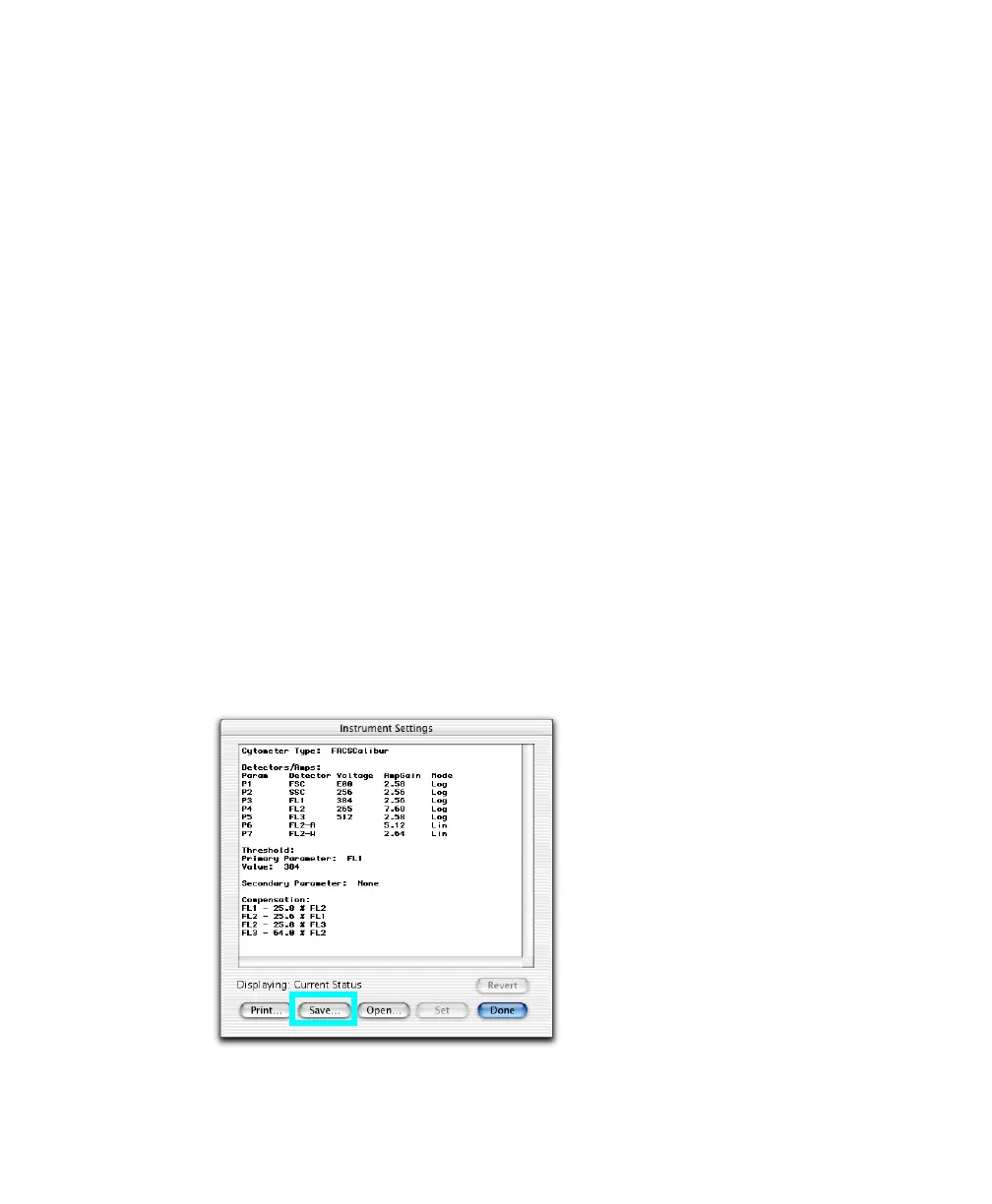
Saving Optimized Settings
Optimized settings can be saved to an instrument settings file that can be restored
to the cytometer when you run lysed whole blood samples again. To restore
settings, see page 89.
1 Choose Cytometer > Instrument Settings, and click Save.



 To Next Page