5
Base Unit and the Display
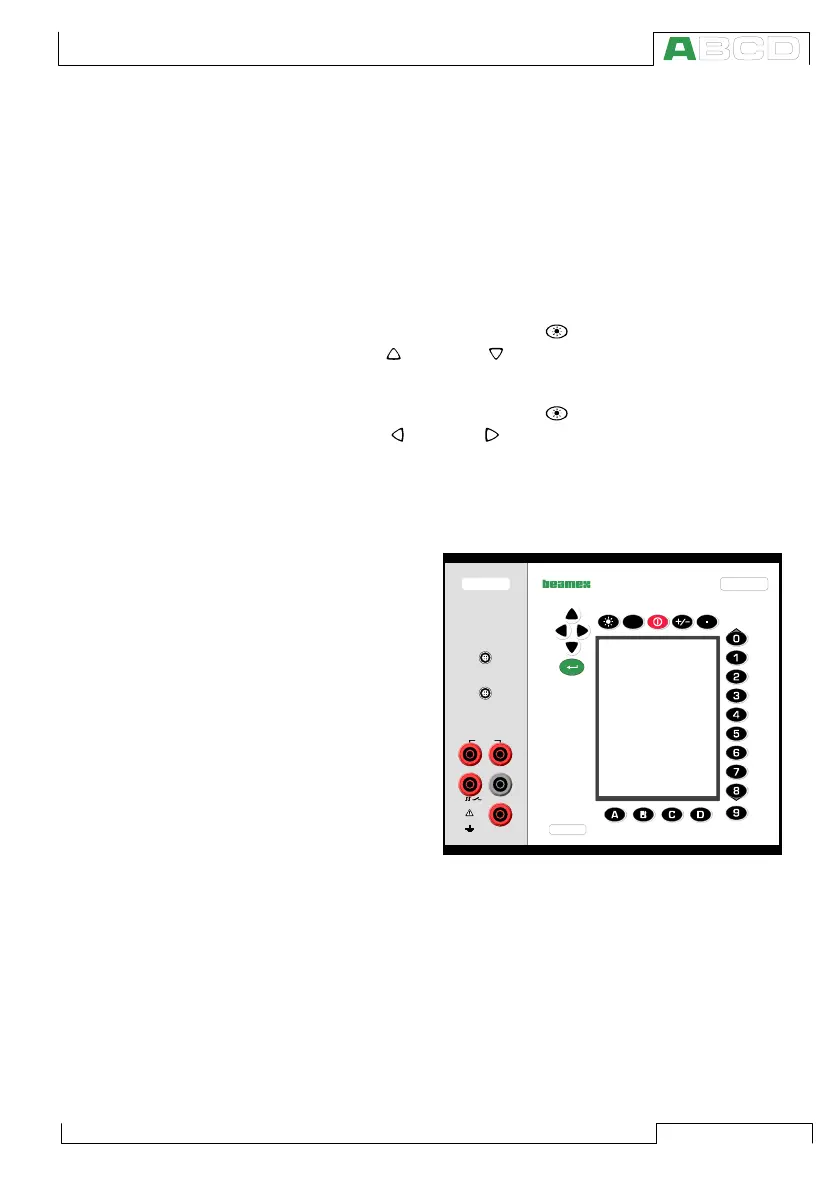
All MC5P’s are shipped with the Base Unit containing the keyboard
and the display. It contains the main processor which communi-
cates both with the user and all other modules. The Base Unit is
seen on the right side of the previous picture.
MC5P has a backlit transreflective display. The resolution of the
display is 240 x 320 pixels.
To quickly tune the contrast of the display:
• Press and hold the light button down.
• Use the up and down arrow keys to change the contrast.
To quickly tune the backlight brightness:
• Press and hold the light button down.
• Use the left and right arrow keys to change the backlight
brightness.
The changed settings are automatically saved as default settings.
The keyboard is described on page 9.
Electrical Module (E module)
The E module is
joined with the Base
Unit. The E module
can measure the fol-
lowing quantities:
voltage, current and
frequency. It can
also be used when
counting pulses or
detecting the state of
a switch. Addition-
ally there is a possi-
bility to generate
current and supply
an instrument with a 24 VDC power supply.
The E module also includes the HART modem needed when utiliz-
ing the HART communication option. The modem (together with
the HART communication option) allows communication with an
instrument with HART capabilities. When HART is used in conjunc-
tion with MC5P’s 24 volt power supply, an internal 270 ohm resistor
needed for HART communication is automatically included.
Additional information on calibrating HART instruments is in Ap-
pendix 1.
ELECTRICAL MODULE
FOR MC5P
(ENV), ENVIRONMENTAL
TEMPERATURE SENSOR
(EXT), EXTERNAL
PRESSURE MODULE
S/N
MULTIFUNCTION CALIBRATOR MC5PE
?
MEASURE
+24V
I
meas/sink
HART
®
2-w xmtr
V, ,
Low V
Com
Max 60 VDC
Max 30 VAC
MC5P Hardware



 To Next Page