85
Generating Signals Using External Devices
To be able to utilize devices connected to the auxiliary instrument
interface (AUX) you need to have the required firmware option. The
following paragraph explains how to activate MC5P to use a con-
nected external device. The instructions are also valid when the
connected device is changed.
To select an external device, open either Window 1 or Window 2
setup menu (select D/Menu and either A/Window 1 Setup or B/
Window 2 Setup in Basic Mode). Make sure the quantity setting of
the window corresponds to the external device’s quantity require-
ments. Continue to the third submenu by pressing the numerical
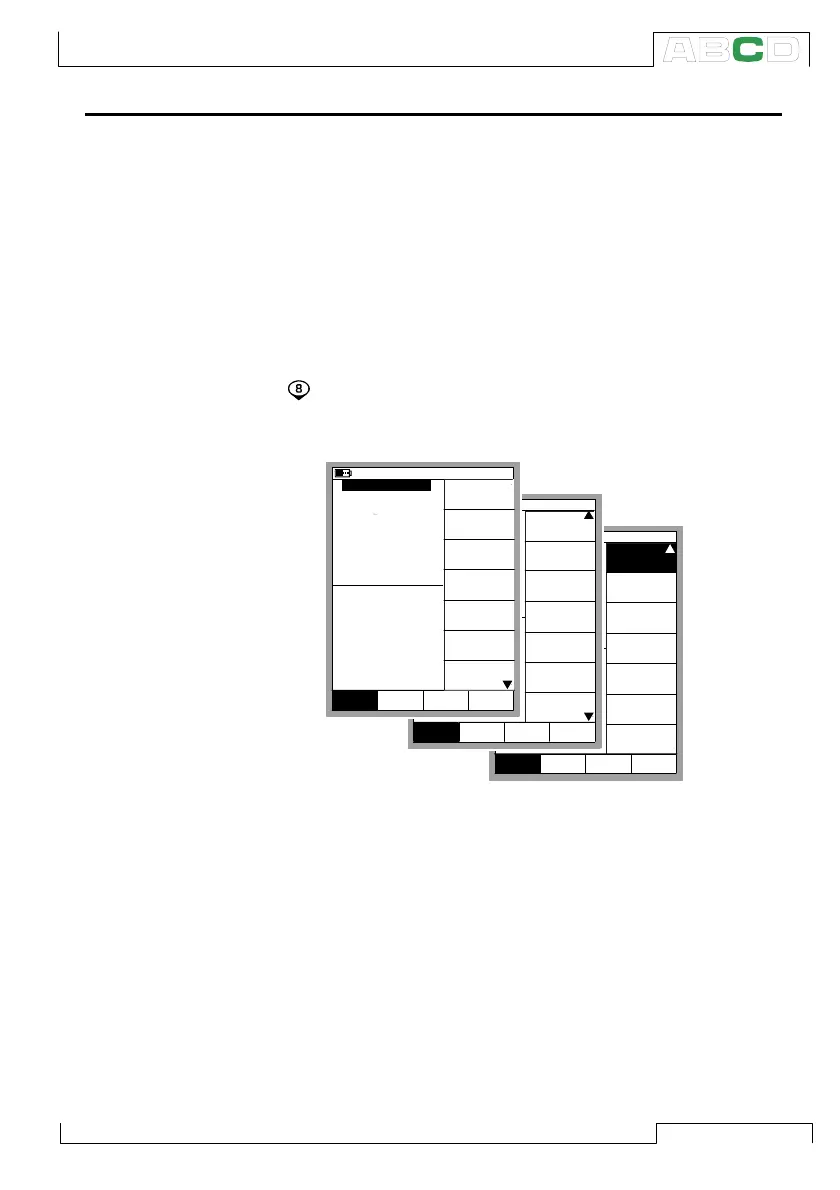
key twice. The following picture displays all the submenus avail-
able when the selected Quantity is Pressure.
To be able to communicate with the external device, MC5P requires
some additional data which you can enter in the window that opens
automatically after you have selected the Controller Settings menu
option. This is presented on the next page.
mbar
(gauge)
Alarm <
0.5 bar
Controller
Settings
Close
MENUMode
Others
Window 1 Window 2
Setup Setup
Sensor Supply
[None]
mbar
(gauge)
Alarm <
0.5 bar
Special
Measurement
[None]
[--(--)]
Function and
Port Info
Alarm
Second
Extra Info
Port Info
Close
MENUMode
Others
Window 1 Window 2
Setup Setup
[P2: EXT100]
Second port
Close
MENUMode
Others
0.70834
mbar
(gauge)
Alarm <
P1: INT2C / -1.000000...2 bar
0.5
0.4374
2 Current
bar
Pressure
E: Current Measurement
Quantity
[Pressure]
[P1: INT2C]
[Eng. Unit]
Unit
[bar]
Funct/Port
Display Mode
10.11.2003 15:35
1
HART
Pressure
Type
[gauge]
Zero
Pressure
Module
Window 1 Window 2
Setup Setup
Advanced Utilities



 To Next Page