128
Calibration
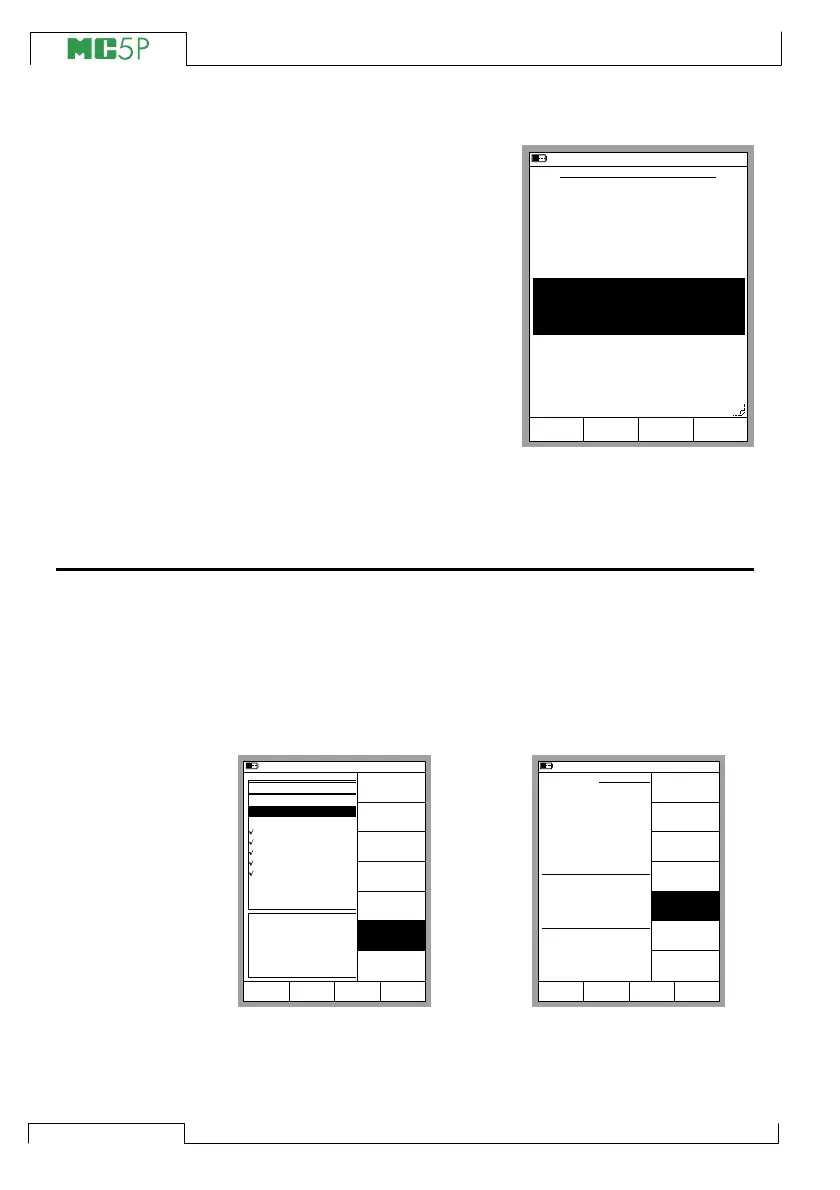
Calibration Instructions Page
In addition to the actual instrument
data, there are three note fields.
Starting Guide, Adjusting Guide
and Finishing Guide. They can be
used to provide the calibrating tech-
nician with any kind of instructions
that may be practical during the
calibration procedure. The note
texts may be written in MC5P or
they can be downloaded from a
calibration software. On this page,
the three first rows of the note texts
are shown, but when viewed dur-
ing calibration each note may be
as long as a full sized text window.
The fields on the Instructions Page need not be utilized, but if they
include any text they will be shown at the appropriate stage of the
calibration.
Deleting Instruments
If you want to free some memory or otherwise do not need certain
instrument data anymore, you may remove instruments from MC5P’s
memory as follows:
To remove all instruments (and their calibration data), open the
Position List and press D/Menu, 6/Delete All Instruments (see
the leftmost picture below).
To remove a single instrument (and its calibration data), select it
from the Position ID list. When viewing the instrument window, press
D/Menu and 5/Delete Instrument (see the rightmost picture
above).
11.11.2003 13:50
CALIBRATION INSTRUCTIONS
Starting Guide
Adjustment Guide
Finishing Guide
Required tools: Pressure pump or
a Pressure Controller
Remember the "Do not Adjust if" limit...
Clean up after your work!
MENUSave
page
Next
Edit
11.11.2003 12:32
POSITION/DEVICE ID
101-XI-001.1
112-TT-003.1
112-TT-007.1
PT101.6
PT112.12
PT115.15-1
PT115.15-2
PT112.16
TT112.08
TT112.10
TT112.12
Device ID
Position Name
Calibrated
TT112.07
Intake Temperature on Feed 1
Not Calibrated
Mode
Basic
MENUSelect
MENU
Close
Create New
Instrument
Delete All
Instruments
11.11.2003 13:01
INSTRUMENT
112-TT-003.1
Edit Calibrate MENU
Intake Temperature on Feed 1
Cal. Points
5
↑↓
Transfer Function
Linear
Method
Simulated
INPUT
0.00 ... 100.00 °C
Sensor Type
Pt100
α
385
Method
Measured
OUTPUT
4.0000 ... 20.0000 mA
Back
MENU
Close
Delete
Instrument
Controller
Settings
View
Instrument
Details
Make a Copy
View
Calibration
Results



 To Next Page