69
Alarm Limit Settings
Each main measurement in a window may have alarm limits set-
tings. MC5P supports “higher than”, “lower than”, “high rate” and
“low rate” alarms.
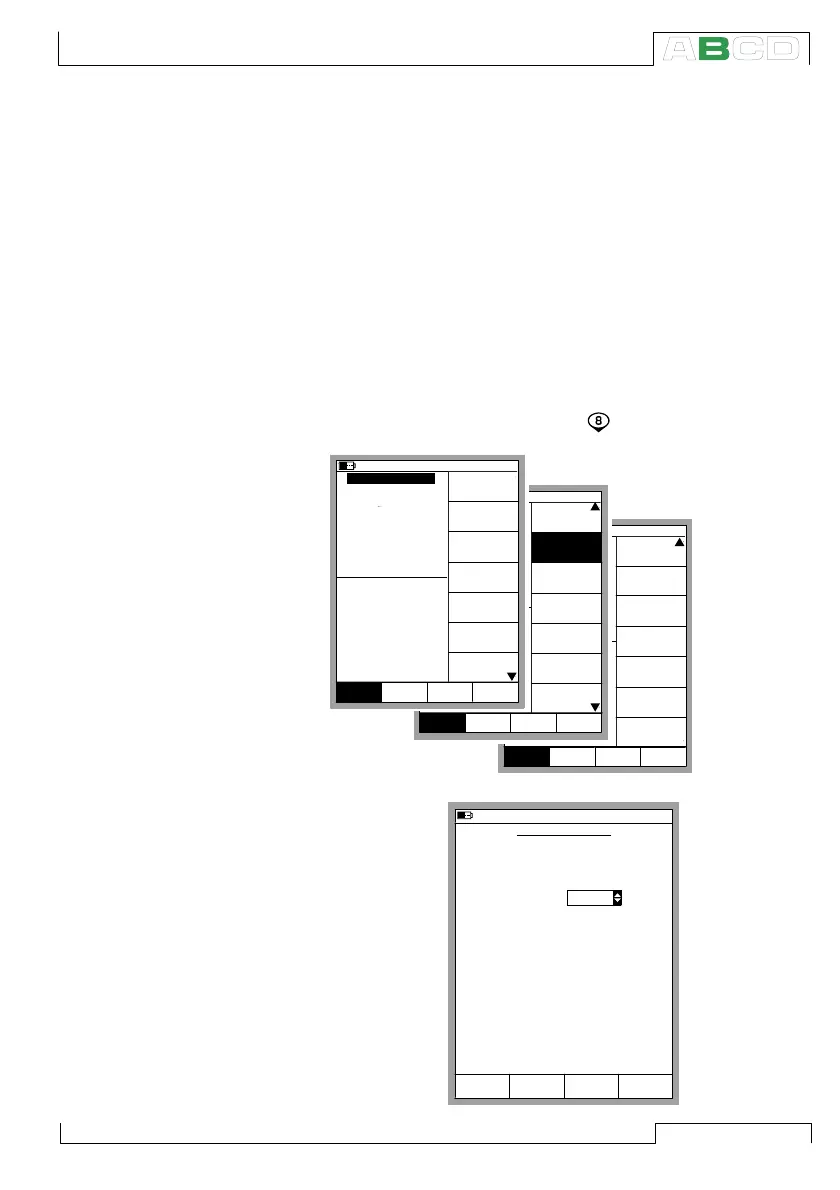
To set the alarm limits, open the window settings menu of the win-
dow where the measurement is active (starting from the Basic Mode:
D/Menu followed by A/Window 1 Setup or B/Window 2 Setup if
needed). As the alarm setting command is located in the window
setup’s submenu, select the numerical key to open the submenu.
Open the alarm set-
ting window by se-
lecting 2/Alarm.
mbar
(gauge)
Alarm <
0.5 bar
Controller
Settings
Close
MENUMode
Others
Window 1 Window 2
Setup Setup
Sensor Supply
[None]
mbar
(gauge)
Alarm <
0.5 bar
Special
Measurement
[None]
[--(--)]
Function and
Port Info
Alarm
Second
Extra Info
Port Info
Close
MENUMode
Others
Window 1 Window 2
Setup Setup
[P2: EXT100]
Second port
Close
MENUMode
Others
0.70834
mbar
(gauge)
Alarm <
P1: INT2C / -1.000000...2 bar
0.5
0.4374
2 Current
bar
Pressure
E: Current Measurement
Quantity
[Pressure]
[P1: INT2C]
[Eng. Units]
Unit
[bar]
Funct/Port
Display Mode
10.11.2003 16:12
1
HART
Pressure
Type
[gauge]
Zero
Pressure
Module
Window 1 Window 2
Setup Setup
10.11.2003 16:12
ALARM SETTINGS
Quantity
Port
Alarms activated
Alarm, when the Measurement
and/or
RTD-temperature
ET: RTD(mea)
24
19
<
>
°C
Alarm, when the Rate of Change
and/or
???????
1
<
>
1/h
Yes
Cancel
Limit
Clear
OKEdit
Alarm Limit Settings



 To Next Page