66
Startup and Basic Operation
Stepping
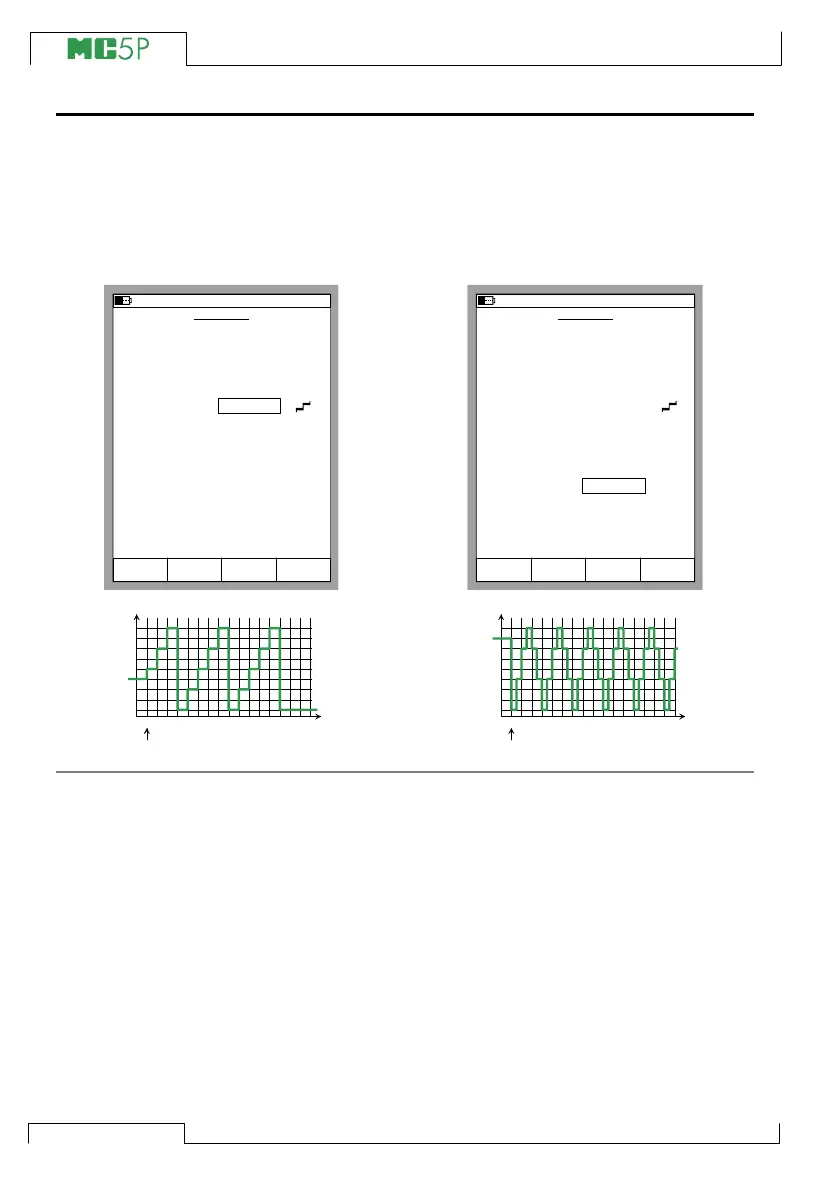
Configure the Stepping settings according
to your needs. The following pictures are
examples of stepping configurations. The
graph below the configuration window dis-
plays the result of the settings.
Note that because of the Starting point
setting, the first repeat of the leftmost ex-
ample is limited to a small starting step and
only two full steps. Generally: if the step-
ping settings limit the first repeat to only a
fraction of a full repeat it is still calculated
as one repeat.
You may enter either the Step Size or the
Number of Steps. Because these values
depend on each other, the value of the other
field is calculated whenever you make any
changes. Also, you can only enter an inte-
ger as the Number of Steps value. If you
enter a step size that results in a non-inte-
ger value for the Number of Steps field,
MC5P displays a dashed line instead of a
value for the Number of Steps field. This
indicates that the size of the step that
reaches the 100 % range limit is smaller
than the defined step size. See the
rightmost example.
To stop stepping press the function key
C/Stop Stepping. This applies for both a
continuous stepping (Repeats field set to
zero) and a stepping with a predetermined
amount of repeats (max. value 65535).
The Stepping configuration windows shown
below are opened as described in chapter
Opening the Step or Ramp Configura-
tion Window on page 65.
10.11.2003 16:08
Stop
Ramping
Field
STEPPING
Quantity
Port
Stepping Mode
Step Time
Repeats
Starting Point
Step Size
Number of Steps
Division of Steps
Range
Current
ET:I(gen)
Up
1.00
3
From present
1.00
4
Linear
8.0000
12.0000
s
mA
mA
0 %
100 %
StartCancel
0 = continuous
Edit
STEPPING
Quantity
Port
Stepping Mode
Step Time
Repeats
Starting Point
Step Size
Number of Steps
Division of Steps
Range
Current
ET:I(gen)
Up/Down
0.50
0
From 0 %
1.50
-------
Linear
8.0000
12.0000
s
mA
mA
0 %
100 %
10.11.2003 16:09
0 = continuous
Stop
Ramping
Field StartCancel Edit
Current, mA
8
9
10
11
12
10-1 5 10 14
Start
Current, mA
8
9
10
11
12
10-1 5 10 14
Start



 To Next Page