76
Advanced Operation and Configuration
Display Mode Settings
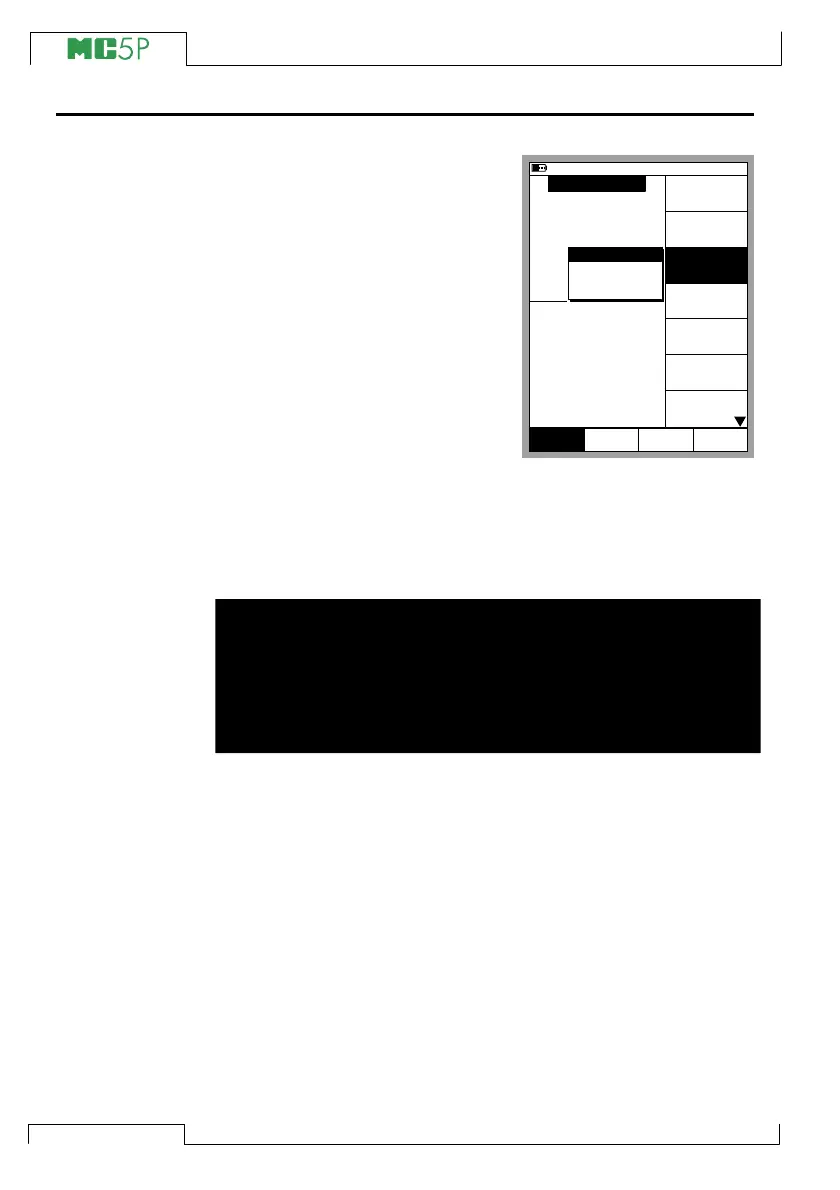
By default, MC5P displays all mea-
surement, generation and simula-
tion data in engineering units. In
Basic Mode you can also select
some special Display Modes. To
change the Display Mode, select
the Window setup menu (Com-
mands: D/Menu and B/Window 2
Setup, if needed) and choose
3/Display Mode. All of the avail-
able special Display Modes are de-
scribed in the subsequent chapters.
Note.
All special Display Modes are reset to Engineering Units Display
Mode if the quantity or port of the window(s) assigned to the special
Display Mode are changed.
Warning!
Be careful not to mistakenly read a value shown in special Dis-
play Mode as a value shown in Engineering Units. MC5P al-
ways displays the true measurement in the window’s lower-
most row (Extra Info row) when a special Display Mode is ac-
tive.
11.11.2003 8:35
P2: INT20C/-1.0 ... 20.7 bar g
E: Current Measurement
gauge
bar1.0357
8.3524 mA
2
Current
1
Pressure
Quantity
[Pressure]
Function/Port
[P2: INT20C]
Unit
[bar]
HART
Setup
Window 2
MENU
Close
Setup
Window 1
Others
Display Mode
[Eng. Units]
Pressure
Type
[gauge]
Zero
Pressure
Module
Eng. Units
Scaling
Percentage
Error Value



 To Next Page