142
Appendix 1, User Guide for MC5 HART Option
Calibrating a HART Instrument
Selecting the Instrument to be Calibrated
To be able to calibrate the HART
instrument, it has to be added to
MC5P’s instrument database. The
analog output (AO) and the digital
output (PV) are treated as separate
instruments.
Adding the instruments can be
done using the utility described in
chapter Adding a HART Instru-
ment to MC5P’s Instrument Da-
tabase on page 141 or by sending
the instrument data from a calibra-
tion software. Additionally: you can
also manually enter the instrument
data into MC5P’s instrument data-
base.
Select the instrument to be cali-
brated from MC5P’s list of available
instruments.
If you are already connected to the
HART instrument (HART commu-
nication started in Basic Mode),
MC5P continues directly from the
Instrument Window to the Calibra-
tion Windows.
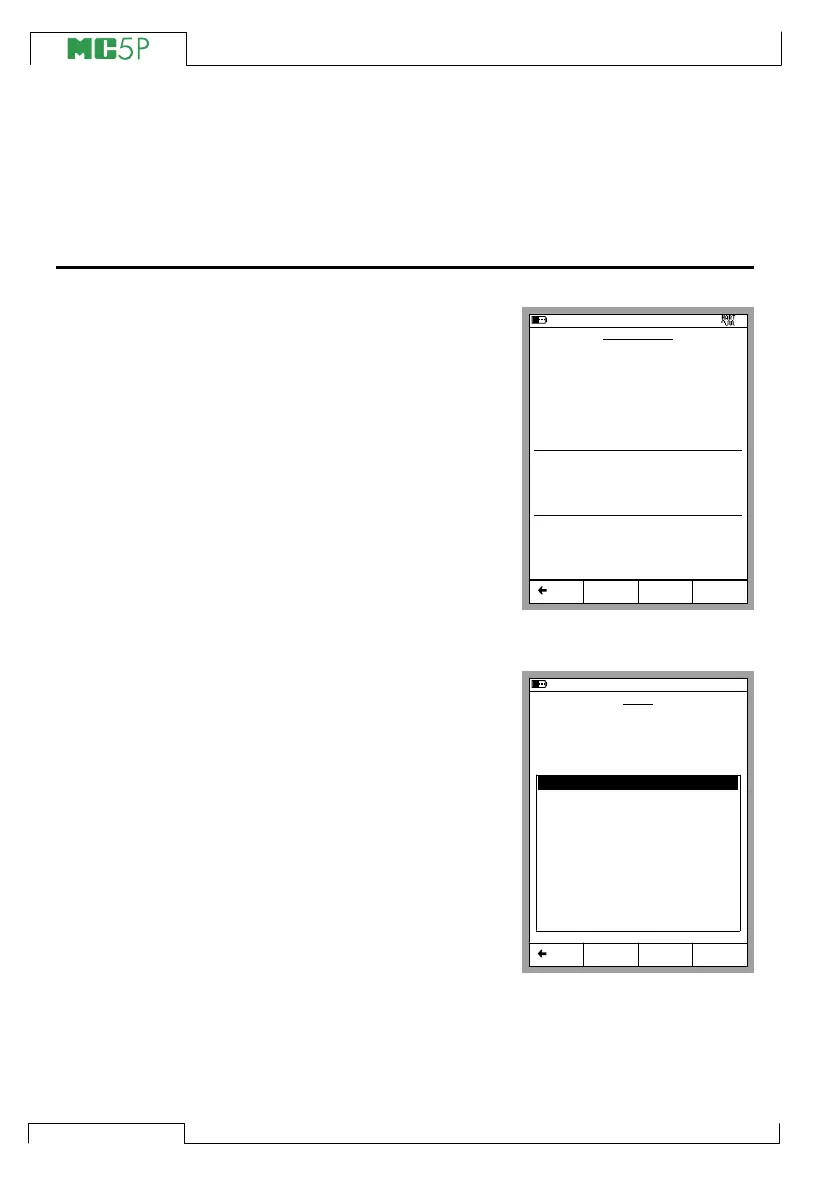
If HART communication is not
started and you are calibrating the
digital output (PV) of the HART in-
strument, MC5P prompts you to
start the communication and select
the instrument in a window similar
to the adjacent picture.
MC5P accepts the HART instrument as the instrument to be cali-
brated only if its instrument data matches with the data of the instru-
ment selected in MC5P.
11.11.2003 14:49
INSTRUMENT
112-TT-003.1
Edit Calibrate MENU
JUST TESTING
Transfer Function
Linear
Method
Measured
INPUT
0.00 ... 1000.00 mbar
Pressure Type
Gauge
Method
Measured
OUTPUT
4.0000 ... 20.0000 mA
Back
Cal. Points
5
↑↓
11.11.2003 14:50
0 - 3051 - PRESS TRANSM
1 - PT155 - NC TTR
2 - PT311 - ARG JT
3 - PT413 - WBA4 NTB
4 - TT210 - PLGR NSWF
5 - TT921 - FPN ILL
6 - TT148 - TBB NE
Select Back
HART
Searching for HART Device at:
8
Devices found:
Restart



 To Next Page