65
Special Generations
Manual change of generated signals is sometimes a restriction.
Therefore MC5P includes Stepping and Ramping as standard utili-
ties for creating automatically alternating output signals (special
generations).
To be able to start the definition of a special generation, a suitable
generation/simulation field has to be active in the Basic Mode Win-
dow. If a generation/simulation is not started, select D/Menu and
either A/Window 1 Setup or B/Window 2 Setup to configure a
generation/simulation. For more information on how to configure a
generation/simulation, see chapter Generating/Simulating on page
54 and its subchapters.
Notes.
Only one of the special generations may be active at a given time.
Special generations are available only in Basic Mode.
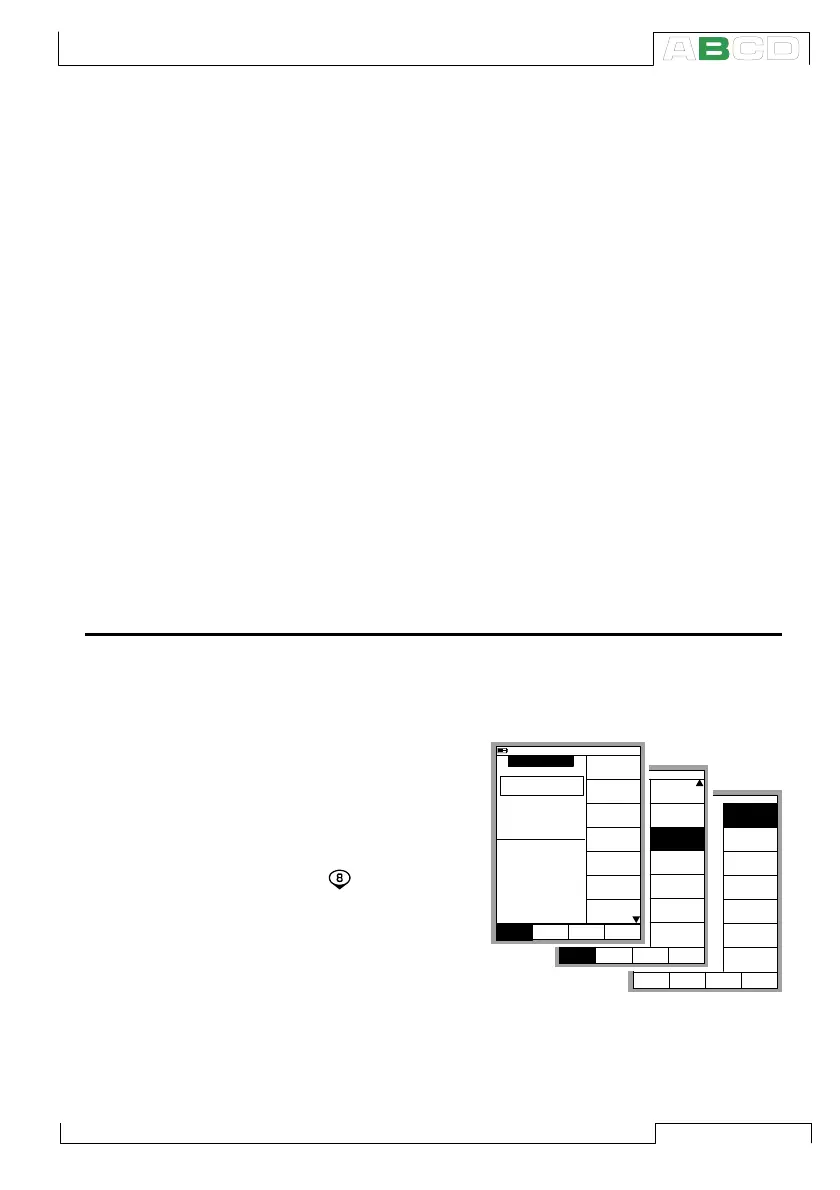
Opening the Step or Ramp Configuration Window
Open the window setup menu for the generation/simulation quan-
tity that you want to configure a Stepping function for. The menu
commands are:
• D/Menu
• and
B/Window 2 Setup,
if needed,
• Press the numeric
key to open the
second menu page
• Choose
3/Step, Ramp and
• Either 1/Step or
2/Ramp in the next
menu.
12.04.2002 12:52
ET: Voltage Generation
E: Switch Sense
V
???????
Open
2 Switch
Measurement, V -------
1 Voltage
Opened @ V
Closed @ V
-------
-------
12.04.2002 12:51
ET: Voltage Generation
E: Switch Sense
V
???????
Open
2 Switch
Measurement, V -------
1 Voltage
Opened @ V
Closed @ V
-------
-------
10.11.2003 16:05
ET: Voltage Generation
E: Switch Sense
V
???????
Open
2 Switch
Measurement, V -------
1 Voltage
Opened @ V
Closed @ V
-------
-------
Quantity
[Voltage]
Function/Port
[ET: V(gen)]
Unit
[mA]
HART
Setup
Window 2
MENU
Close
Setup
Window 1
Others
Display Mode
[Eng. Unit]
Alarm
[--(--)]
Function and
Port Info
Extra Info
Setup
Window 2
MENU
Close
Setup
Window 1
Others
Special
Measurements
[None]
Step, Ramp
Second Port
Info
MENU
Close
Step
Ramp
Back
Special Generations



 To Next Page