15
The Function Key Bar
The Function Key Bar at the bottom of the display is visible all the
time. The meaning of the Function Keys varies depending on the
situation. A grayed Function key text means that the function is dis-
abled at the moment.
Menus
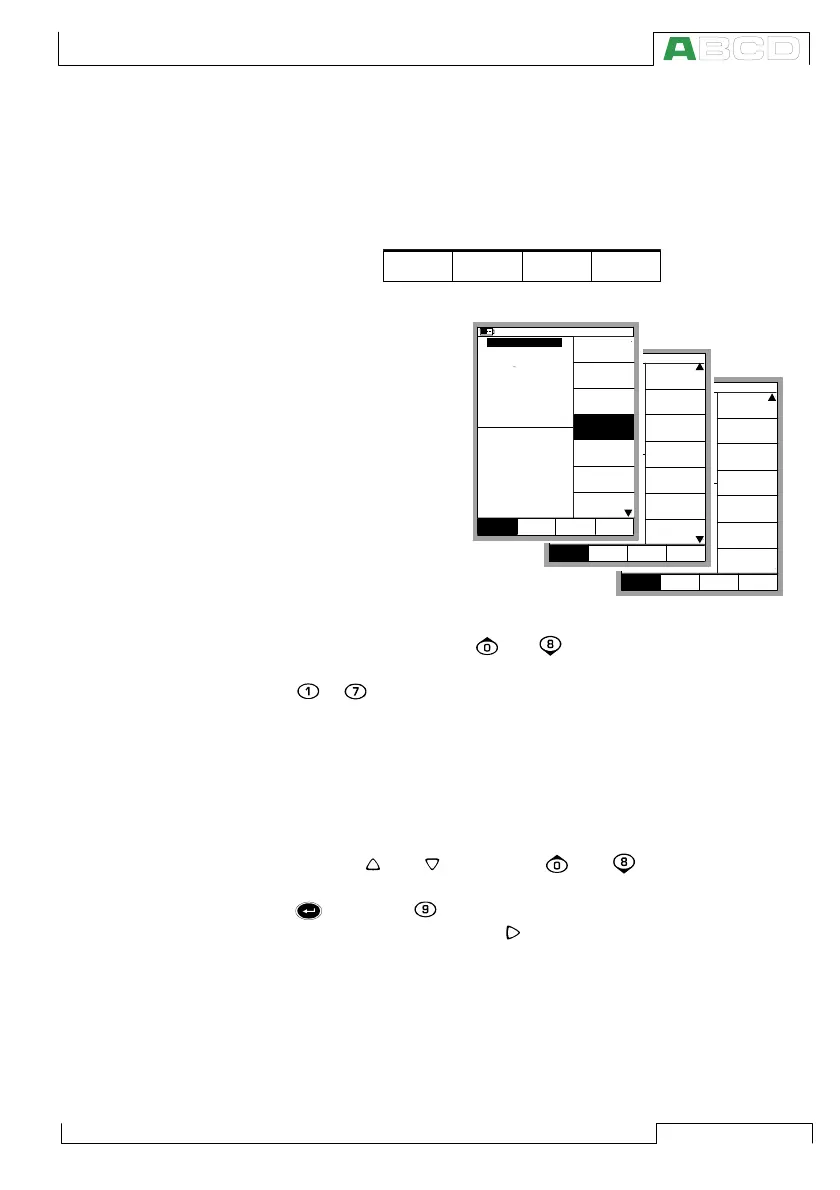
The Function Key for
opening the menu is al-
ways D/Menu. The same
key is used when closing
the menu. If a menu is
not needed for the cur-
rent subject, the fourth
Function Key is used for
other needs.
If the opened menu has
several pages, the
menu’s uppermost and/
or lowermost item in-
cludes an up/down tri-
angle. In that case, use the and keys to browse through the
available menu pages. A menu option is selected with the numeric
keys to . Selecting a menu option results in one of the follow-
ing events:
1. An immediate action follows and the menu closes automati-
cally, e.g. when selecting the Zero Pressure Module option
in the picture above.
2. A pop-up list opens for selecting one of the available options.
The current selection is displayed inside brackets in the menu.
Use the and keys or the and keys to scroll the
pop-up list. To select an option in the pop-up list, use either the
key or the key. To close the pop-up menu without se-
lecting anything, press the key or the D/Close Function Key..
3. Another menu with new options replaces the previous menu.
Sometimes the Function Keys can also open another menu.
In the previous picture, the Window 1 setup menu is opened.
In this case Function Key B/Window 2 Setup and Function
Key C/Others can be used for opening other menus.
4. A new window opens for, e.g. viewing additional information or
for configuring the selected task.
CloseCalibration
Field MENU
ModeMode
Stop
Ramping
mbar
(gauge)
Alarm <
0.5 bar
Controller
Settings
Close
MENUMode
Others
Window 1 Window 2
Setup Setup
Sensor Supply
[None]
mbar
(gauge)
Alarm <
0.5 bar
Special
Measurement
[None]
[--(--)]
Function and
Port Info
Alarm
Second
Extra Info
Port Info
Close
MENUMode
Others
Window 1 Window 2
Setup Setup
[P2: EXT100]
Second port
Close
MENUMode
Others
0.70834
mbar
(gauge)
Alarm <
P1: INT2C / -1.000000...2 bar
0.5
0.4374
2 Current
bar
Pressure
E: Current Measurement
Quantity
[Pressure]
[P1: INT2C]
[Eng. Units]
Unit
[bar]
Funct/Port
Display Mode
10.11.2003 15:13
1
HART
Pressure
Type
[gauge]
Zero
Pressure
Module
Window 1 Window 2
Setup Setup
MC5P Firmware



 To Next Page