36
Startup and Basic Operation
Configuring a Supply Voltage or Current When Testing a Pressure Sensor
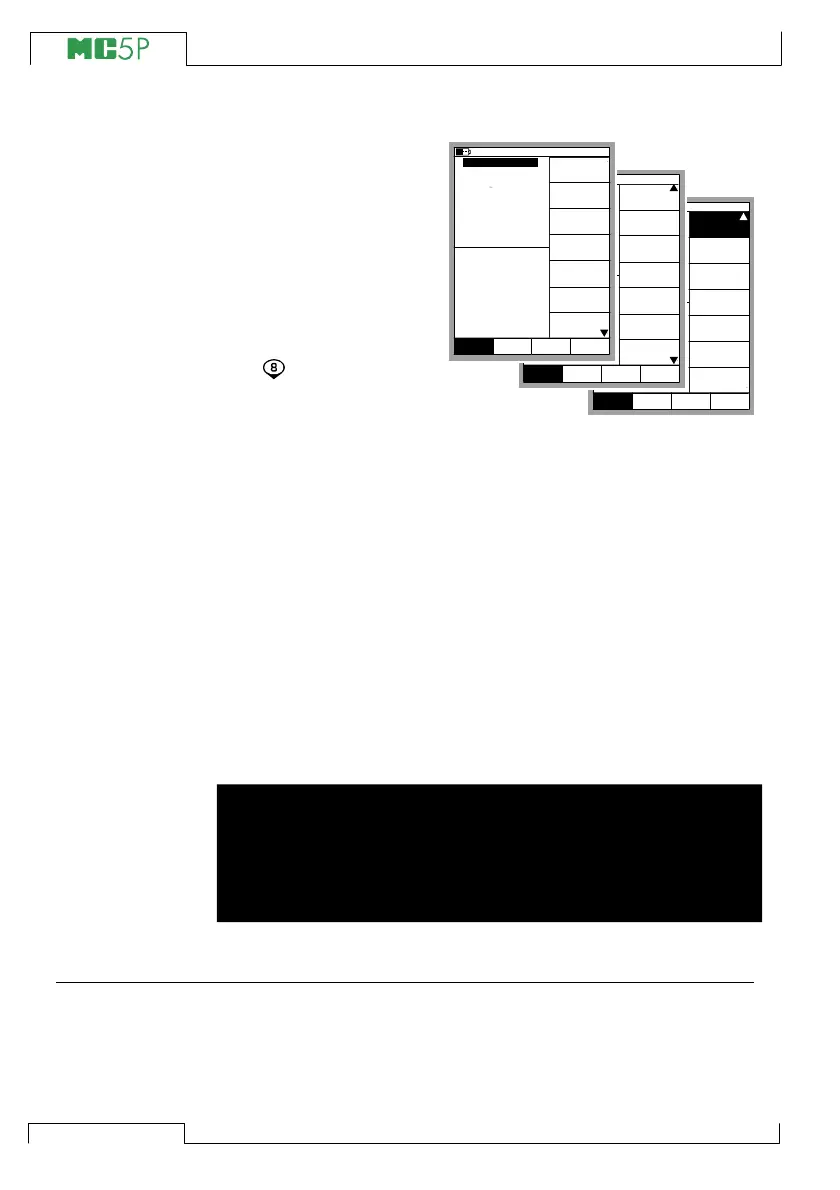
If you are testing a pres-
sure sensor and need a
supply Voltage or Current
for it, open the appropri-
ate window setup menu
(select D/Menu, A/Win-
dow 1 Setup or B/Win-
dow 2 Setup). Continue
to the third submenu by
pressing the numerical
key twice. The adja-
cent picture displays all
the submenus available
when the selected Quantity is Pressure.
Select 2/Sensor Supply and choose either Current or Voltage sup-
ply. A field for entering the supply Voltage/Current value appears in
the pressure measurement window.
Zeroing a Pressure Module
If the selected pressure module does not display zero gauge pres-
sure when the applied pressure is zero, the module has to be ze-
roed.
Open the appropriate window setup menu (D/Menu, A/Win-
dow 1 Setup or B/Window 2 Setup) and select menu option
7/Zero Pressure Module. If a secondary pressure module is ac-
tive in the selected window, a pop-up menu will appear for choosing
either to zero the primary or the secondary pressure module.
NOTE!
We recommend that you zero the used pressure module every
time before you start measuring pressure with it. When using
an external pressure module, zero it every time you change its
position.
Next…
Special Measurements on page 49
Alarm Limit Settings on page 69
Special Generations on page 65
Calibration, see Part D.
mbar
(gauge)
Alarm <
0.5 bar
Controller
Settings
Close
MENUMode
Others
Window 1 Window 2
Setup Setup
Sensor Supply
[None]
mbar
(gauge)
Alarm <
0.5 bar
Special
Measurement
[None]
[--(--)]
Function and
Port Info
Alarm
Second
Extra Info
Port Info
Close
MENUMode
Others
Window 1 Window 2
Setup Setup
[P2: EXT100]
Second port
Close
MENUMode
Others
0.70834
mbar
(gauge)
Alarm <
P1: INT2C / -1.000000...2 bar
0.5
0.4374
2 Current
bar
Pressure
E: Current Measurement
Quantity
[Pressure]
[P1: INT2C]
[Eng. Unit]
Unit
[bar]
Funct/Port
Display Mode
10.11.2003 15:35
1
HART
Pressure
Type
[gauge]
Zero
Pressure
Module
Window 1 Window 2
Setup Setup



 To Next Page