14
General
The User Interface
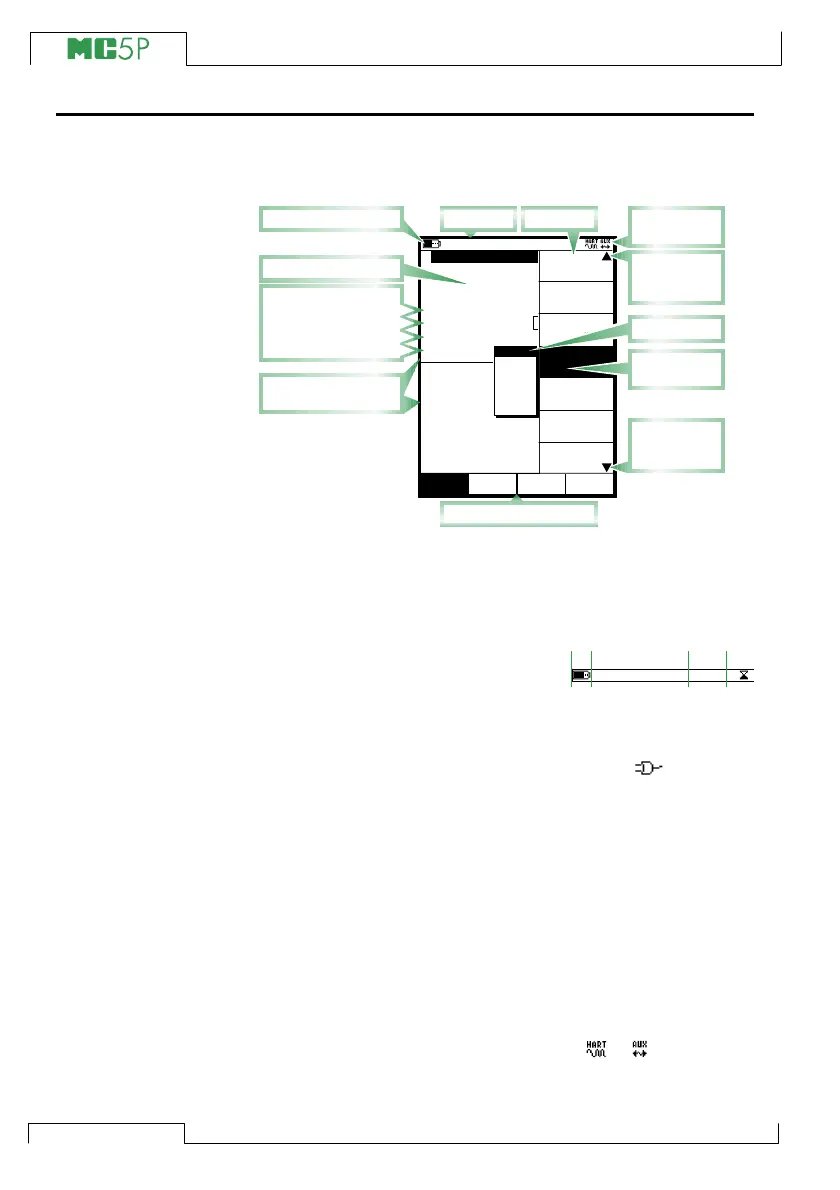
The main elements of the User window can be seen in the following
picture:
All possible elements are not included in the previous picture, but
the important ones are discussed in the following chapters.
The Status Bar
The Status Bar at the top of
the display is visible all the
time. It is divided into four
main sections.
The first (leftmost) section displays the charge level of the battery.
The battery symbol is replaced by a plug symbol ( ) if you are
using the battery charger together with the optional Dry Battery
Cartridge. In this case the battery charger acts as a battery elimina-
tor. The second section displays the time and date. The third sec-
tion displays the temperature measured with the optional environ-
ment sensor, if the sensor is connected to MC5P.
The fourth section (rightmost) section displays additional informa-
tion in the form of symbols, like:
• An hourglass when MC5P is working on something that takes
time.
• A question mark when an error occurred.
• A symbol indicating communication with an external device,
e.g. a HART instrument or a controller ( or ).
Note that the fourth section is empty for most of the time. The sym-
bols are visible only when needed.
CloseWindow 1 Window 2
MENUMode
Others
Setup Setup
0.4521
mbar
(gauge)
Alarm <
P1: INT2C / -1.000000...2 bar
POC4, bar
Maximum value: 1.1262 bar
0.5
0.112
2 Current
bar
Pressure
E: Current Measurement
Quantity
[Pressure]
[P1: INT2C]
[Eng. Unit]
Unit
[bar]
Funct/Port
Display Mode
kPa
Pa
bar
psi
mmH
2
O
mmHg
10.11.2003 15:06
1
HART
Type
[gauge]
Pressure
Module
Pressure
Zero
Internal tempera
Minimum value: 0.0000
ET: Voltage Generation
Measurement reading
Display area divided
into Window 1 and 2
Menu
Pop-up list
Present
selection
Indicator
for multiple
menu pages
Status Bar
Function key bar
Battery's charge level
Additional
information
Indicator
for multiple
menu pages
Additional data rows:
Sensor Supply
External Device
Special Measurement
Extra Info
Sections:
1 2 4
Time & Date
Example of Status
Bar appearance
3
21.3 °C



 To Next Page