Other Functions
101
Using the Metronome
In eBand mode you can sound a
metronome while the song plays back.
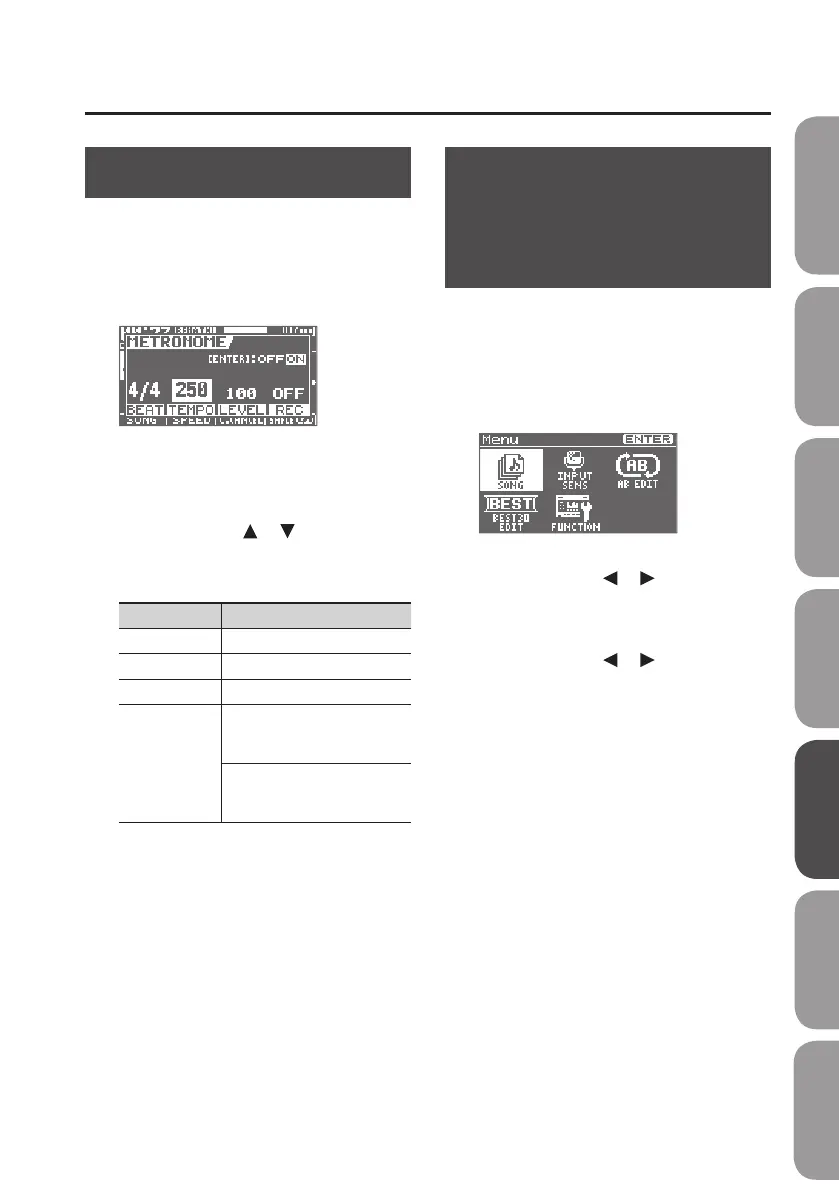
1. Press the [RHYTHM] button.
The METRONOME screen will appear.
2. Press the [ENTER] button to switch
METRONOME on/o.
3. Use the cursor [ ] [ ] buttons to
select a parameter, and use the dial
to edit the setting.
Parameter Value
BEAT Species the time signature.
TEMPO Species the tempo.
LEVEL Species the volume.
REC
ON: The metronome will
be recorded with the
performance.
OFF: You’ll hear the
metronome, but it will not be
recorded.
4. Press the [EXIT] button a number of
times to return to the basic screen.
Changing the Song and
Eects Simultaneously
(PATCH SYNC)
Here’s how to set the BR-80 so the
eect patch stored in a song is loaded
automatically when you switch songs.
1. Press the [MENU] button.
The Menu screen will appear.
2. Use the cursor [ ] [ ] buttons to
move the cursor to “FUNCTION,” and
press the [ENTER] button.
3. Use the cursor [ ] [ ] buttons to
move the cursor to “SYSTEM,” and
press the [ENTER] button.
4. Set the “PATCH SYNC” setting to “ON.”
At the factory settings, this is set to “ON.”
If set to “OFF,” the “SONG INFO” patch
sync setting (p. 98) will be ignored, and the
currently selected eect patch will be used.
Even if you switch songs, the eect patch
will not change.
Quick Start Preparations LIVE REC Mode MTR Mode eBand Mode
Convenient Functions
Appendix



 To Next Page