Recording/Playback
60
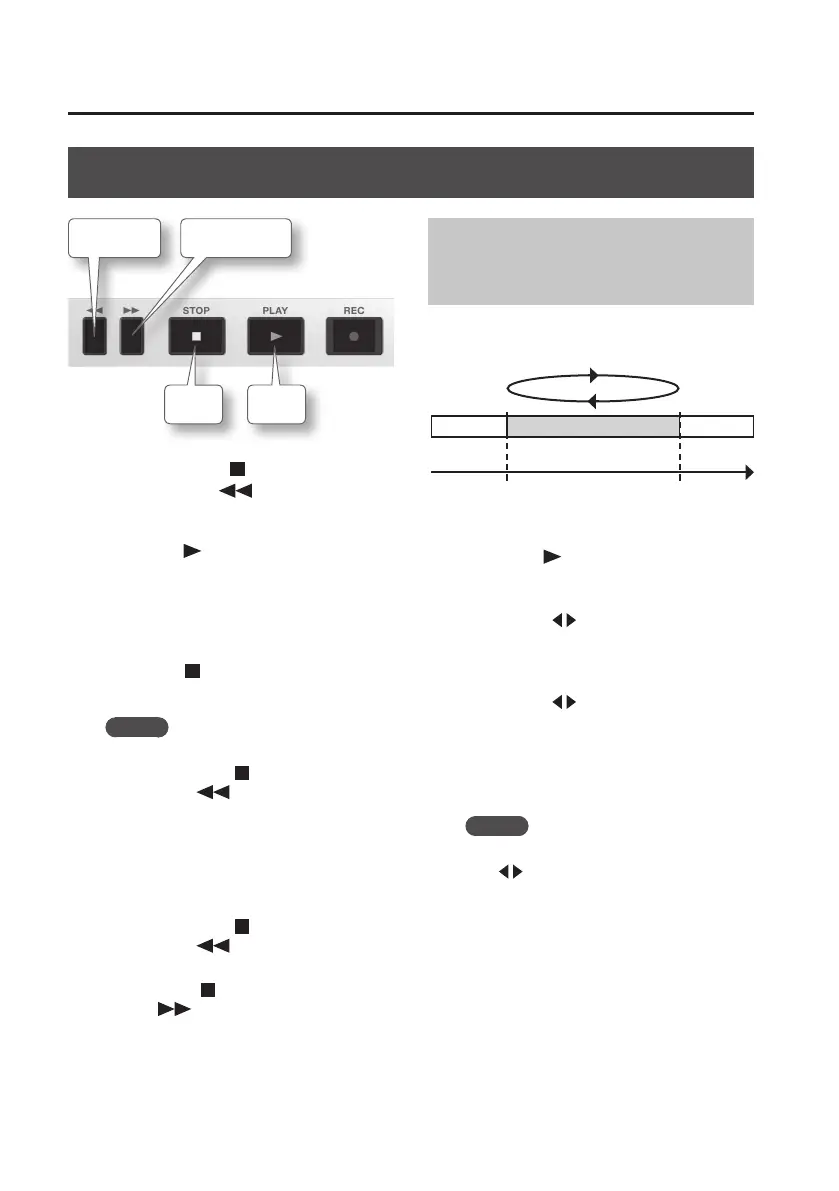
Playback
Rewind
Stop
Play
Fast-forward
1. Hold down the [ ] (STOP) button
and press the [ ] button to return
to the beginning of the song.
2. Press the [ ] (PLAY) button to play
back the song.
3. Use the [VOLUME] dial to adjust the
volume.
4. Press the [ ] (STOP) button to stop
playback.
MEMO
• To return to the beginning of the song,
hold down the [
] (STOP) button and
press the [
] button.
However, if the current time location
is later than the location at which
the previous recording began, this
operation returns you to the location at
which the previous recording began.
To return to the beginning of the song,
hold down the [
] (STOP) button and
press the [ ] button once again.
• To move to the end of the song, hold
down the [
] (STOP) button and press
the [ ] button.
Playing Back Repeatedly
(AB Repeat)
By using the “repeat” function you can
repeatedly play back a specied region.
Section to repeat
A
(Repeat Start)
B
(Repeat End)
Time
1. Press the [ ] (PLAY) button.
The song will play back.
2. Press the [A B] button at the point
where you want to start repeating
(point A).
3. Press the [A B] button at the point
where you want to stop repeating
(point B).
AB Repeat will turn on, and playback will
begin repeating.
MEMO
To cancel the repeat function, press the
[A B] button once again.



 To Next Page