Track Settings (the Mixer Screen)
66
2. Use the cursor [ ] [ ] buttons to
select a parameter, and use the dial
to edit the value.
Parameter Value
TYPE ROOM, HALL, PLATE
TIME 0.1 s–10.0 s
E.LEVEL 0–100
3. Press the [EXIT] button to return to
the REVERB SEND screen.
Selecting V-Tracks
(V-TRACK)
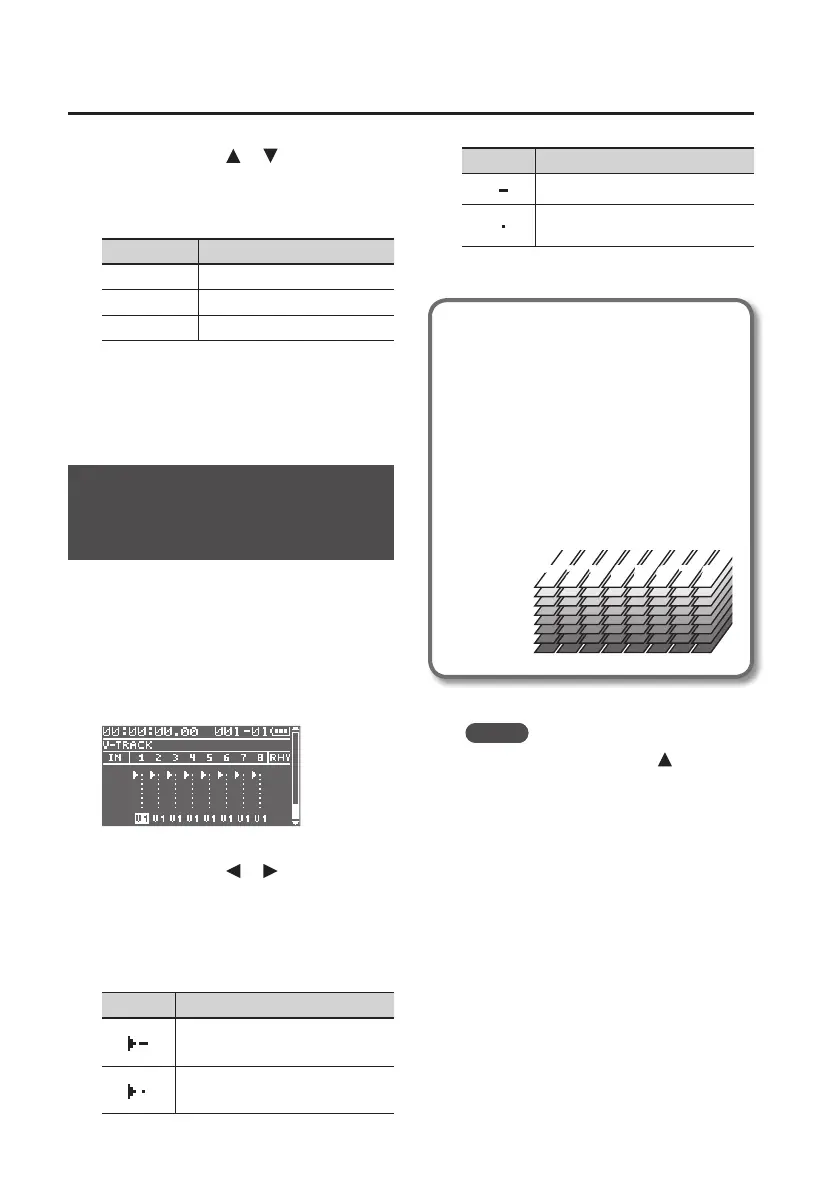
Each of the BR-80’s tracks contains eight
“V-tracks,” and you can choose one of these
V-tracks for recording or playback.
By using V-tracks, you can record and
compare multiple takes of a guitar solo or
vocal, and then use the take you think is
best.
1. Use the cursor [ ] [ ] buttons to
select a track.
2. Use the dial to change the V-track of
that track.
Indication Explanation
Currently selected V-track
(recorded data exists)
Currently selected V-track
(no recorded data)
Indication Explanation
V-track containing recorded data
V-track containing no recorded
data
What are V-Tracks?
Each track consists of eight virtual
tracks, and you can choose any
one of these tracks for recording or
playback.
This means that you can record to up
to a maximum of 64 tracks, and then
select any eight of them to play back.
These virtual tracks that make up the
actual tracks are called “V-Tracks.”
V-Track2
V-Track1
V-Track3
V-Track4
V-Track5
V-Track6
V-Track7
V-Track8
1
1 22 33 44 55 66 77 8
8
MEMO
You can press the cursor [
] button to
switch to the REVERB SEND screen.



 To Next Page