22
What is MTR Mode?
In MTR mode, the BR-80 functions as a multi-track recorder that lets you create a nished song.
You’ll be able to play multiple tracks simultaneously, and use V-tracks to record multiple takes of a
guitar solo and then choose the best one.
Step 1
Prepare for Recording
02 Turning Your Idea Into a Song (MTR Mode)
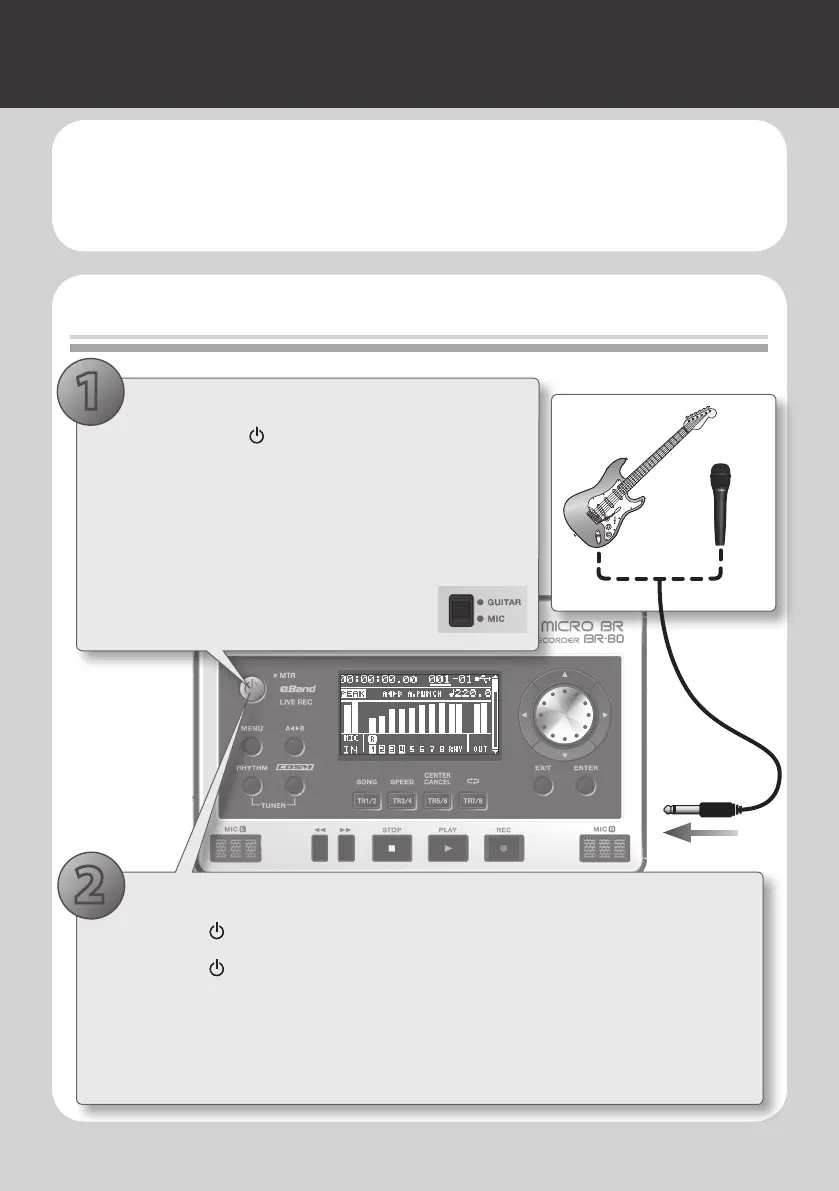
1. Make the connections
1. Hold down the [ ] button for several seconds to
turn o the power.
2. Turn the [REC LEVEL] dial and [VOLUME] dial to the
minimum position.
3. Connect your guitar or microphone to the GUITAR/
MIC IN jack.
4. Set the [GUITAR/MIC] switch on the BR-
80’s bottom panel to the GUITAR or MIC
position.
1
1. Select MTR mode
1. Press the [ ] button to turn on the power.
2. Press the [ ] button a number of times until the “MTR” indicator is lit.
3. While actually performing, adjust the recording level by gradually raising the [REC
LEVEL] dial located on the BR-80’s right side.
4. Gradually raise the [VOLUME] dial to adjust the output volume.
2
Electric Guitar
Microphone



 To Next Page