Recording/Playback
46
Recording
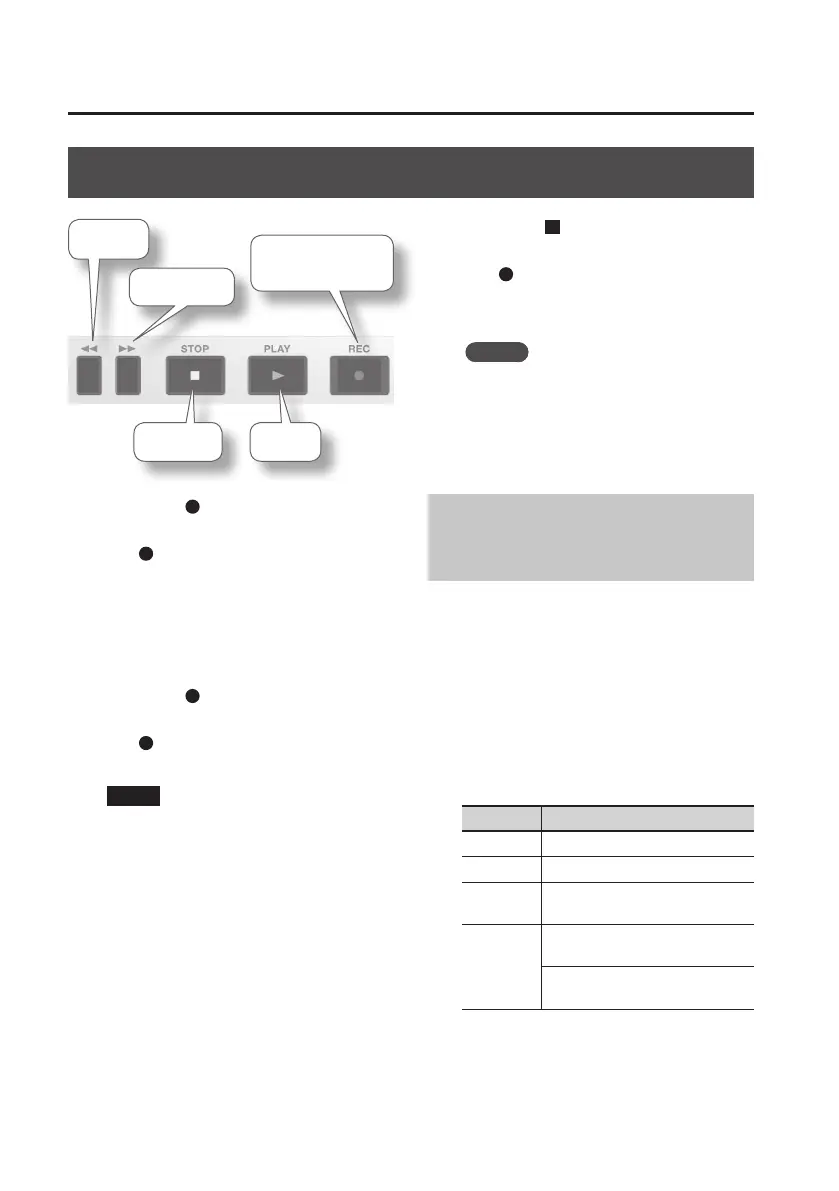
Rewind
Pause
Play
Fast-forward
Record /
Recording-standby
1. Press the [ ] (REC) button to enter
recording-standby mode.
The [ ] (REC) button will blink.
2. Use the [REC LEVEL] dial to adjust the
recording level.
Adjust the loudness of the sound you’re
recording (p. 49).
3. Press the [ ] (REC) button to start
recording.
The [ ] (REC) button will light, and
recording will begin.
NOTE
• The recording level will change if you
operate the [REC LEVEL] dial during
recording.
Take care not to operate the [REC LEVEL]
dial inadvertently.
• You can’t turn o the power during
recording. You must stop recording
before you can turn o the power.
4. Press the [ ] (STOP) button to stop
recording.
The [ ] (REC) button will go out.
The display will show the le that was
recorded.
MEMO
A song name such as LIVE0001.WAV will
be created automatically.
The 0001 portion will be the number
following the highest-numbered song
that exists.
Recording with the
Metronome
If you use the metronome while recording,
it will be easier to record at an accurate
tempo.
1. Press the [RHYTHM] button.
The metronome will turn on.
2. Use the cursor buttons to select the
desired parameter, and use the dial
to specify its value.
Parameter Explanation
BEAT Species the time signature.
TEMPO Species the tempo.
LEVEL
Species the volume of the
metronome.
REC
ON: The metronome will be
recorded with the performance.
OFF: You’ll hear the metronome,
but it will not be recorded.
In the metronome setting screen, you
can press the [ENTER] button to turn the
metronome on/o.



 To Next Page