Playback
95
Changing the Song’s
Speed or Pitch (SPEED)
Here’s how to change the song’s playback
speed (tempo) or pitch.
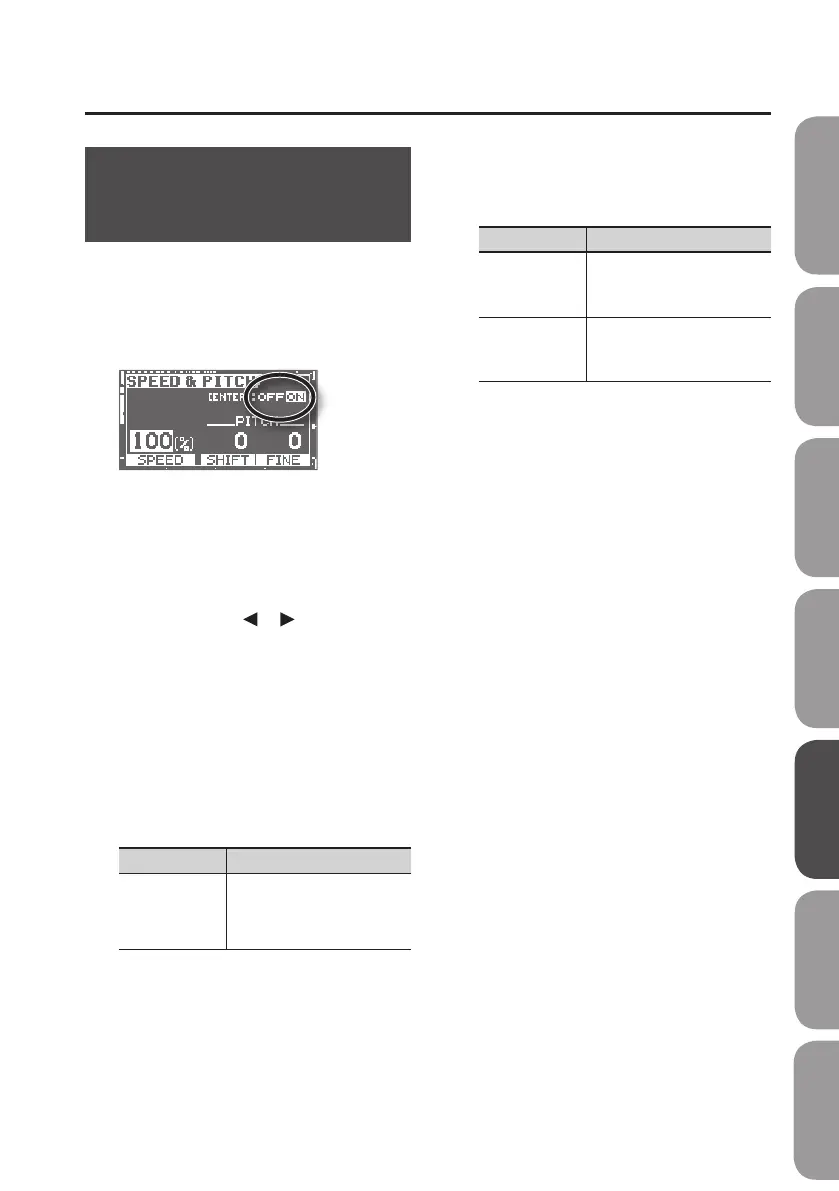
1. Press the [TR3/4] (SPEED) button.
The SPEED screen will appear.
2. Press the [ENTER] button to switch
SPEED on/o.
It will turn on/o each time you press the
[ENTER] button.
3. Use the cursor [ ] [ ] buttons to
select a parameter, and use the dial
to edit the setting.
Changing the playback speed
You can set the SPEED parameter in a range
from 50% (half the original speed) to 150%
(1.5 times the original speed).
To return to the original speed, set this to
100%.
Parameter Explanation
SPEED
Changes the playback speed.
You can change the playback
speed without changing the
pitch.
Changing the pitch
The PITCH parameter changes the key of
the song.
Parameter Explanation
SHIFT
Raises or lowers the pitch in
semitone steps.
Range: -6–+7
FINE
Adjusts the pitch in ne steps
of 1 cent.
Range: -50–+50
* Semitone = 100 cents.
4. Press the [EXIT] button to return to
the basic screen.
Quick Start Preparations LIVE REC Mode MTR Mode eBand Mode
Convenient Functions
Appendix



 To Next Page