Using Rhythm
71
4. Use the cursor [ ] [ ] buttons to
move the cursor to “INSERT,” and
press the [ENTER] button.
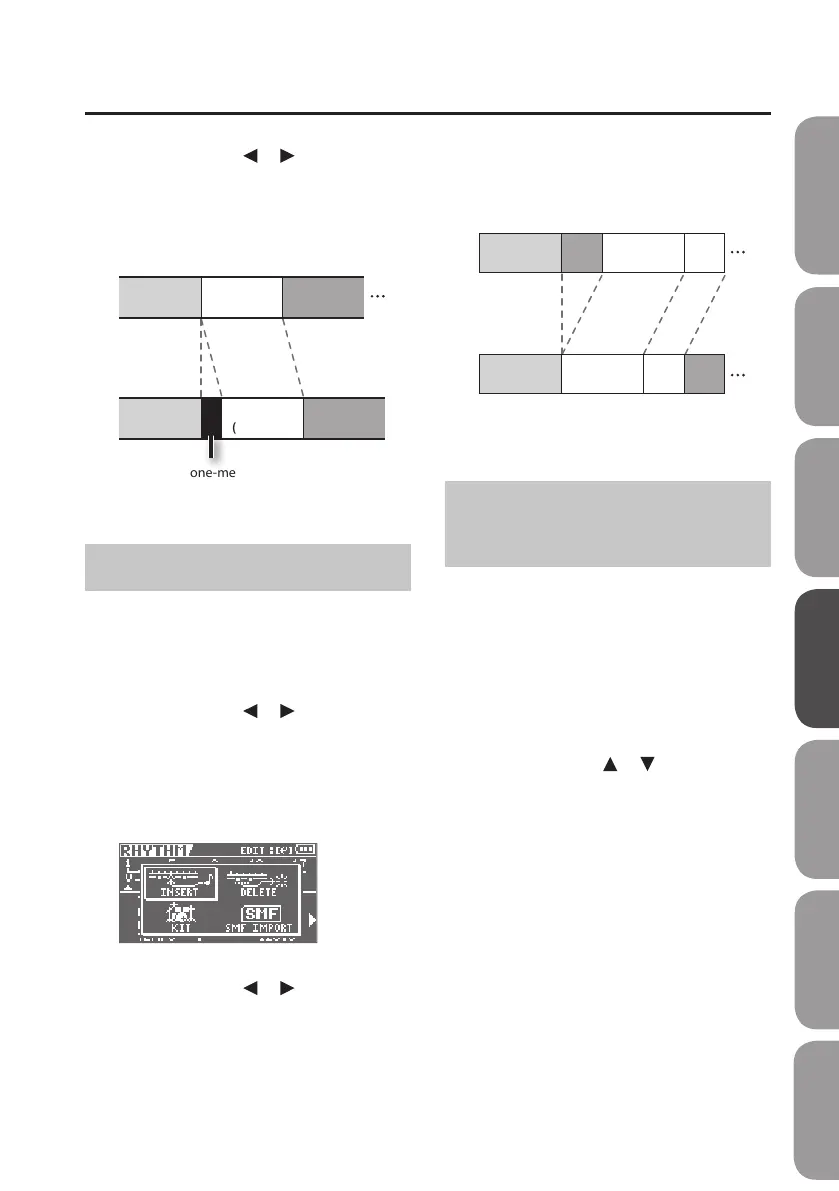
A one-measure break will be inserted.
Intro
(4 measures)
Verse
(4 measures)
Fill
(4 measures)
Intro
(4 measures)
Verse
(4 measures)
Fill
(4 measures)
A one-measure break will be added
before the Verse.
Select the Verse and insert a pattern.
Deleting a Pattern
Here’s how to delete the selected pattern.
1. Press the [RHYTHM] button.
The RHYTHM screen will appear.
2. Use the cursor [ ] [ ] buttons to
select the pattern that you want to
delete.
3. Press the [ENTER] button.
You will enter EDIT mode.
4. Use the cursor [ ] [ ] buttons to
move the cursor to “DELETE,” and
press the [ENTER] button.
5. Press the [ENTER] button.
The data will be deleted.
Intro
(4 measures)
Fill Verse
(4 measures)
Verse
Intro
(4 measures)
Verse
(4 measures)
Verse
Fill
Subsequent patterns will be
moved forward.
Select the Fill and delete the pattern.
(2 measures) (2 measures)
(2 measures) (2 measures)
Initializing a Rhythm
Progression
This procedure erases all of the patterns
that were placed in a rhythm.
1. Press the [MENU] button.
2. Use the cursor buttons to move the
cursor to “FUNCTION,” and press the
[ENTER] button.
3. Use the cursor [ ] [ ] buttons to
move the cursor to “INIT RHYTHM,”
and press the [ENTER] button.
4. Press the [ENTER] button once again.
A message will ask “Are you sure?”
5. To proceed with the erasure, select
“YES” and press the [ENTER] button;
to cancel, select “NO” and press the
[ENTER] button.
Quick Start Preparations LIVE REC Mode MTR Mode eBand Mode
Convenient Functions
Appendix



 To Next Page