28
Step 1
Get Ready to Play
What is eBand Mode?
You can enjoy playing your guitar along with a favorite song.
You can also record your guitar playing together with the backing song. This is also a great way to
practice guitar, since you can adjust the song’s playback speed or playback pitch, or use the center
cancel function.
03 Practicing Along With Your Completed Song (eBand Mode)
Electric Guitar
Microphone
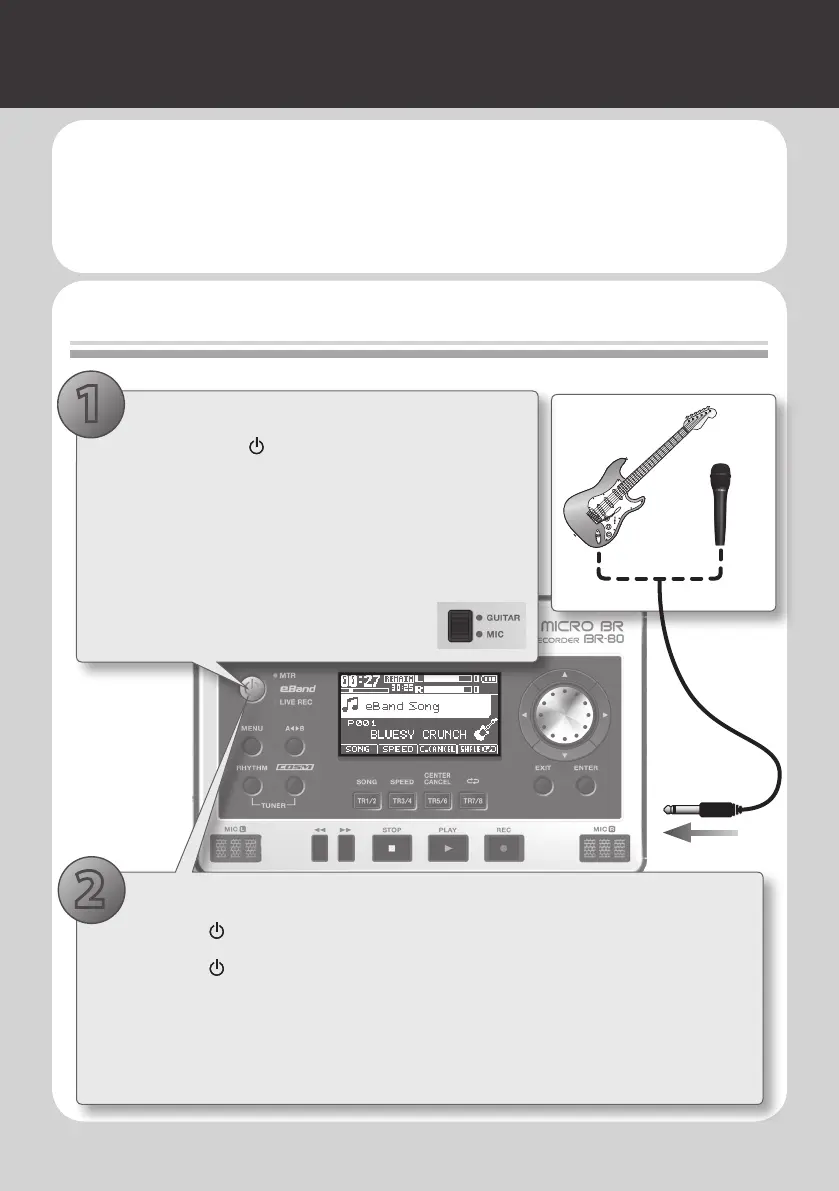
1. Make the connections
1. Hold down the [ ] button for several seconds to
turn o the power.
2. Turn the [REC LEVEL] dial and [VOLUME] dial to the
minimum position.
3. Connect your guitar or microphone to the GUITAR/
MIC IN jack.
4. Set the [GUITAR/MIC] switch on the BR-
80’s bottom panel to the GUITAR or MIC
position.
1
1. Select eBand mode (p. 91)
1. Press the [ ] button to turn on the power.
2. Press the [ ] button a number of times until the “eBand” indicator is lit.
3. While actually performing, adjust the recording level by gradually raising the [REC
LEVEL] dial located on the BR-80’s right side.
4. Gradually raise the [VOLUME] dial to adjust the output volume.
2



 To Next Page