27
Tips for Mastering
Adjusting the master level
To get a powerful sounding recording, raise the volume until it is as high as you can get it
without causing the sound to distort.
1. Select mastering mode.
2. Press the [ ] (PLAY) button to play back the song.
3. In the MASTERING screen, move the cursor to “LEVEL” and then use the dial to
adjust the master level.
Adjust the level so that the sound you hear does not distort.
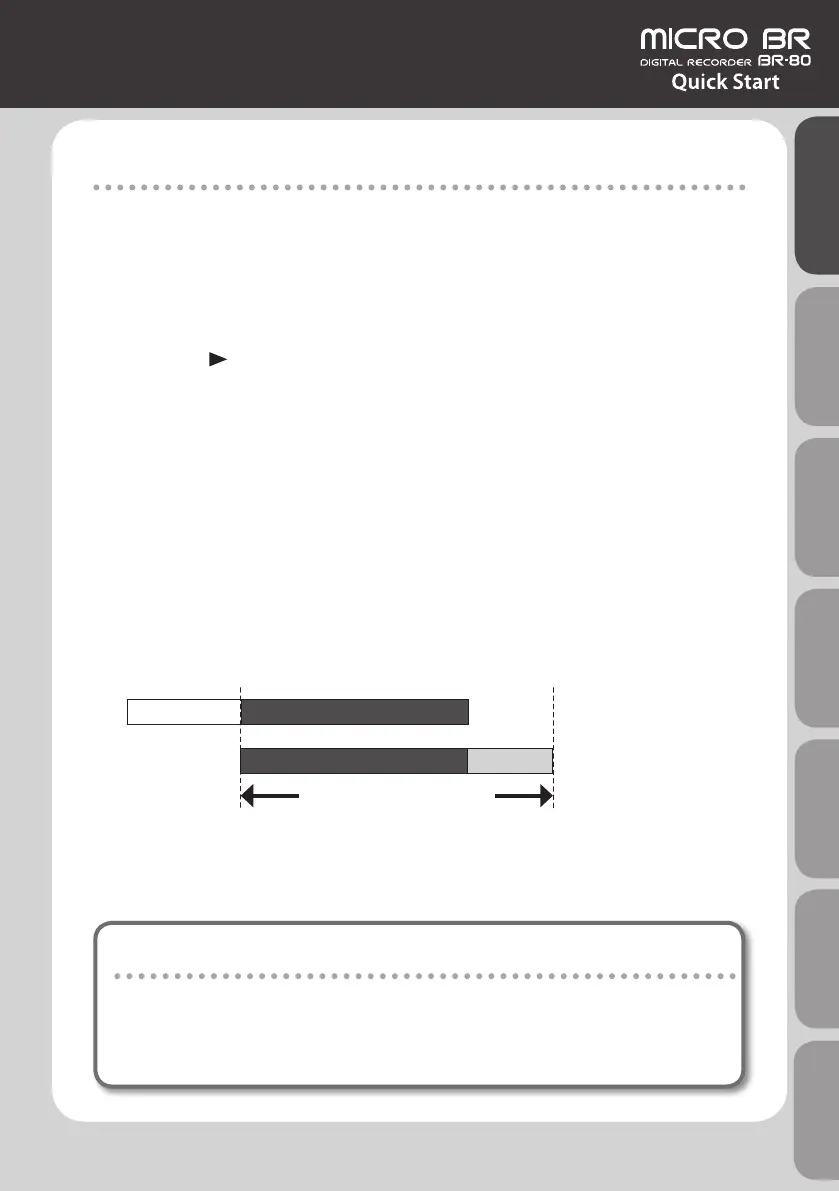
Adjusting the START time
With songs that start with a count-in, you can have mastering start after the count-in by
changing the START time for mastering.
Adjusting the END time
By adjusting the END time for mastering to a point later than the end of the song data, you
can prevent the decay at the end of the song from being cut o unnaturally.
Count-in Recorded data
Recorded data Decay
START
END
Song data
Mastering data
Portion recorded by mastering
Making a WAVE le from the song
The completed song created by mastering is saved as a WAVE le in the MASTERING
folder on the SD card.
You can use “eBand mode” to play it back, or copy it to your computer and burn it to a
CD.
Quick Start Preparations LIVE REC Mode MTR Mode eBand Mode
Convenient Functions
Appendix



 To Next Page