Connecting the BR-80 to a Computer
105
Data Structure on the
SD Card
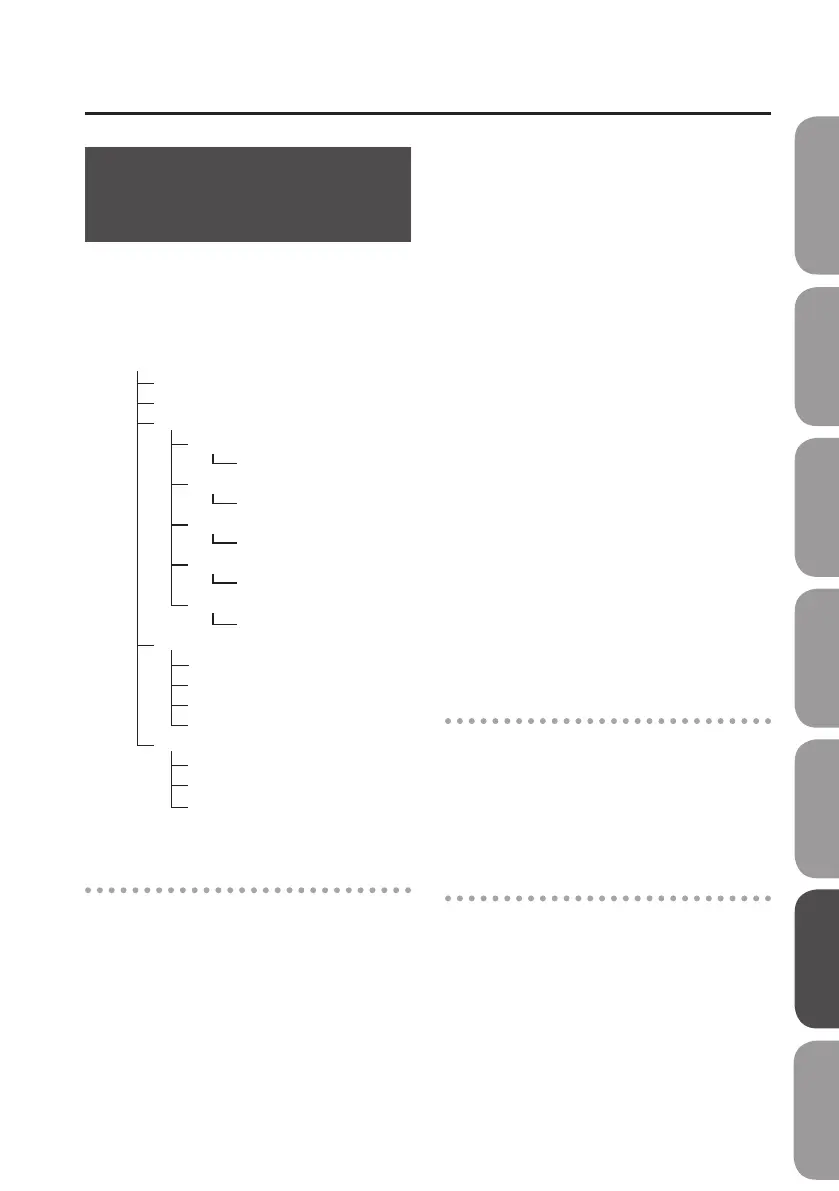
The folders and les created on the SD card
are in the following structure.
* Do not delete or rename any folder or
le that’s been created on the SD card.
Root Directory
ROLAND Folder
Win.zip
Mac.dmg
JS Folder
Drivers Folder
Song List Folder
Wave Converter Folder
SMF Folder
ReadmeJP.txt
ReadmeEN.txt
BR0 Folder
eBand song data
MASTERING Folder
WAVE le
SMF le
MTR Mode song data
Drivers Folder
Song List Folder
Wave Converter Folder
x64Drivers Folder
LIVEREC Folder
WAVE le
ROLAND folder
The BR-80’s data is saved in the following
folders.
BR0 folder
MTR Mode song data is saved in this
folder.
JS folder
eBand song data is saved in this folder.
LIVEREC folder
WAV/MP3 les used in LIVE REC mode
are saved in this folder. If you place
WAV/MP3 les from your computer in
this folder, you’ll be able to play them
back on the BR-80.
You can also copy WAV/MP3 les created
on the BR-80 from the LIVEREC folder
to your computer. For details, refer to
“Exchanging Data with Your Computer”
(p. 106).
MASTERING folder
WAV les mastered in MTR mode are
saved in this folder.
You can also copy WAV les from the
MASTERING folder to your computer. For
details, refer to “Exchanging Data with
Your Computer” (p. 106).
SMF folder
SMF (Standard MIDI Files) you’re using
to create song patterns should be
placed in this folder.
Win.zip
This folder contains the USB driver, eBand
Song List Editor, and BR Series Wave
Converter for Windows.
For details, refer to “ReadmeEN.txt,” which
can be found on the supplied SD card.
Mac.dmg
This folder contains the USB driver, eBand
Song List Editor, and BR Series Wave
Converter for Mac OS X.
For details, refer to “ReadmeEN.txt,” which
can be found on the supplied SD card.
Quick Start Preparations LIVE REC Mode MTR Mode eBand Mode
Convenient Functions
Appendix



 To Next Page