Recording/Playback
57
Creating a New Song
(SONG NEW)
To record a new song, carry out the
procedure below.
1. Press the [MENU] button.
2. Use the cursor buttons to move
the cursor to “SONG,” and press the
[ENTER] button.
3. Use the cursor buttons to move
the cursor to “NEW,” and press the
[ENTER] button.
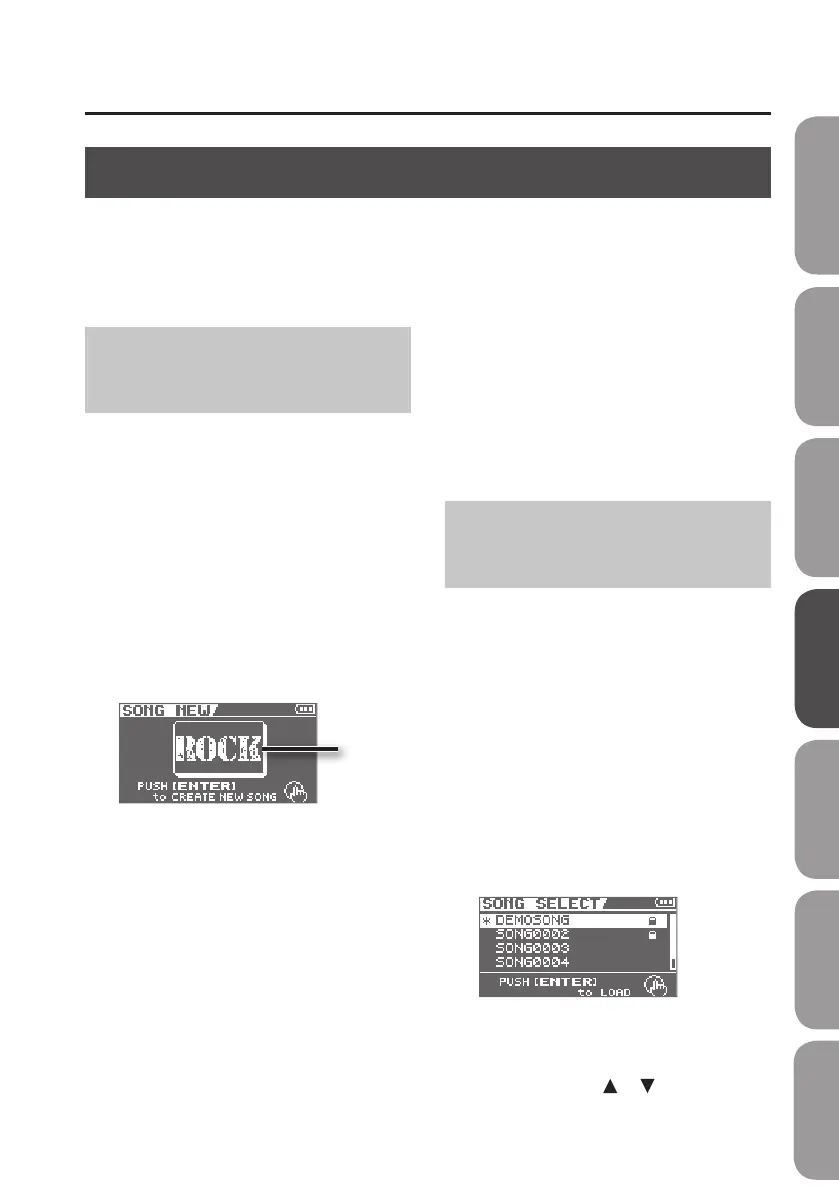
The SONG NEW screen will appear.
Category
4. Use the dial to select a song template
of the desired category.
Each song template species rhythms
and eects that are appropriate for that
category.
If you don’t want to select a song template,
choose “NO CATEGORY.”
5. Press the [ENTER] button.
The display will ask “Are you sure?”
6. Press the [ENTER] button once again.
A new song will be created, and you will
return to the Level Meter screen.
* The display will indicate “Keep power
on!” while the data is being updated.
Never turn o the power while this
message is shown.
Selecting a Song
(SONG SELECT)
If you want to record additional material
onto a previously saved song, select that
song as follows.
1. Press the [MENU] button.
2. Use the cursor buttons to move
the cursor to “SONG,” and press the
[ENTER] button.
3. Use the cursor buttons to move the
cursor to “SELECT,” and press the
[ENTER] button.
The SONG SELECT screen will appear.
An “*” is displayed next to the currently
selected song.
4. Use the cursor [ ] [ ] buttons to
select a song.
Recording
The BR-80 manages your recordings in units called “songs.”
If you want to create a new recording, you need to create a new song (SONG NEW).
If you want to record additional material for a song that’s already saved in the BR-80, select that
song (SONG SELECT).
Quick Start Preparations LIVE REC Mode MTR Mode eBand Mode
Convenient Functions
Appendix



 To Next Page