19
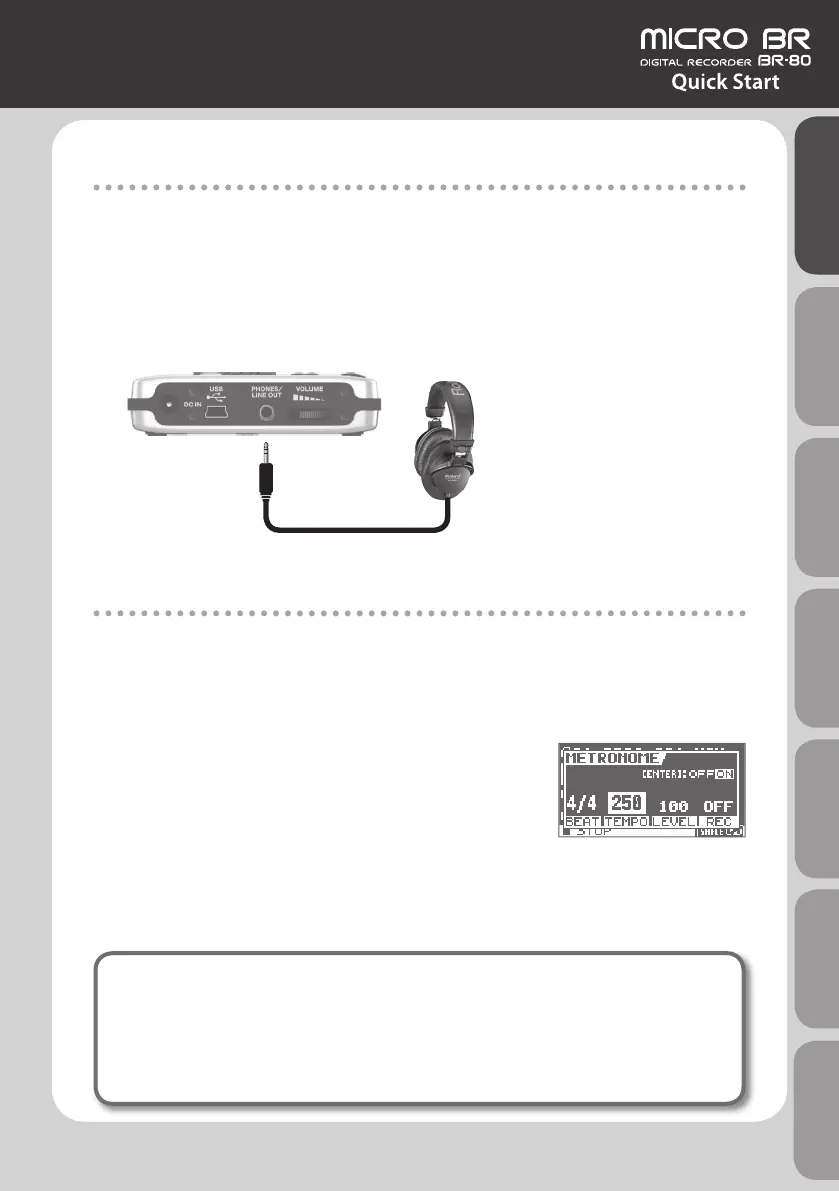
Connecting Headphones
The BR-80 does not contain speakers.
In order to hear the sound, you’ll need to connect an audio device such as monitor speakers
or a stereo system, or headphones.
When recording, you should use headphones in order to avoid acoustic feedback.
1. Connect commercially available stereo headphones to the PHONES/LINE OUT
jack on the side panel (left).
Headphones
Recording With the Metronome
If you use the metronome, you’ll be able to record at a stable tempo.
1. Press the [RHYTHM] button.
2. Use the [VOLUME] dial to adjust the volume.
3. Use the cursor buttons to move the cursor to “TEMPO,”
and use the dial to specify the tempo.
You can set the tempo to any value from 25 to 250.
4. Press the [EXIT] button.
If monitor speakers are connected when you’re recording with the metronome, the sound of
the metronome will be included in the performance that you’re recording. If you don’t want
to record the sound of the metronome, you’ll have to use headphones.
What is feedback?
Feedback is the oscillation (squeal or buzz) that occurs when the microphone is too
close to the speaker.
This occurs when the output of the speaker is input back into the microphone,
amplied, and output once again from the speaker.
Quick Start Preparations LIVE REC Mode MTR Mode eBand Mode
Convenient Functions
Appendix



 To Next Page