Panel Descriptions
36
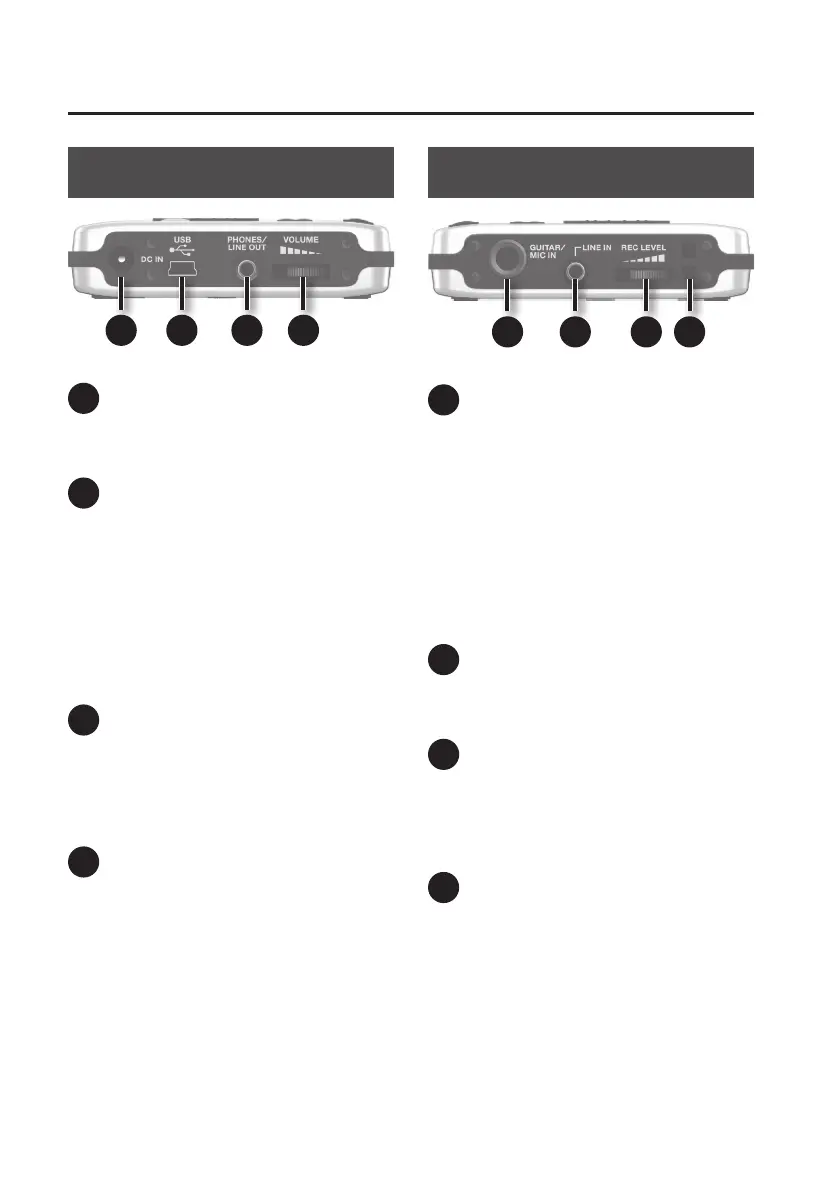
Side Panel (left)
21201918
18
DC IN jack
An AC adaptor (PSA series, sold separately)
can be connected here.
19
USB Connector (Mini B type)
Use this connector to connect the BR-80
to your computer via a USB cable. When
connected to a computer, you’ll be able to
do the following things.
• Use the BR-80 as an audio interface
• Transfer audio data to and from the
computer
• Back up BR-80 data to your computer
20
PHONES/LINE OUT jack
(Stereo mini type)
This is an output jack for connecting stereo
headphones (sold separately) or external
audio equipment.
21
[VOLUME] dial
Adjusts the volume of the output from
PHONES/LINE OUT jack.
Side Panel (right)
22 23 24 25
22
GUITAR/MIC IN jack
(1/4” phone type)
You can connect your guitar, bass, or
microphone to this input jack.
Use the [GUITAR/MIC] select switch (located
on the bottom panel) to switch this input
between high impedance (when using a
guitar or bass) or low impedance (when
using a microphone).
* Use a monaural dynamic microphone.
The BR-80 does not support condenser
microphones.
23
LINE IN jack (Stereo mini type)
The output of your digital audio player can
be connected to this jack.
24
[REC LEVEL] dial
This dial adjusts the volume of the input
source, such as a guitar or microphone.
This will determine the level of the material
recorded on the track.
25
Strap hole
The strap can be passed through this hole.



 To Next Page