Mastering
83
Editing the Mastering
Eect Settings
To create a new patch, choose the existing
patch that’s closest to what you have in
mind, and then edit its settings.
If you want to keep the edited settings, save
them as a user patch or song patch.
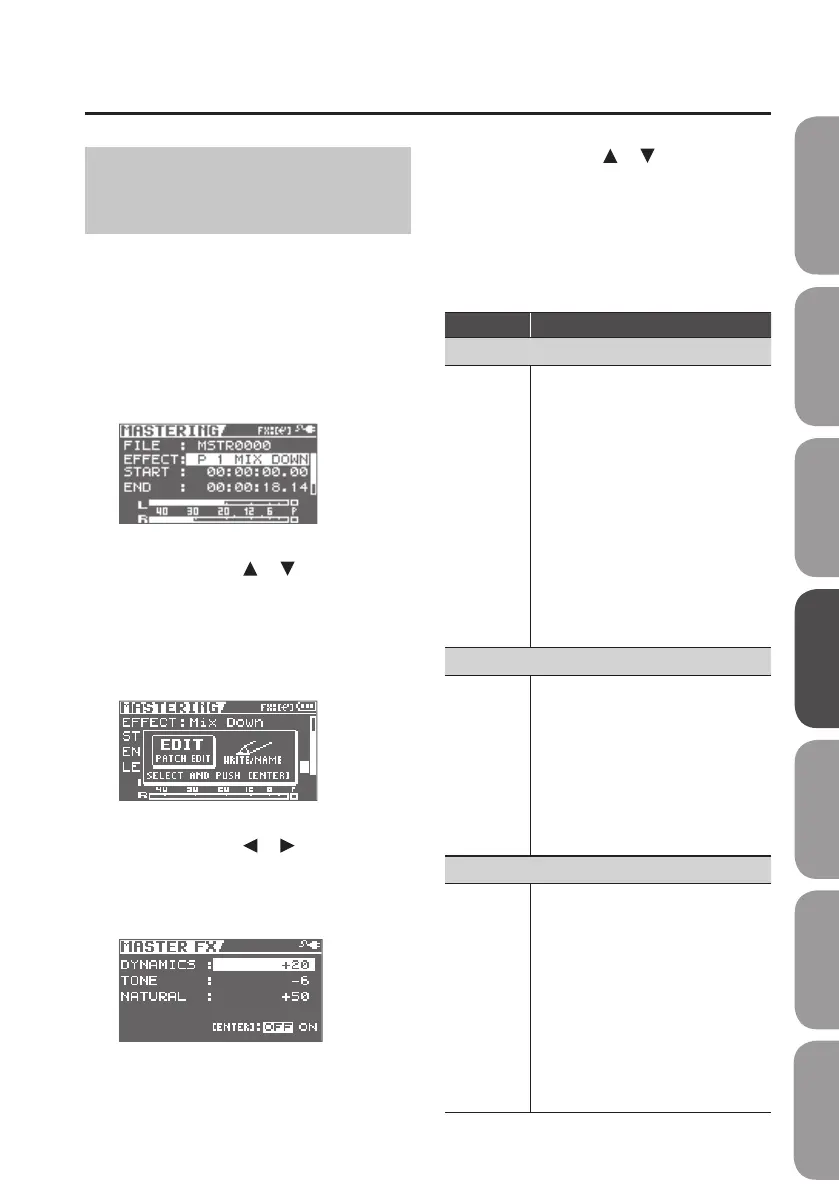
1. Select mastering mode (p. 81).
The MASTERING screen will appear.
2. Use the cursor [ ] [ ] buttons to
move the cursor to “EFFECT,” and
choose a mastering eect.
3. Press the [ENTER] button.
The Menu screen will appear.
4. Use the cursor [ ] [ ] buttons to
move the cursor to “EDIT,” and press
the [ENTER] button.
The MASETER FX screen will appear.
5. Use the cursor [ ] [ ] buttons to
move the cursor to each parameter,
and use the dial to set the value of
each eect parameter.
If you want to save the current eect
settings, proceed as described in “Saving
the Mastering Eect Settings” (p. 84).
Value Explanation
DYNAMICS
-20–+20
This adjusts the variation in volume
between loud and soft passages in the
performance.
Raising this setting will decrease the
variation in volume. Although this is a
convenient way to improve the overall
loudness for your song, it will decrease
the natural dynamics of the music.
Lowering this setting will increase
the variation in volume; while this
will make it dicult to obtain overall
loudness for your song, the music
will be closer to the natural dynamic
variation of the original performance.
If this setting is at 0, the mastering
eect will produce its standard eect.
TONE
-6–+6
If you raise this setting, the low-
frequency and high-frequency ranges
will be boosted, producing a more
aggressive tone.
If you lower this setting, the low-
frequency and high-frequency ranges
will not be boosted, and the tone will
be mild.
If this setting is at 0, the mastering
eect will produce its standard eect.
NATURAL
-50–+50
If you raise this setting, the mastering
eect will be applied more gently,
producing a more natural impression.
Since sudden peaks in volume will still
be reproduced without modication,
this will make it more dicult to boost
the overall loudness.
If you lower this setting, the mastering
eect will be applied more rapidly to
sudden volume peaks, but the sense of
naturalness will be impaired.
If this setting is at 0, the mastering
eect will produce its standard eect.
Quick Start Preparations LIVE REC Mode MTR Mode eBand Mode
Convenient Functions
Appendix



 To Next Page