Playback/Recording
92
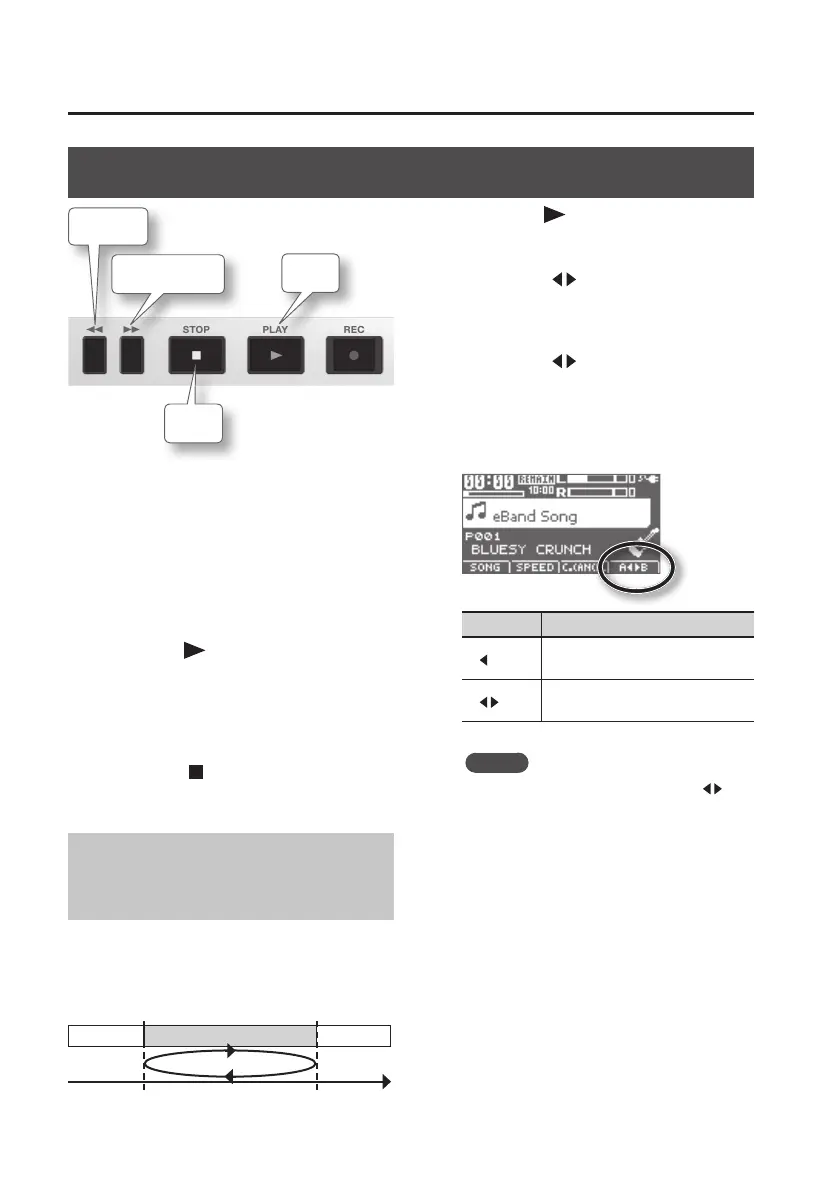
Playback
Rewind
Stop
Fast-forward
Play
1. Connect the instrument you want to
record to the GUITAR/MIC IN jack
(p. 40).
2. Press the [TR1/2] (SONG) button,
and choose a song in the SONG LIST
screen (p. 94).
3. Press the [ ] (PLAY) button to play
back the song.
4. Use the [VOLUME] dial to adjust the
volume.
5. Press the [ ] (STOP) button to stop
playback.
Playing Back Repeatedly
(AB Repeat)
Use this feature for guitar solo practice
and in other situations where you want to
practice along with a single section as it
plays back repeatedly.
Section to repeat
A (Repeat Start)
B (Repeat End)
Time
1. Press the [ ] button.
The song will play back.
2. Press the [A B] button at the point
where you want to start repeating
(point A).
3. Press the [A B] button at the point
where you want to stop repeating
(point B).
AB Repeat will turn on, and playback will
begin repeating.
AB Repeat Explanation
A
Time location “A” has been
registered for AB Repeat.
A
B
Playback will repeat between time
locations “A” and “B” (AB Repeat).
MEMO
• To cancel AB Repeat, press the [A
B]
button once again.
• You can make ne adjustments to the
AB Repeat start and end points. For
details, refer to “Precise Adjustment of
the Repeat Segment (AB EDIT)” (p. 100).



 To Next Page