Detailed Eect Settings
111
Saving an Eect
(WRITE/NAME)
Here’s how to assign a name (patch name)
to the eect settings you edited, and save
them as a new eect patch.
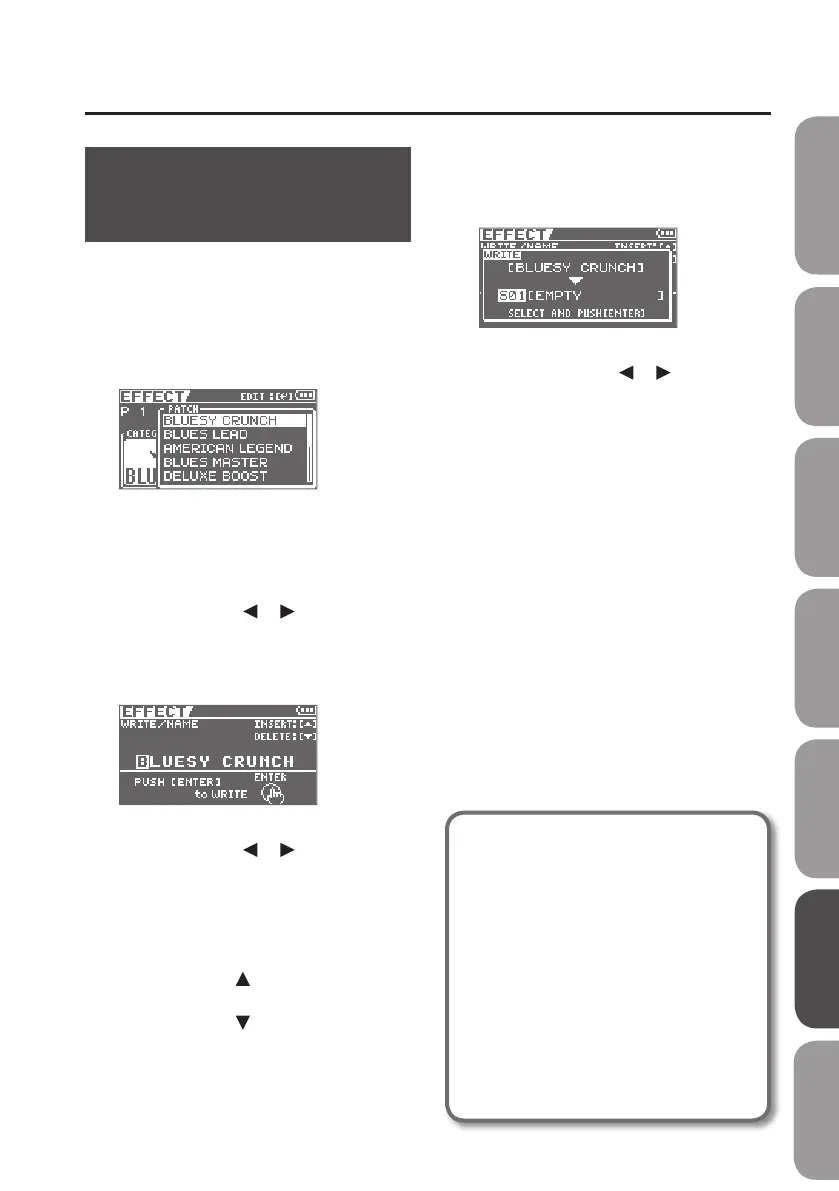
1. Press the [COSM] button.
The eect patch select screen will appear.
2. Select an eect patch (p. 68).
3. Press the [ENTER] button.
4. Use the cursor [ ] [ ] buttons to
move the cursor to “WRITE/NAME,”
and press the [ENTER] button.
The WRITE/NAME screen will appear.
5. Use the cursor [ ] [ ] buttons to
move the cursor to the character that
you want to edit.
6. Turn the dial to select the desired
character.
Press the cursor [ ] button to insert one
character at the selected location.
Press the cursor [
] button to delete the
selected character.
7. When you’ve nished entering the
patch name, press [ENTER] button.
The WRITE screen will appear.
8. Using the cursor [ ] [ ] buttons
and the dial, choose the Eect Patch
that is to become the destination of
the write.
9. Press the [ENTER] button.
About COSM (Composite Object
Sound Modeling)
Composite Object Sound Modeling–
or “COSM” for short–is BOSS/Roland’s
innovative and powerful technology
that’s used to digitally recreate the
sound of classic musical instruments
and eects. COSM analyzes the many
factors that make up the original
sound–including its electrical and
physical characteristics–and creates
a digital model that accurately
reproduces the original.
Quick Start Preparations LIVE REC Mode MTR Mode eBand Mode
Convenient Functions
Appendix



 To Next Page