85
The BR-80 manages your recordings as
units called “songs.”
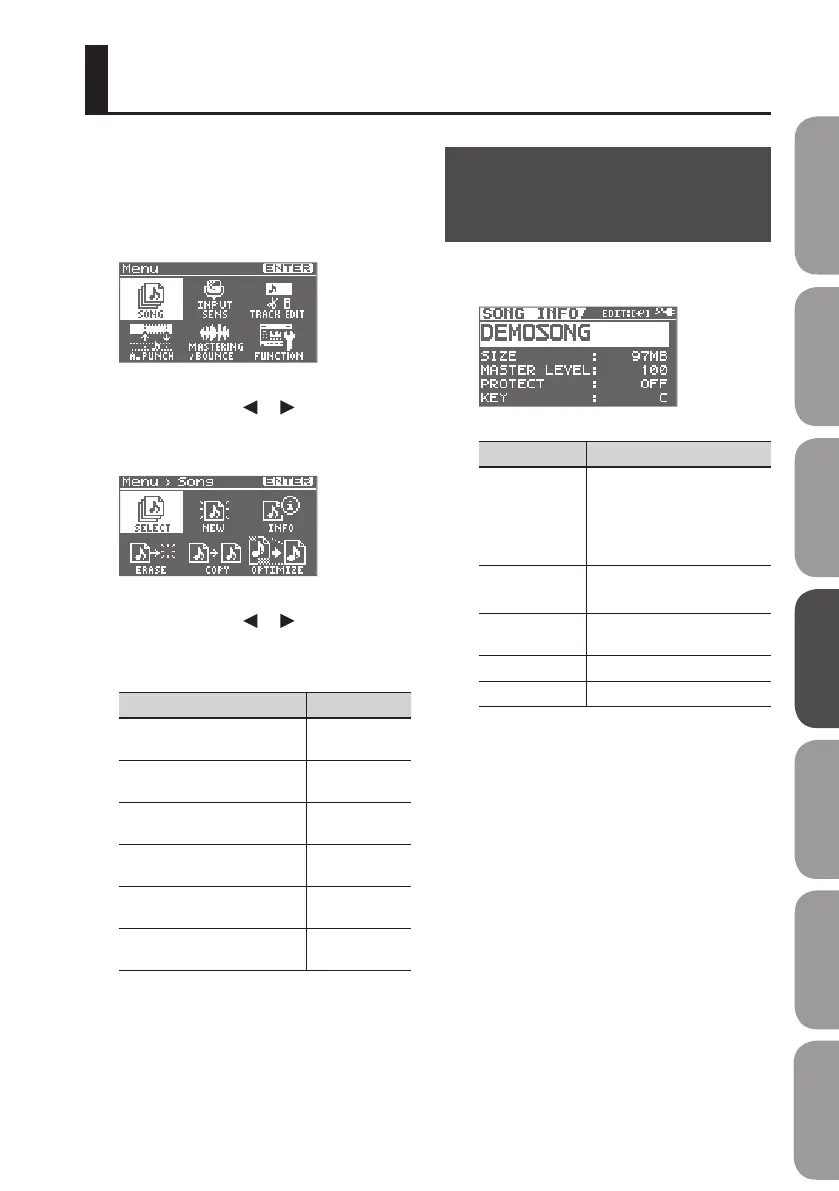
1. Press the [MENU] button.
The Menu screen will appear.
2. Use the cursor [ ] [ ] buttons to
move the cursor to “SONG,” and press
the [ENTER] button.
3. Use the cursor [ ] [ ] buttons to
select the desired operation, and
press the [ENTER] button.
Items Page
Selecting a Song
(SELECT)
p. 57
Creating a New Song
(NEW)
p. 57
View song information
(INFO)
p. 85
Erasing a Song
(ERASE)
p. 87
Copying a Song
(COPY)
p. 87
Saving Space on the SD Card
(OPTIMIZE)
p. 88
Making Settings for a
Song (SONG INFO)
Here’s how to view or edit information
about the song.
Items Explanation
NAME
Edits the song name.
Move the cursor to NAME
and press the [ENTER] button;
you’ll switch to the song
name editing screen (p. 86).
SIZE
(not editable)
Indicates the size (le size) of
the song.
MASTER LEVEL
Adjusts the overall volume of
the song.
PROTECT Turns song protection on/o.
KEY Species the key of the song.
Managing Your Songs (SONG)
Quick Start Preparations LIVE REC Mode MTR Mode eBand Mode
Convenient Functions
Appendix



 To Next Page