Recording/Playback
56
Listen to the Demo Song
The SD card included with the BR-80 contains demo songs. Here’s how to play back the demo
songs.
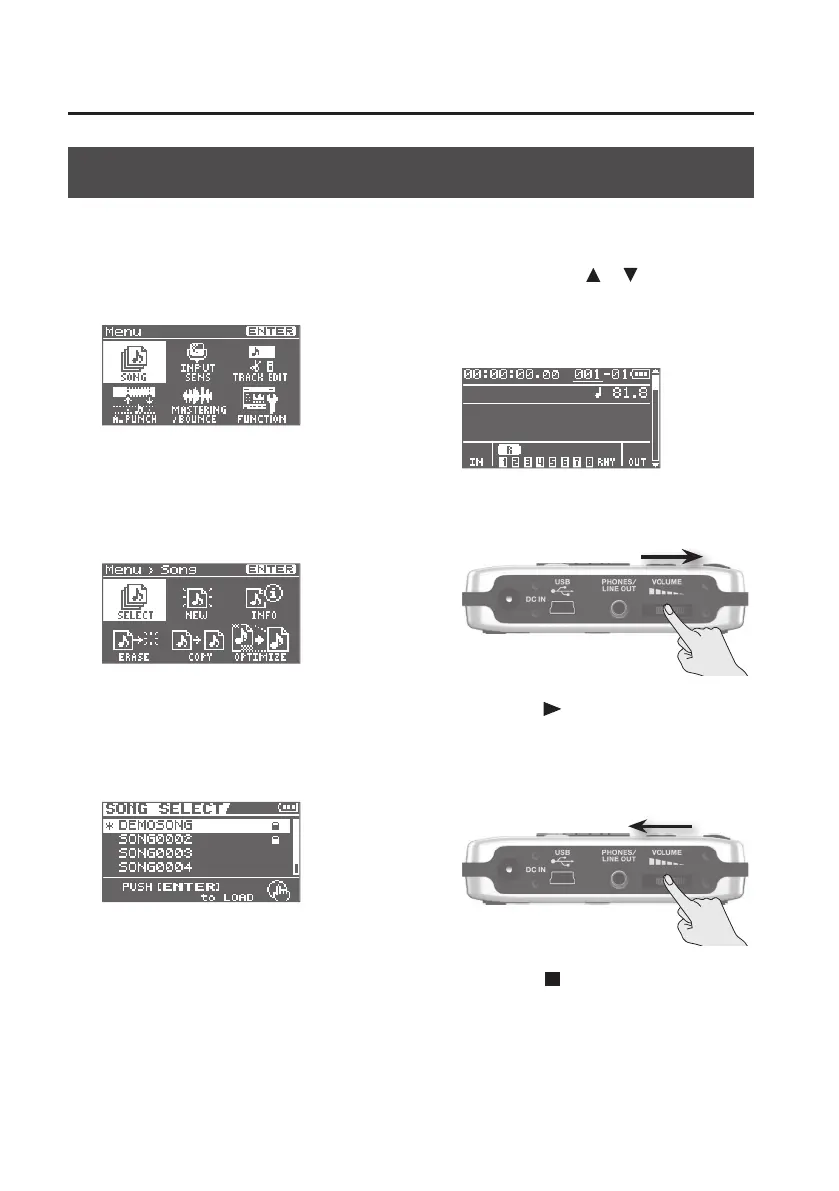
1. Press the [MENU] button.
The Menu screen will appear.
2. Use the cursor buttons to move
the cursor to “SONG,” and press the
[ENTER] button.
The Song screen will appear.
3. Use the cursor buttons to move the
cursor to “SELECT,” and press the
[ENTER] button.
The SONG SELECT screen will appear.
4. Use the cursor [ ] [ ] buttons to
move the cursor to “DEMOSONG,”
and press the [ENTER] button.
The level meter screen will appear.
5. Set the [VOLUME] dial to the
minimum position.
6. Press the [ ] (PLAY) button.
Demo song playback will start.
7. Slowly raise the [VOLUME] dial to
adjust the volume.
8. Press the [ ] (STOP) button to stop
playback.



 To Next Page