91
Playback/Recording
Switching to eBand Mode
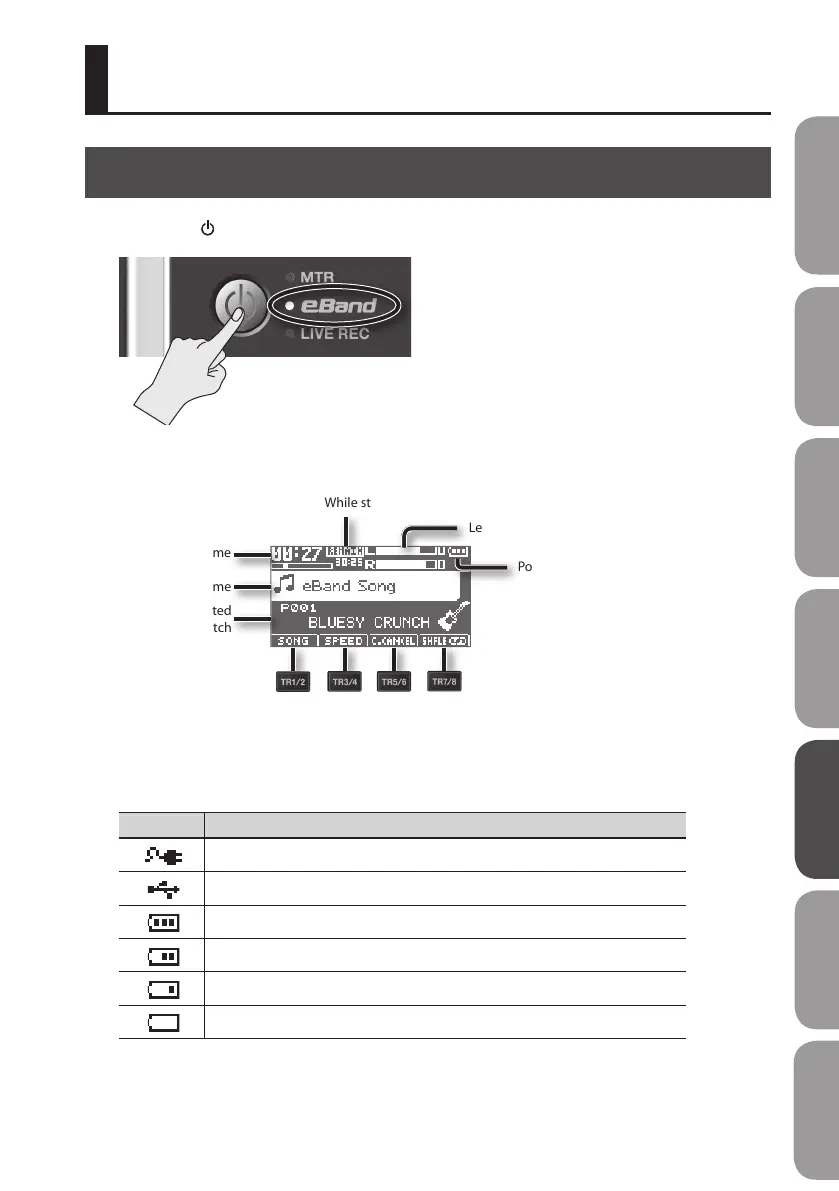
1. Press the [ ] button a number of times until the eBand indicator is lit.
The BR-80 will enter eBand mode, and the main screen will appear.
Current time
Song name
Currently selected
eect patch
Level Meter
Power supply status
During recording: length of recording
While stopped, during playback: remaining recording time
The track buttons act as function buttons to execute
the functions shown at the bottom of the screen.
Power supply status
Indication Explanation
Power is being supplied from the AC adaptor.
Power is being supplied from the computer.
The batteries are in good condition.
The batteries are running low.
The batteries are almost empty. Install fresh batteries as soon as possible.
The batteries are empty. Install fresh batteries.
Quick Start Preparations LIVE REC Mode MTR Mode eBand Mode
Convenient Functions
Appendix



 To Next Page