Track Editing (TRACK EDIT)
75
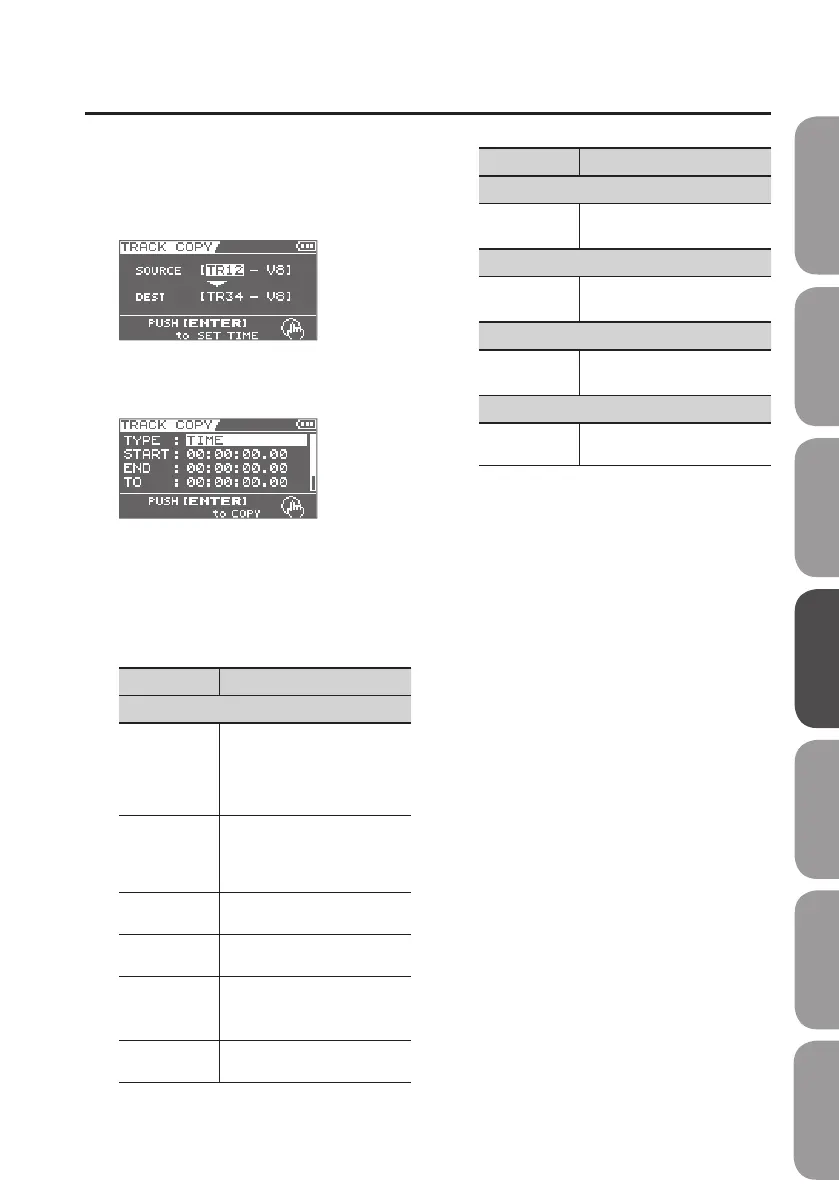
1.
Use the cursor buttons and the dial to
select the copy-source (SOURCE) and
copy-destination (DEST) track and
V-track.
2. Press the [ENTER] button.
The time setting screen will appear.
3. Use the cursor buttons and the dial
to specify the time location and the
number of times to copy the data.
The parameters displayed will depend on
the type you select.
Parameter Explanation
TYPE
AB (TIME)
The START and END will be the
time locations you specied for
AB Repeat p. 60).
TO is specied as a time
location.
AB (MEASURE)
The START and END will be the
time locations you specied for
AB Repeat p. 60).
TO is specied as a measure.
TIME
Specify START, END, and TO as
time locations.
MEASURE
Specify START, END, and TO as
measures.
ALL (TIME)
The entire track will be copied.
TO is specied as a time
location.
ALL(MEASURE)
The entire track will be copied.
TO is specied as a measure.
Parameter Explanation
START
Time or
measure
Specify the start of the copy
source.
END
Time or
measure
Specify the end of the copy
source.
TO
Time or
measure
Specify the start of the copy
destination.
REPEAT
1–99
Specify the number of
repetitions.
4. To copy the data, press the [ENTER]
button.
A message will ask “Are you sure?”
If you decide to cancel the procedure, press
the [EXIT] button.
5. Press the [ENTER] button.
The copy will be carried out.
* The display will indicate “Keep power
on!” while the data is being updated.
Do not turn o the power while this
message is shown.
Quick Start Preparations LIVE REC Mode MTR Mode eBand Mode
Convenient Functions
Appendix



 To Next Page