Turning Your Idea Into a Song (MTR Mode)
26
Step 4
Mastering
Mastering is the process of adding the nal polish to your song by using a special eect called
the “Mastering toolkit,” which boosts the perceived loudness and power of the overall song, and
improves the tonal balance to make it more listenable.
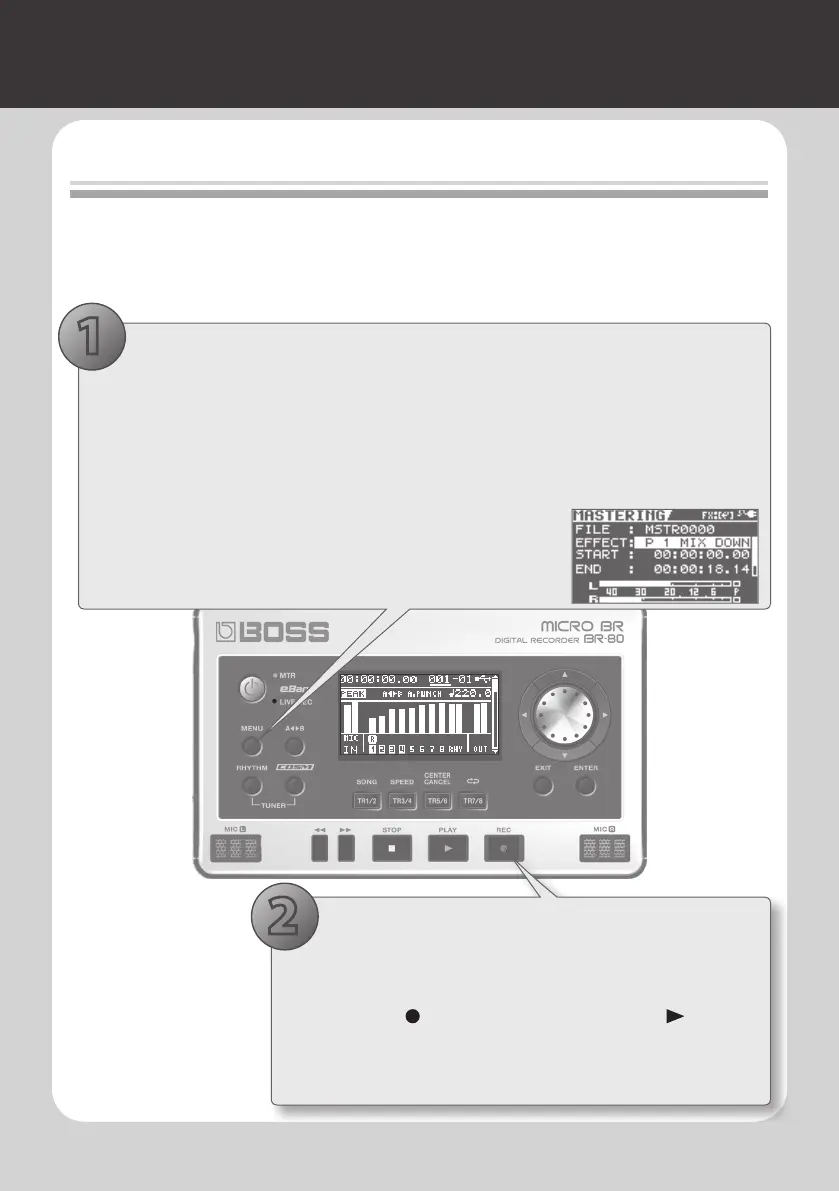
1. Select mastering mode
1. Adjust the volume balance of the tracks before you begin mastering (p. 63).
2. Press the [MENU] button.
3. Use the cursor buttons to move the cursor to “MASTERING/BOUNCE,” and press the
[ENTER] button.
4. Use the cursor buttons to move the cursor to
“MASTERING,” and press the [ENTER] button.
The MASTERING screen will appear.
2. Mastering
1. Select EFFECT using the cursor buttons, then use the dial to
select the Mastering Eect.
2. Press the [ ] (REC) button and then, press the [ ] (PLAY)
button.
Mastering will begin. Mastering will stop automatically upon
reaching the time set for END.
2
1



 To Next Page