Troubleshooting
123
Item Explanation Page
The volume
level of equipment
connected to LINE IN
jack or GUITAR/MIC
IN jack is too low.
Could you be using a connection cable that contains a resistor?
Use a connection cable that does not contain a resistor.
–
Is the volume of your external device adjusted correctly? –
No sound from a
specic track in MTR
mode
Could the track’s volume level be lowered? p. 63
Could the wrong V-track be selected? p. 66
Could the track be muted? p. 64
Could another track be soloed? p. 64
Can’t hear the input
source
Did you adjust the [REC LEVEL] dial? p. 36
Did you adjust INPUT SENS? p. 114
Is the GUITAR/MIC select switch set correctly? p. 37
Can’t record
Could the song be protected? p. 86
Is an SD card inserted? p. 39
Could the SD card have insucient free space? p. 115
Could the SD card be locked? p. 39
You don’t want to
apply reverb in MTR
mode
Check the reverb send level amounts for the loop eect.
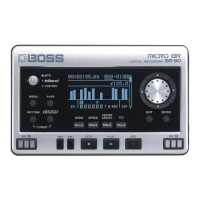
The BR-80 provides reverb as a loop eect.
Reverb is applied by default. If you want to turn o the reverb eect, set each
track’s send level amount to “0.”
p. 65
Recorded sound
contains noise or
distortion
Is the input sensitivity appropriate?
The recorded sound will be distorted if the input sensitivity is too high, and
noise will be excessive if the input sensitivity is too low. Adjust the input
sensitivity so that the Peak indicator briey lights when the loudest passages
occur.
p. 36
p. 114
Are the track output levels appropriate?
If there is noise or distortion following mastering, the track output levels are too
high.
–
Could a microphone with high output impedance be connected directly to the
BR-80?
Since the GUITAR/MIC IN jack (when MIC is selected) is a low-impedance input,
the recording level might be low for some microphones. In this case, pass the
signal through a commercially available microphone preamp before recording
it.
–
Some noise is heard
when the [REC LEVEL]
dial is turned while in
LIVE REC mode
Although a small amount of noise might be heard when the [REC LEVEL] dial is
turned while in LIVE REC mode, this does not indicate a malfunction.
–
Quick Start Preparations LIVE REC Mode MTR Mode eBand Mode
Convenient Functions
Appendix


 To Next Page