31
Tips for the Phrase Trainer
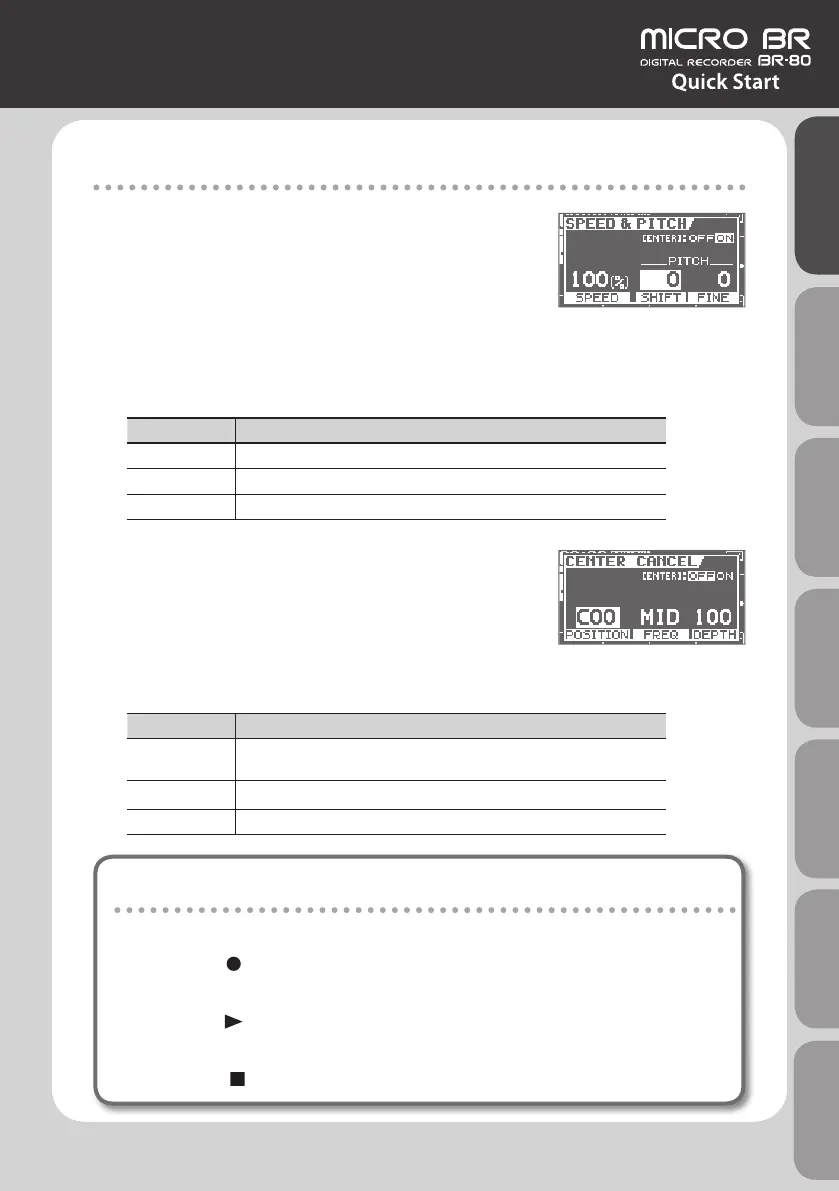
SPEED ([TR3/4] button)
* The SPEED and PITCH function apply only to the song that
you’re playing back.
SPEED
Since you can slow down the speed without changing the pitch, rapid phrases will be easier
to gure out.
PITCH
You can change the key of the song by raising or lowering the pitch without changing the speed.
Parameter Explanation
SPEED Changes the song’s playback speed.
SHIFT Raises/lowers the pitch in semitones.
FINE Adjusts the pitch in 1-cent steps. (100 cents = semitone)
CENTER CANCEL ([TR5/6] button)
This function makes sounds located in the center of the
stereo sound eld (e.g., vocals or guitar solo) less noticeable,
allowing you to easily use the song as a “minus-one” song for
karaoke or practicing.
* CENTER CANCEL can be used for a song being played back, and can also be applied to
sound input via the LINE IN jack or the USB connector.
Parameter Explanation
POSITION
Species the position of the sound that you want to eliminate.
L50: left, C00: center, R50: right
FREQ Species the frequency range of the sound that you want to eliminate.
DEPTH Increasing this value will make the eect stronger.
Recording your performance
Here’s how to record the exact sound you’re playing in eBand mode.
1. Press the [ ] (REC) button.
Recording will begin. Silence will also be recorded until you start playback.
2. Press the [ ] (PLAY) button to start playback.
The song will play back. Play along with the song.
3. Press the [ ] (STOP) button to stop recording.
Quick Start Preparations LIVE REC Mode MTR Mode eBand Mode
Convenient Functions
Appendix



 To Next Page