Using Rhythm
73
Number of note
4,999 notes or less for all
patterns combined
MIDI channel Channel 10 only
The corresponding note numbers are as
shown in the chart below.
Drum sound Note number
TOM 4 41
TOM 3 45
TOM 2 48
TOM 1 50
COWBELL 56
CROSS STICK 37 (31)
RIDE CYMBAL 51
CRASH CYMBAL 49
OPEN HIHAT 46
CLOSED HIHAT 42
SNARE 38 (40)
KICK 36 (35)
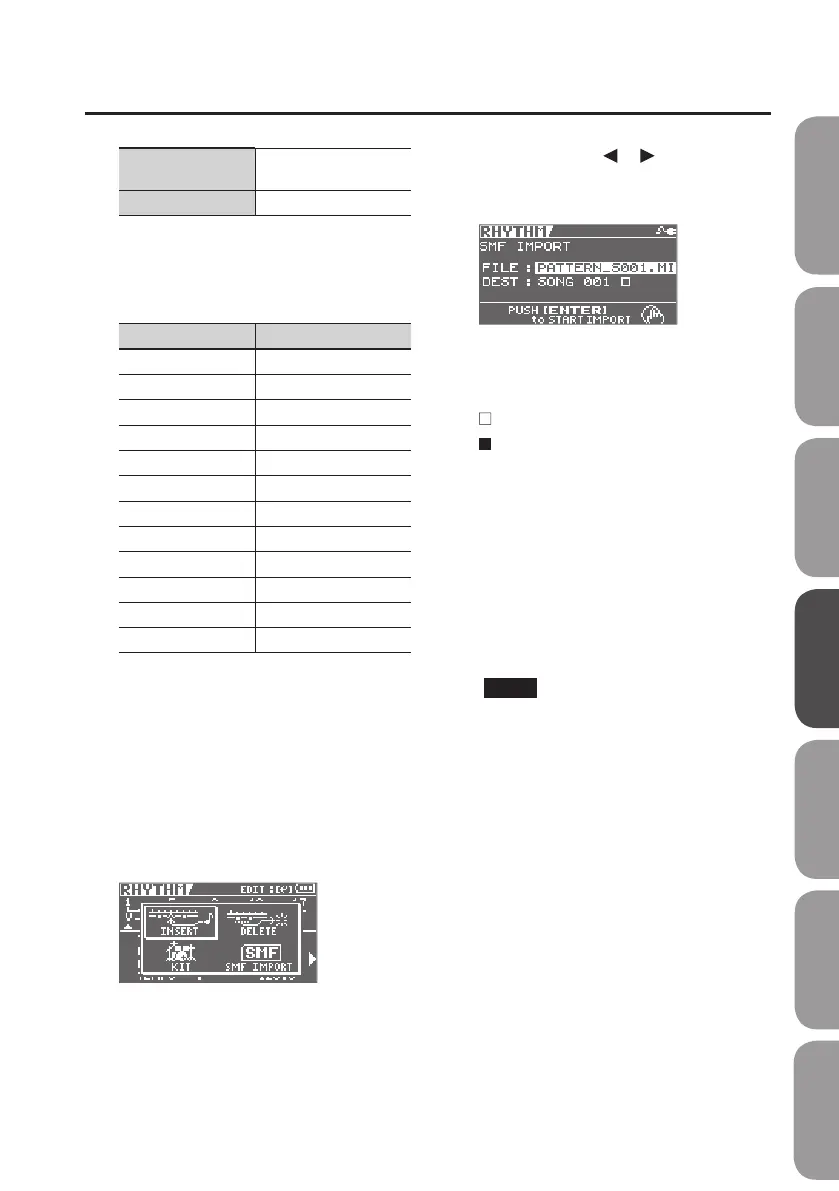
1. Using your computer, place the
SMF that you want to import in the
ROLAND/SMF folder of the SD card.
2. Press the [RHYTHM] button.
3. Press the [ENTER] button to enter
EDIT mode.
4. Use the cursor [ ] [ ] buttons to
move the cursor to “SMF IMPORT,”
and press the [ENTER] button.
The icon shown at the right of the import-
destination pattern name indicates whether
that pattern contains data.
: No data
: Contains data
5. Select the le that you want to
import.
6. Choose the pattern that is to be
the target of the import operation
(DEST), then press the [ENTER]
button.
You will be returned to the Level Meter
screen.
NOTE
• Maximum polyphony for patterns is ve
voices. This means you can play up to
ve drum sounds with the same timing.
• When using cymbals and other sounds
that have lengthy decay times, if
other sounds totalling ve voices are
input before the previous sound has
completely vanished, Sounds started
previously may be cut o before they
nish playing.
Quick Start Preparations LIVE REC Mode MTR Mode eBand Mode
Convenient Functions
Appendix



 To Next Page