Basic Procedures 4-13
you choose the attached radio button. (See Using radio buttons on page 4-15
for more information.)
Option
Buttons
Checkbox
Radio
buttons
Entry
fields
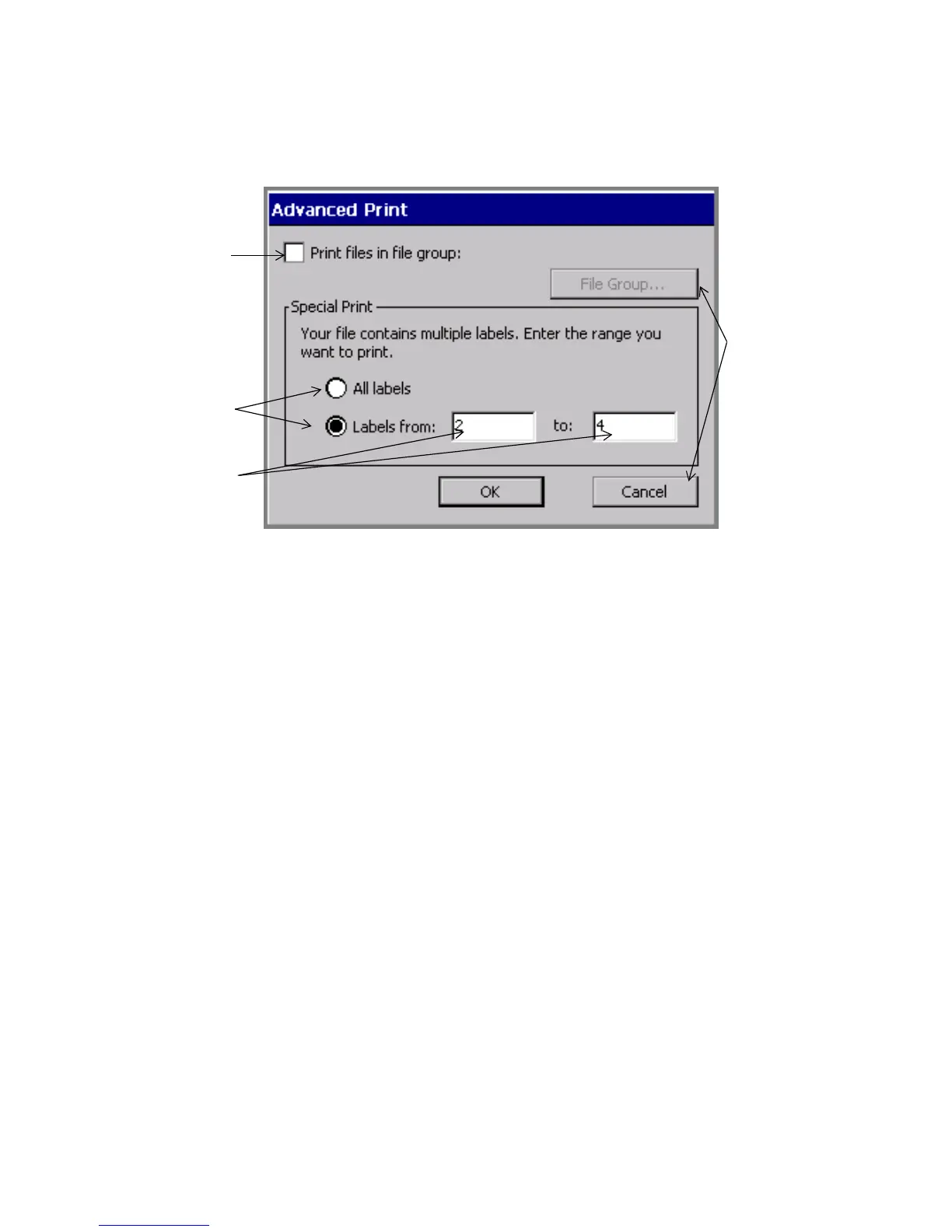
Figure 4-7. The Advanced print entry screen.
Using option buttons
Touch an option button to implement the command or function listed on the button.
For instance, in Figure 4-7, the File Group button is disabled, but when it is active
it takes you to the File Group screen, where you choose a File Group to print. The
Cancel button cancels any entries you made on the Advanced Print screen, and
returns you to a previous screen.



 To Next Page