EasyManua.ls Logo

CENNTRO LOGISTAR 100 - Page 150

Default Icon
468 pages
Print Icon
To Next Page IconTo Next Page
To Previous Page IconTo Previous Page
Loading...
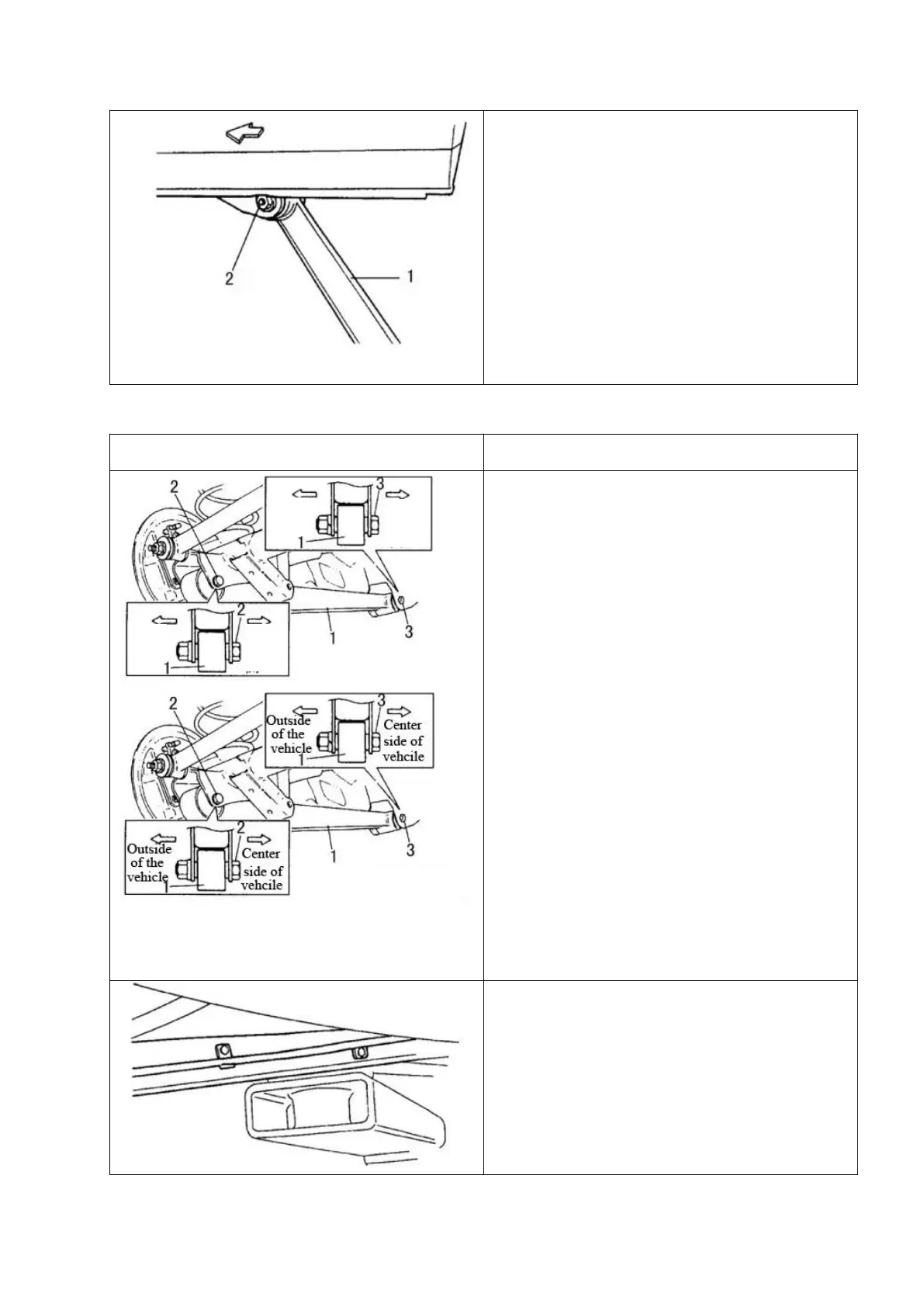
1-Rear trailing arm; 2-Front mounting bolt
7. Remove the front mounting bolts of the rear
trailing arm, and then remove the rear 1-trailing
arm.
Installation
Schematic diagram
Steps
1-Rear trailing arm; 2-Rear mounting bolt;
2-Front mounting bolt
1. Refer to the figure to determine the
installation direction of the bolts and install
the rear trailing arm onto the vehicle body
and rear axle.
△
! Caution
Do not tighten the nut.
2. If necessary, install the wheel speed
sensor wire clip.
Center
side
of the
Center
side
of the
车辆
外侧
车辆
外侧
Center
side of the
vehicle
-.
Center
side of the
vehicle
-.
Outside
of the
vehicle
-.
Outside
of the
vehicle
-.

Table of Contents

Related product manuals