Vehicle body
8. Install the drive motor support
crossbeam.
9. Install the drive motor lower guard.
10. Lower down the vehicle.
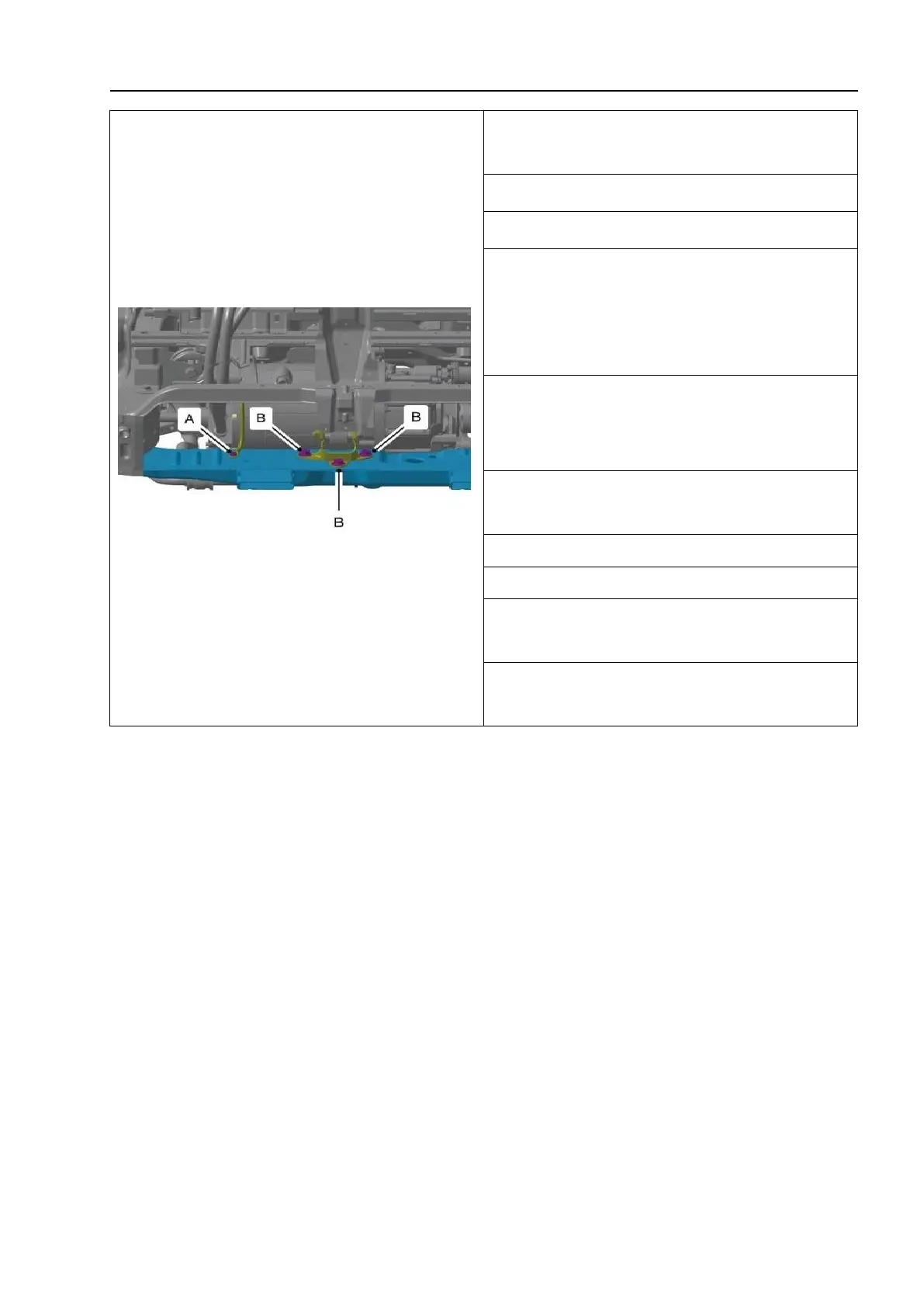
11. Install the drive motor front suspension
bracket fasteners and 3 fasteners (B).
Tightening torque: 58N·m (5.8kg·m,
41.40ft-lbs)
12. Install the drive motor grounding wire
fastener (A).
Tightening torque: 9N·m (0.9kg·m, 6.4ft-lbs)
13. Install the pedestrian friendly reminder
module.
14. Install the radiator.
15. Install the front bumper.
16. Connect the manual maintenance
switch.
17. Connect the negative cable of the low
voltage battery.



 To Next Page