Power distribution and control system
428
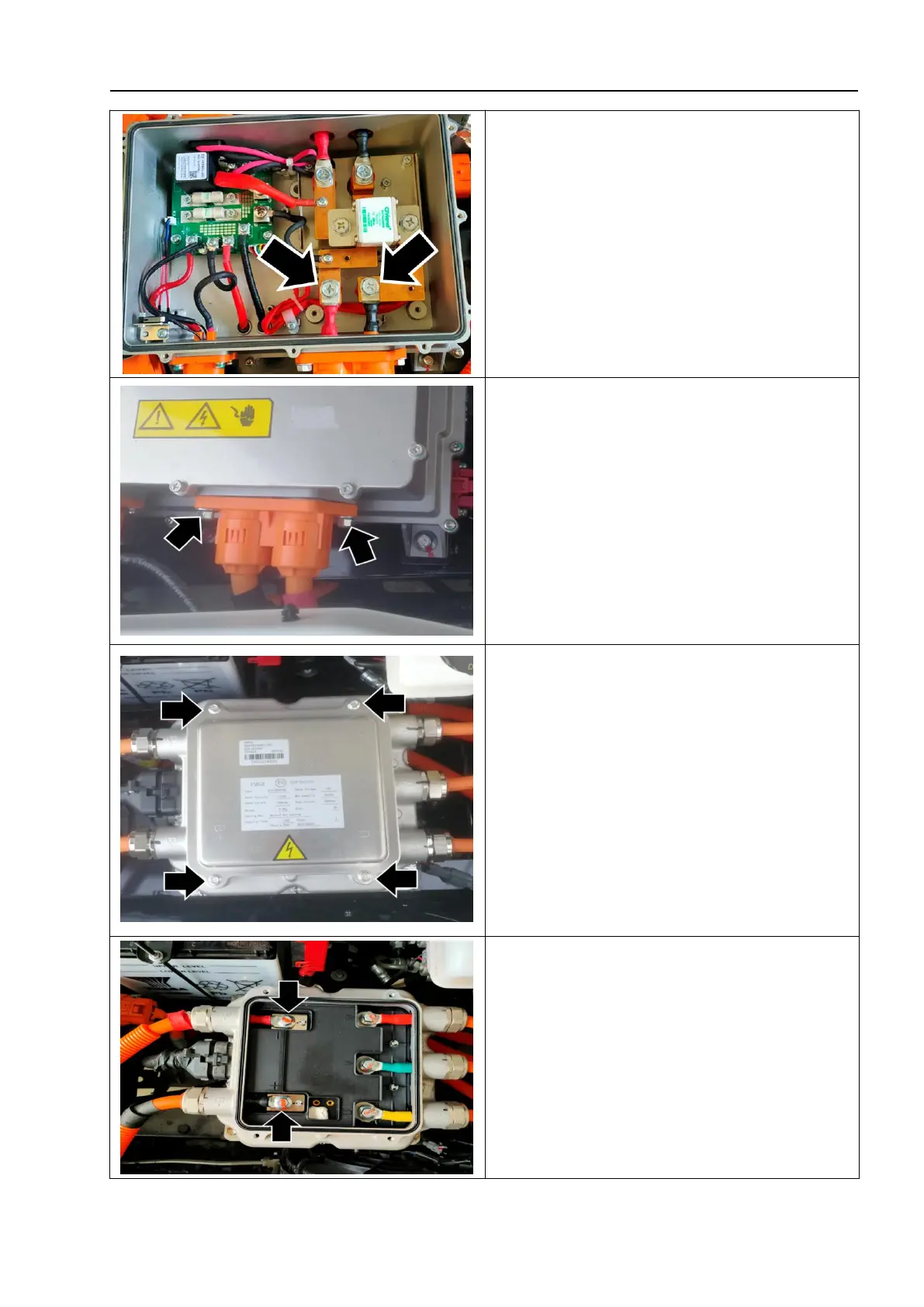
5. Unscrew the connecting fixing bolts
between the positive and negative wire
harnesses of the MCU and the interior of
the PEU controller- as shown by the arrow -.
6. Unscrew the connection fixing screw of
the MCU harness on the outer side of the
PEU controller-as shown by the arrow-, and
disconnect the MCU harness from the PEU
controller.
7. Unscrew the fixing screw-as shown by the
arrow-and remove the upper cover plate of the
motor control unit-1-.
△
! Caution
When installing the cover plate, confirm that
the sealing strip is installed correctly.
8. Unscrew the connecting fixing bolts
between the positive and negative wire
harnesses of the MCU and the interior of
the motor control unit- as shown by the
arrow -.


 To Next Page