133
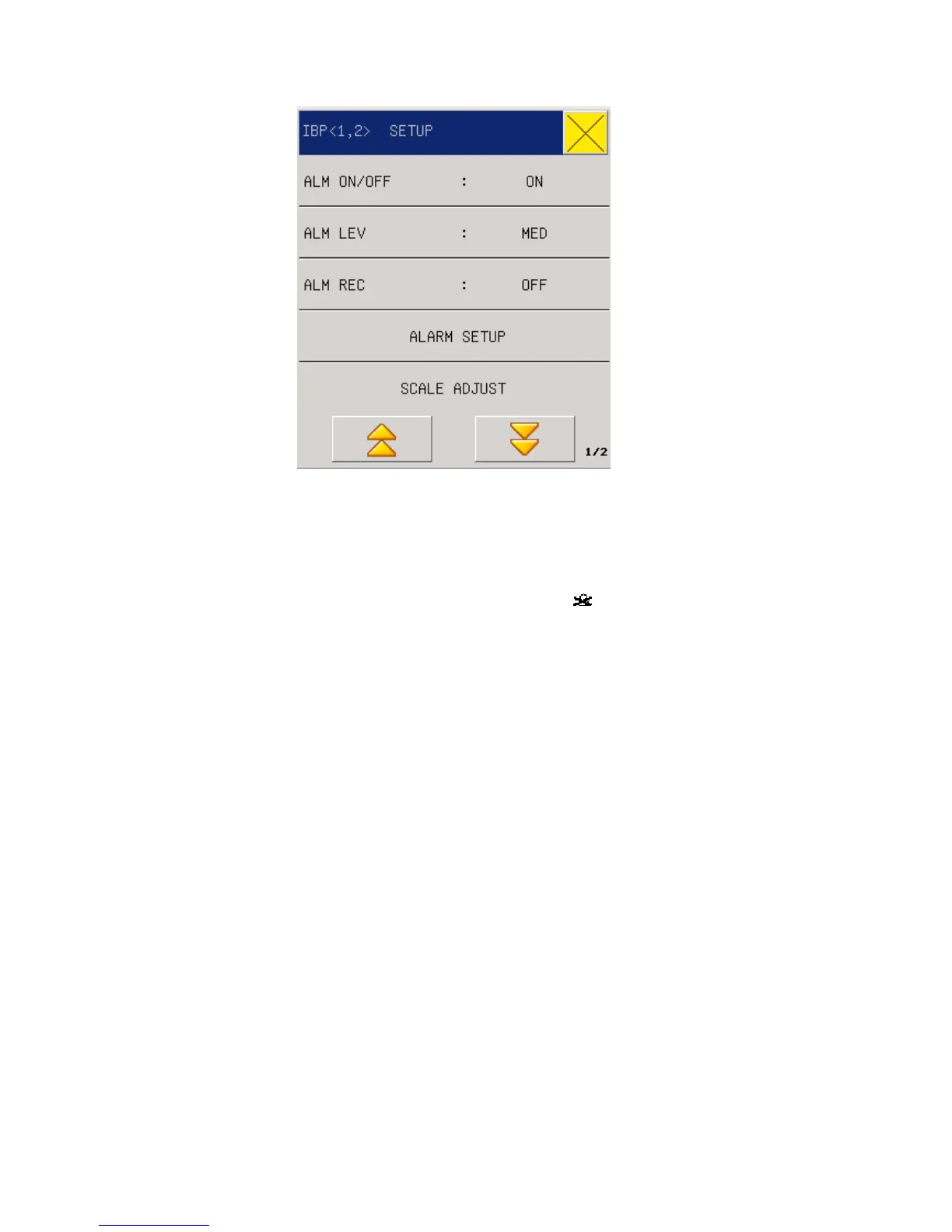
Fig 17-2 IBP Parameter Setting Menu
Settings can be done on the following items:
z ALM ON/OFF(Alarm switch): Where “ON” is selected, the alarm prompt and
saving will proceed when the IBP (invasive blood pressure) is alarmed; where
“OFF” is selected, alarming will not happen, but
will be prompted beside IBP
in the screen parameter area.
z ALM LEV(Alarmlevels): Optional levels are “High”, “Middle” and “Low”.
z ALM REC(Alarm record): select “On” to enable the recorder output when there is
any IBP alarm.
z ALARM SETUP: When the alarm measurement value is greater than or less than
the alarm limit , the instrument alarm and prompt .
CH1: ART, PA, CVP, RAP, LAP ,LAP ,ICP ,P1,P2 limit Hi setup:
SYS: Upper SYS alarm limit: used for setting the upper alarm limit
MEA: Upper MEA alarm limit:used for setting the upper alarm limit
DIA: Upper DIA alarm limit: used for setting the upper alarm limit
CH1: ART, PA, CVP, RAP, LAP ,LAP ,ICP ,P1,P2 limit Lo setup:
SYS: Lower SYS alarm limit: used for setting the lower alarm limit
MEA: Lower MEA alarm limit:used for setting the lower alarm limit
DIA: Lower DIA alarm limit: used for setting the lower alarm limit
CH2: ART, PA, CVP, RAP, LAP ,LAP ,ICP ,P1,P2 limit Hi setup:
SYS: Upper SYS alarm limit: used for setting the upper alarm limit
MEA: Upper MEA alarm limit:used for setting the upper alarm limit
DIA: Upper DIA alarm limit: used for setting the upper alarm limit



 To Next Page