DMD1050TS Satellite Modem Board
Revision 1
Web Browser 7–2 MN-DMD1050TS
7.3.1 Screen Areas
• Product Name - shows which product is connected to the interface
• Product Name/Location - shows the name and location of the unit
• Alarm and Monitor - shows fault and performance status
• Menu Tabs - give access to data and control entry; move the cursor to a tab and a
submenu opens
• Data Entry Area - edit parameters in this area
• Product and Contact Information - gives access to technical trouble-shooting, product
options and specifications; select Contact Us to email Customer Service
7.3.2 Navigation
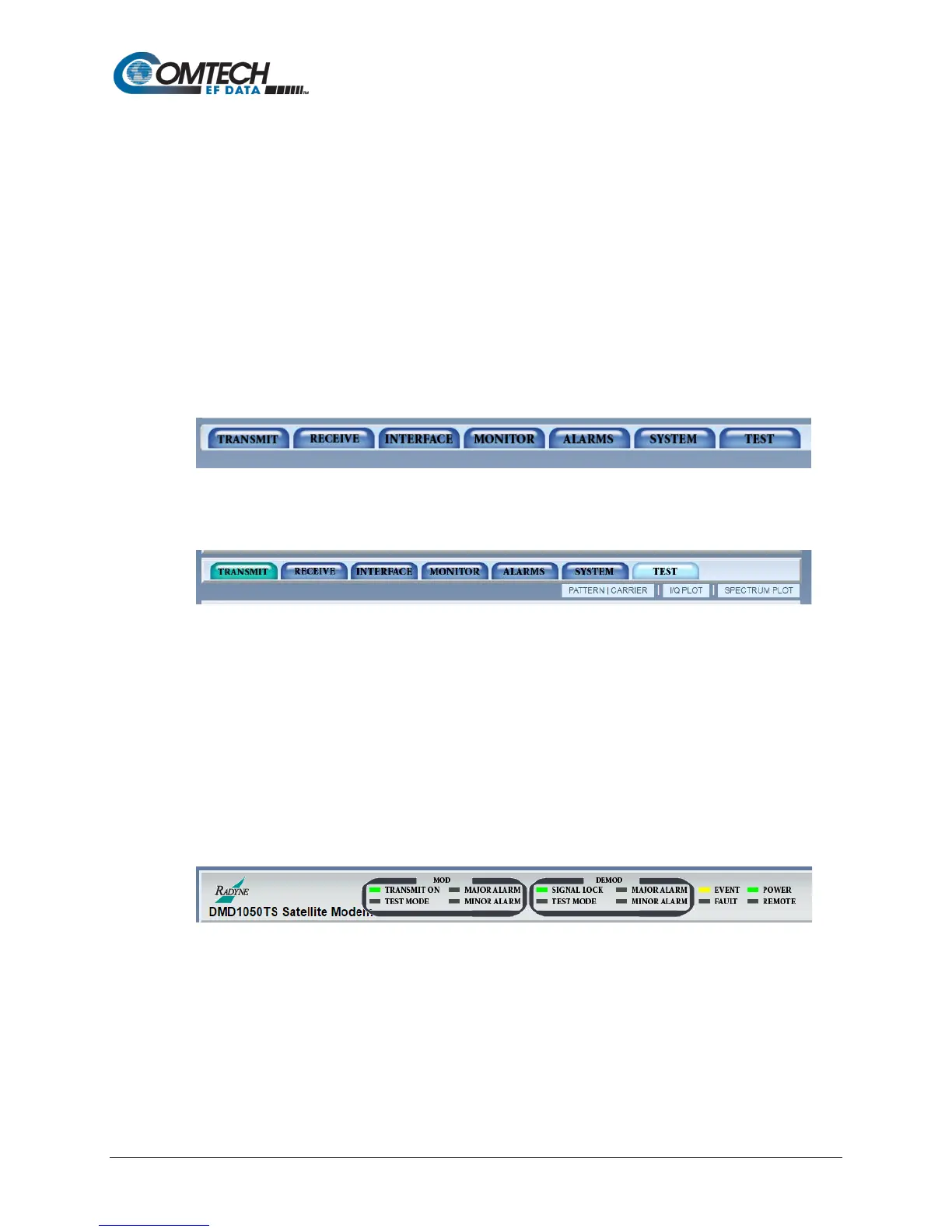
The navigation scheme consists of tabs and submenus that correspond to the front panel top-
level menu selections. When you move the mouse cursor over a tab, the tab opens a submenu.
These submenus often correspond to the front panel sub-menus, but some are combined.
Figure 7-2. Navigation Tabs Example
Figure 7-3. Navigation Tabs Submenus Example
A content page shows under the navigation menus. At the top of the page, breadcrumb links
remind you how to get to the page.
7.3.3 Light Emitting Diode (LED) Indicators
LEDs show the operational status of the DMD1050TS. The LED colors have these meanings:
• Green means operations are normal
• Yellow means a operations are not normal
• Red means a fault condition exists that is causing lost communications
Figure 7-4. LED Example



 To Next Page