DMD1050TS Satellite Modem Board
Revision 1
Web Browser 7–6 MN-DMD1050TS
7.5 Password Setup
Click Password Setup for the Access page to automatically open.
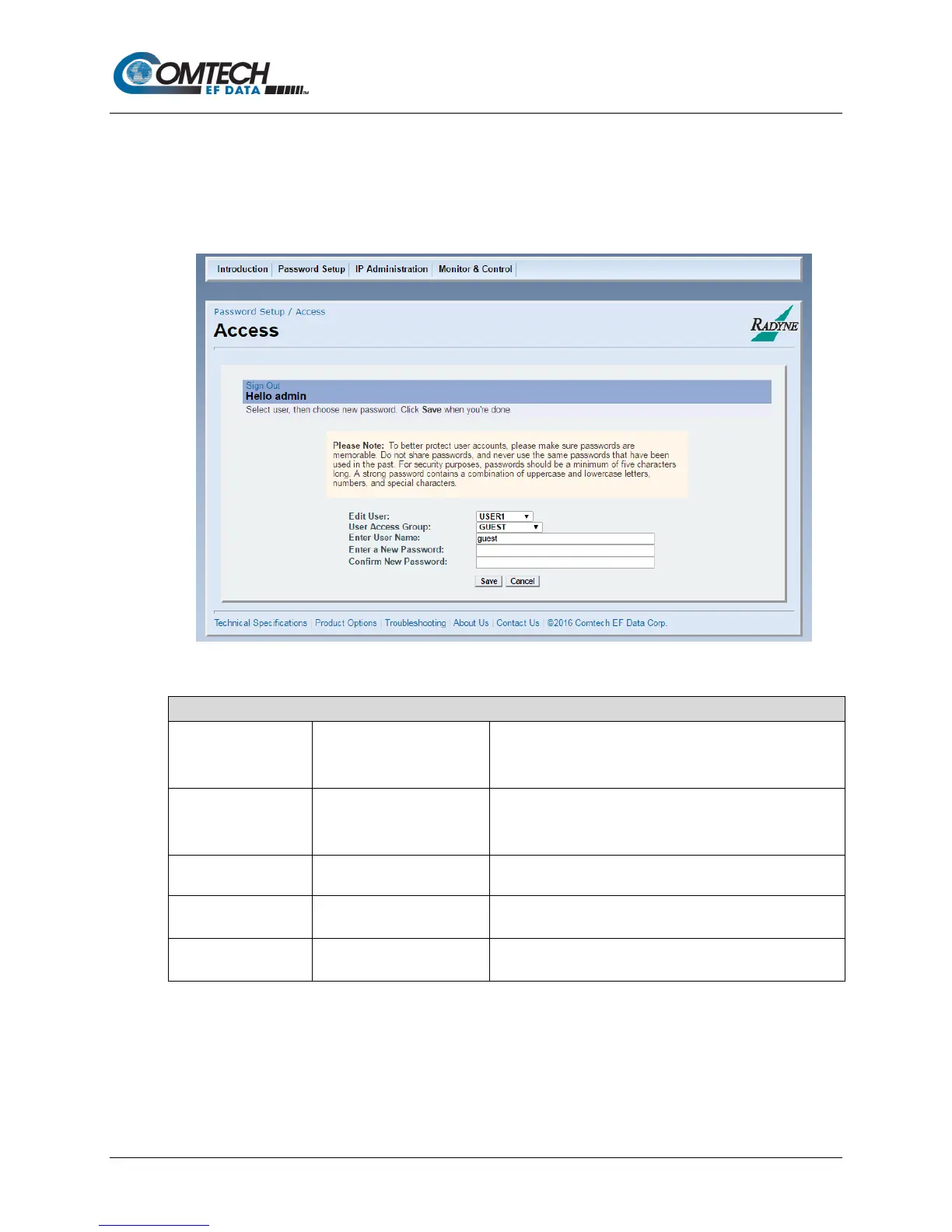
Use the Access page to set up access to the system for multiple operators.
7.5.1 Password Setup | Access Page
Figure 7-7. Password Setup | Access Page Example
Password Setup | Access Page
•
• USER 2
• USER 3
Use to select the user number.
•
• OPERATOR
• ADMIN
Use to assign the selected user to an access level group.
Enter User Name
Use to assign the user name used for login.
Password
Use to assign the password used for login.
Password
Enter the password again; it must match the previously
entered Password exactly.
Click Save (or Cancel).



 To Next Page