DMD1050TS Satellite Modem Board
Revision 1
TRANSEC Module SSH CLI Operation 9–5 MN-DMD1050TS
The Main Menu is the CLI’s primary navigation screen. All selections open submenus. See Table
9-1.
Table 9-1. CLI Submenus
Configuration C
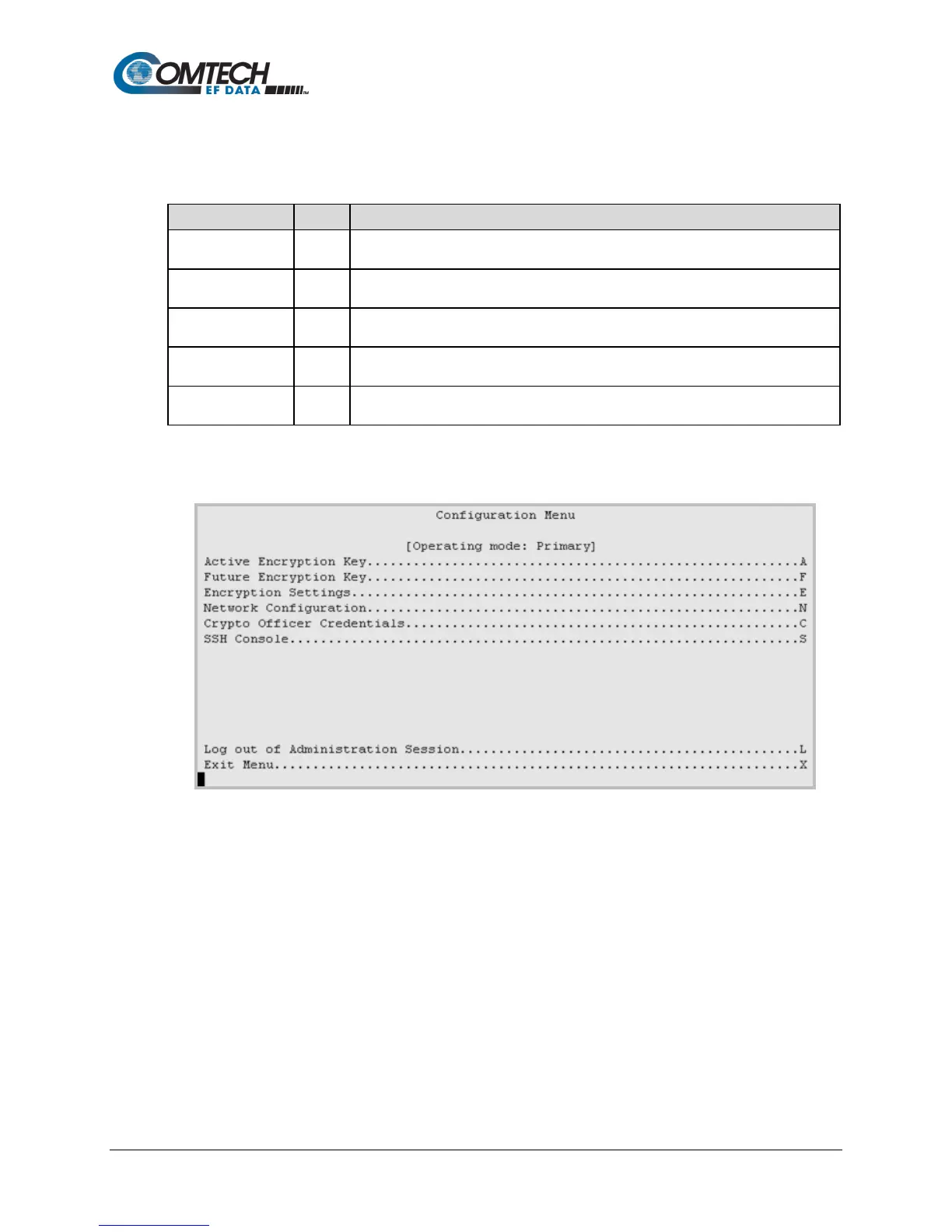
The Configuration Menu screen lets you configure the TRANSEC Module
encryption features.
Module Status M
The Module Status screen has no other menus. This read-only screen shows the
TRANSEC Module’s existing operating parameters.
Event Log E
Opens the Event Log screen. Use it to monitor and control operational faults and
alarms.
Unit Info I
Opens the Unit Info screen. Use it to to change the firmware bootup settings and
system reboot controls.
Comtech EF Data
Information
Z
Opens the Comtech EF Data Information screen. It has no other menus. This read-
only screen gives customer support contact information.
9.2.4 Configuration Menu [C]
Figure 9-3. Configuration Menu Example



 To Next Page