DMD1050TS Satellite Modem Board
Revision 1
TRANSEC Module SSH CLI Operation 9–8 MN-DMD1050TS
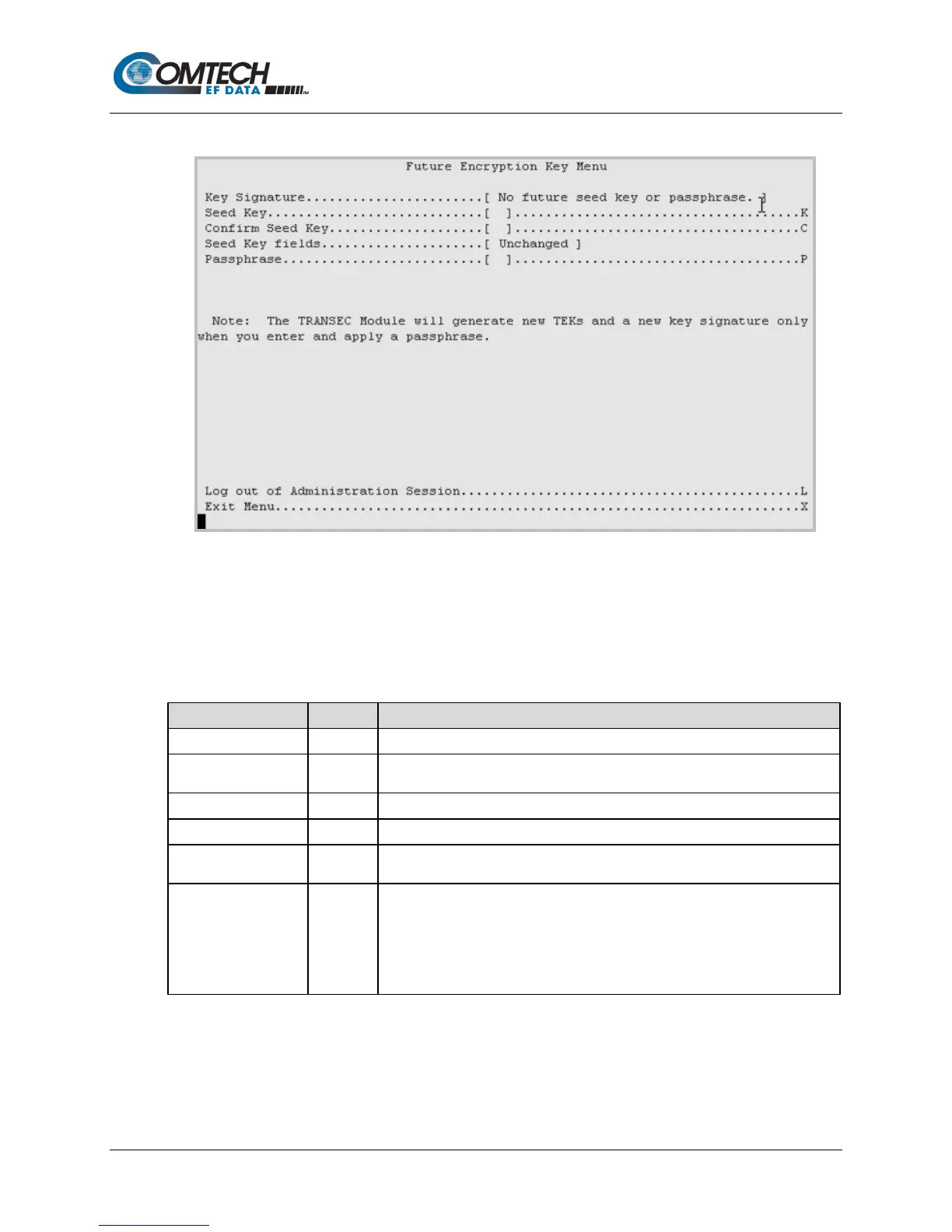
9.2.4.2 Configuration | Future Encryption Key Menu [F]
Figure 9-5. Future Encryption Key Menu Example
The Future Encryption Key Menu has options or fields that are identical to those on the Active
Encryption Key Menu. However, all commands are applicable to Future Encryption Keys only.
Table 9-4. Future Encryption Key Menu Options
The future Key Signature is shown here.
Seed Key K
Enter a 32-character future Seed Key to generate a TEK when the TRANSEC
Module is given a Passphrase.
Confirm the future Seed Key .
Shows the status of the future Seed Key in real time.
Passphrase P
User is prompted to enter a 10- to 32-character Passphrase that is combined
with the previously entered future Seed Key to generate TEKs.
Activate Future Key
I
(Not
shown)
Activates the future Seed Key and resets the TEK index to 1.
Note: This option shows only when all of these are true:
a) the module is in primary mode
b) you have entered a future Seed Key and Passphrase
c) you have advanced the current TEK so that it is in the range of 2 to



 To Next Page