DMD1050TS Satellite Modem Board
Revision 1
Appendix F F–7 MN-DMD1050TS
F.8 Enhanced Quality of Service (QoS)
Most networks are comprised of various types of real-time and non real-time services. With its
four prioritized output queues, the EEI can insure that higher priority traffic, like voice and network
controls, do not wait behind low priority traffic, such as bulk transfers and games. In addition, EEI
gives you more control over how the QoS determination is made, and how the queues are
processed. In all cases, the QoS determinations and queuing are performed at line speed.
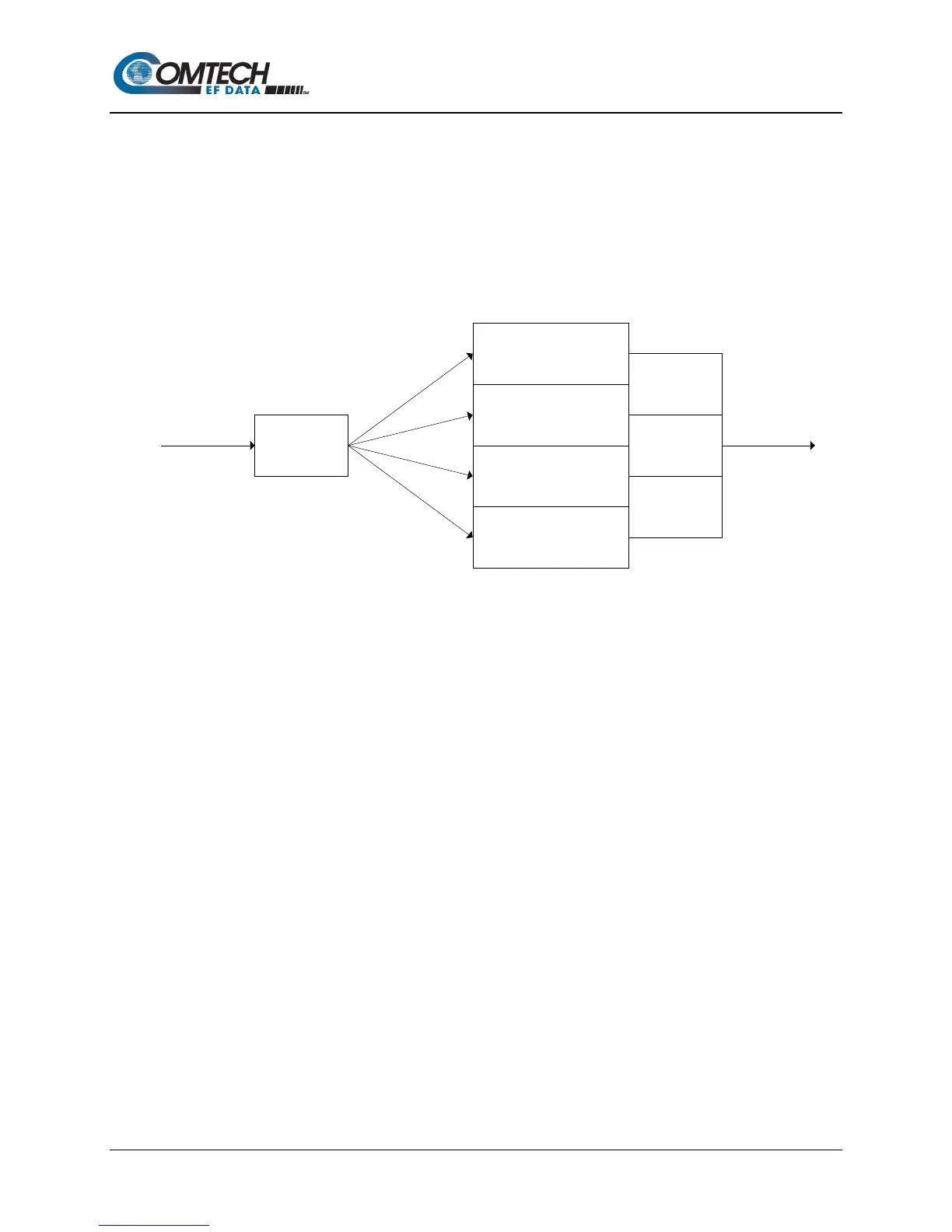
Figure F-7 shows the prioritized queues and the traffic associated with those queues normally.
Figure F-7. Prioritized Traffic Queues
F.8.1 Normal QoS
With Normal QoS selected, information contained in the packet determines traffic priority and
queuing. This type of QOS is the default on the original Ethernet Bridge. It is what most users
require, typically.
Normal QoS uses this packet information:
• When a packet contains an optional IEEE802.3ac tag, the EEI uses the IEEE802.1p
priority information embedded in the tag.
• When a packet does not contain the optional tag, priority is determined using either:
• IPv4 Type of Service / Differentiated Service field
- or -
• IPv6 Traffic Class field
F.8.2 Port Based QoS
With Port Based QOS selected, the EEI ignores any QoS information embedded in the headers.
Instead, priority and queuing are based on the port on which the traffic arrives. This type of QoS
is used typically when the operator wants to control bandwidth allocation based on ports.
However, it can be used to create a FIFO-like operation as well, where the data is transmitted in
the exact order it is received. With Port Based QoS, Port 1 has the highest priority, and Port 2 on
the standard 10/100 EEI.
Queue 1 (Highest)
Voice
Network Controls
Queue 2
Video
Controlled Load
Queue 3
Excellent Effort
Best Effort
Queue 4 (Lowest)
Bulk Traffic
Prioritized Queues
Queue
Manager
Packets In Packets Out



 To Next Page