DMD1050TS Satellite Modem Board
Revision 1
TRANSEC Module HTTPS Interface 8–12 MN-DMD1050TS
8.4.3 Log
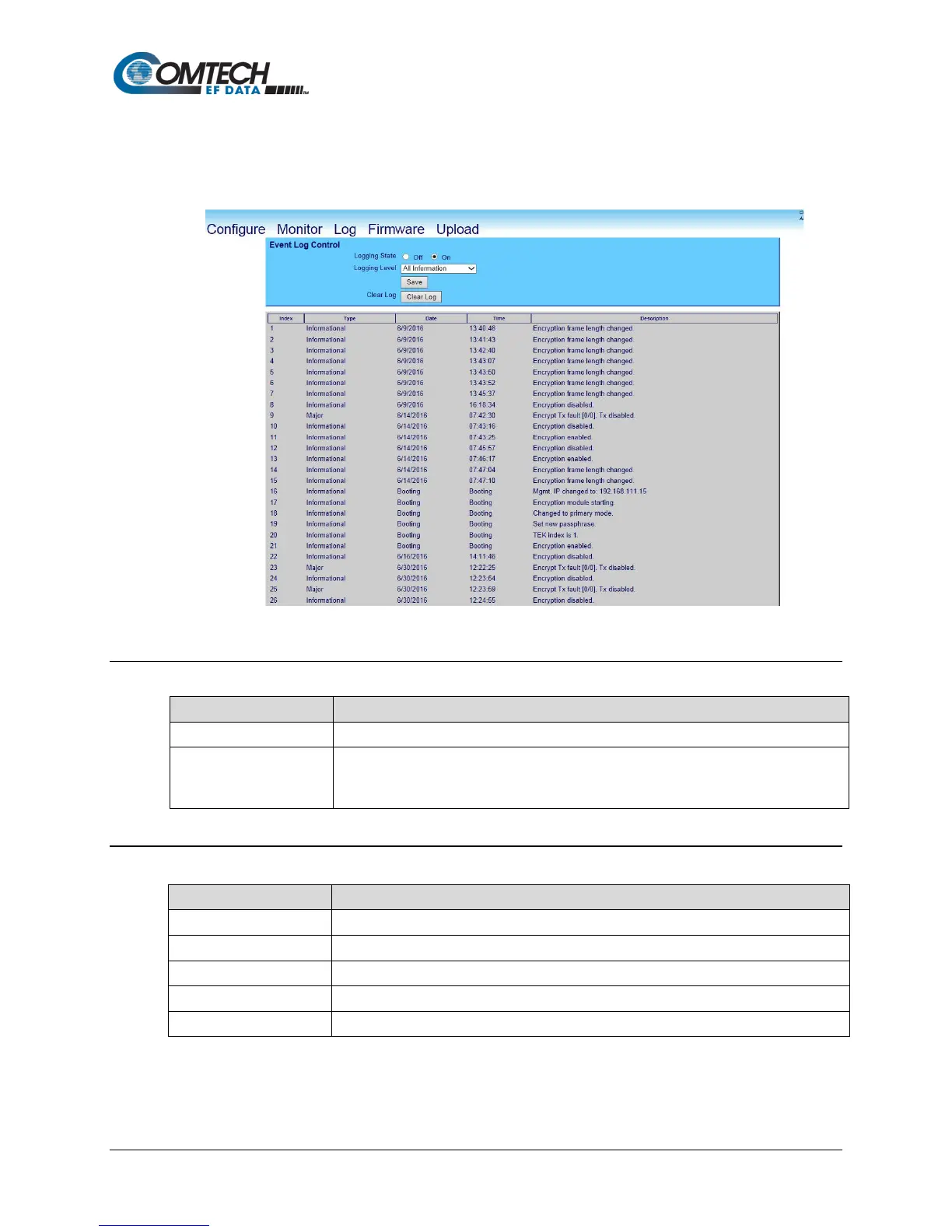
Use this page to see the events log specific to the TRANSEC Module, and to monitor and
troubleshoot the health of the TRANSEC Module.
Figure 8-4. Log Page
8.4.3.1 Event Log Control
Enables/disables logging of event messages.
Logging Level
This drop-down menu controls the maximum filtering level of displayed messages.
Choices are Errors Only, Errors and Warnings, and All Information.
Click Save to save the settings.
8.4.3.2 Event Log
The event messages are numbered in the order they are received.
Describes the severity of the event.
Displays the date that the event was logged in using MONTH/DAY/YEAR format.
Displays the time of day that the event was logged in 24-hour format.
Displays a brief description of the logged event.



 To Next Page