DMD1050TS Satellite Modem Board
Revision 1
TRANSEC Module HTTPS Interface 8–15 MN-DMD1050TS
8.4.5 Upload
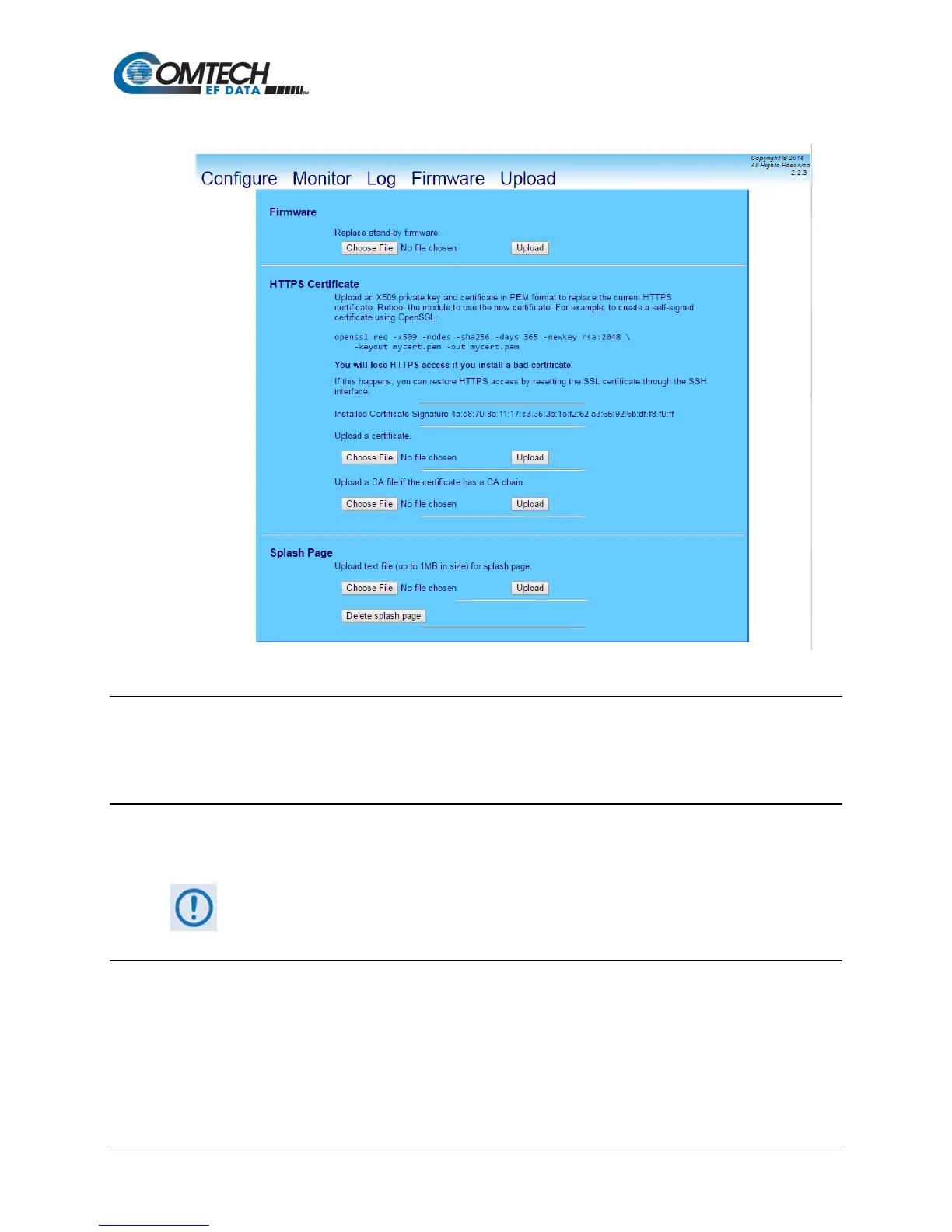
Figure 8-7. Upload Page
8.4.5.1 Firmware
Use this area to select a file, and then upload updated firmware.
See Section 8.5 for detailed information on the procedures associated with the TRANSEC
Module firmware update process.
8.4.5.2 HTTPS Certificate
Use this area to upload an X509 private key and certificate in PEM format to replace the current
HTTPS certificate.
HTTPS access will be lost if a bad certificate is installed. If this happens, restore
the HTTPS access by resetting the SSL certificate through the SSH interface.
8.4.5.3 Splash Page
Use this area to upload a text file (up to 1MB in size) to replace the current splash page.



 To Next Page