DMD1050TS Satellite Modem Board
Revision 1
Web Browser 7–30 MN-DMD1050TS
7.7.2 Receive Menu
The Receive menu has the following submenus:
• General/IF
• Data
• Reed Solomon
• CNC
• ODU-LNB
• ITA
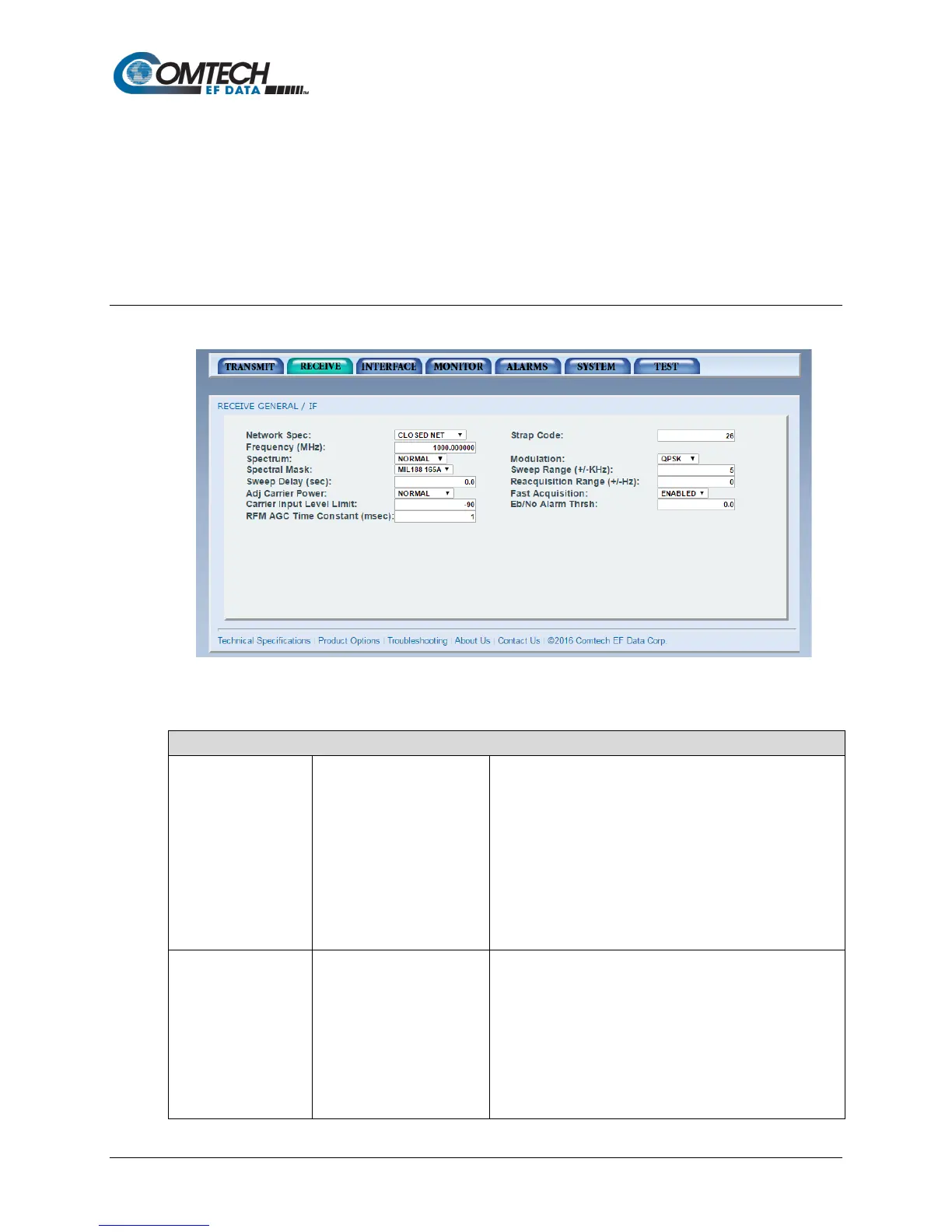
7.7.2.1 Receive | General / IF Page
Figure 7-18. Receive | General | IF Page Example
Receive | General | IF Page
Network Specs • CLOSED NET
• IDR (optional)
• IBS (optional)
• DROP & INSERT
(optional)
• DVB SAT
• MIL 188 165A
• EBEM (optional)
Supports IDR and IBS Framing Modes in Closed Net.
To meet a set specification, the Network Spec command
sets several parameters in the modem. The purpose is to
eliminate keystrokes and compatibility problems.
Additionally, data rates not covered by the selected
specification are not allowed. The selected Network Spec
must be compatible with the selected data rate.
The parameters cannot be changed while the unit is in the
selected Network Spec.
See Table 7-6. Network Specifications.
•
• Inner Code Rate
• Satellite Framing
• Scrambler
• Drop and Insert
• Outer Code Rate
(Reed-Solomon)
• Modulation
The Strap Code is a quick set key that sets many modem
parameters. Consult the strap code guide for available strap
codes. See Appendix G.



 To Next Page