DMD1050TS Satellite Modem Board
Revision 1
Appendix D D–5 MN-DMD1050TS
D.4 IP Network Change from the Initial Web Setup
D.4.1 Configure the modem
The modem must be configured with the correct network settings. Contact your network
administrator for an IP address mask, and modem, server and router IP addresses that are valid
for your network.
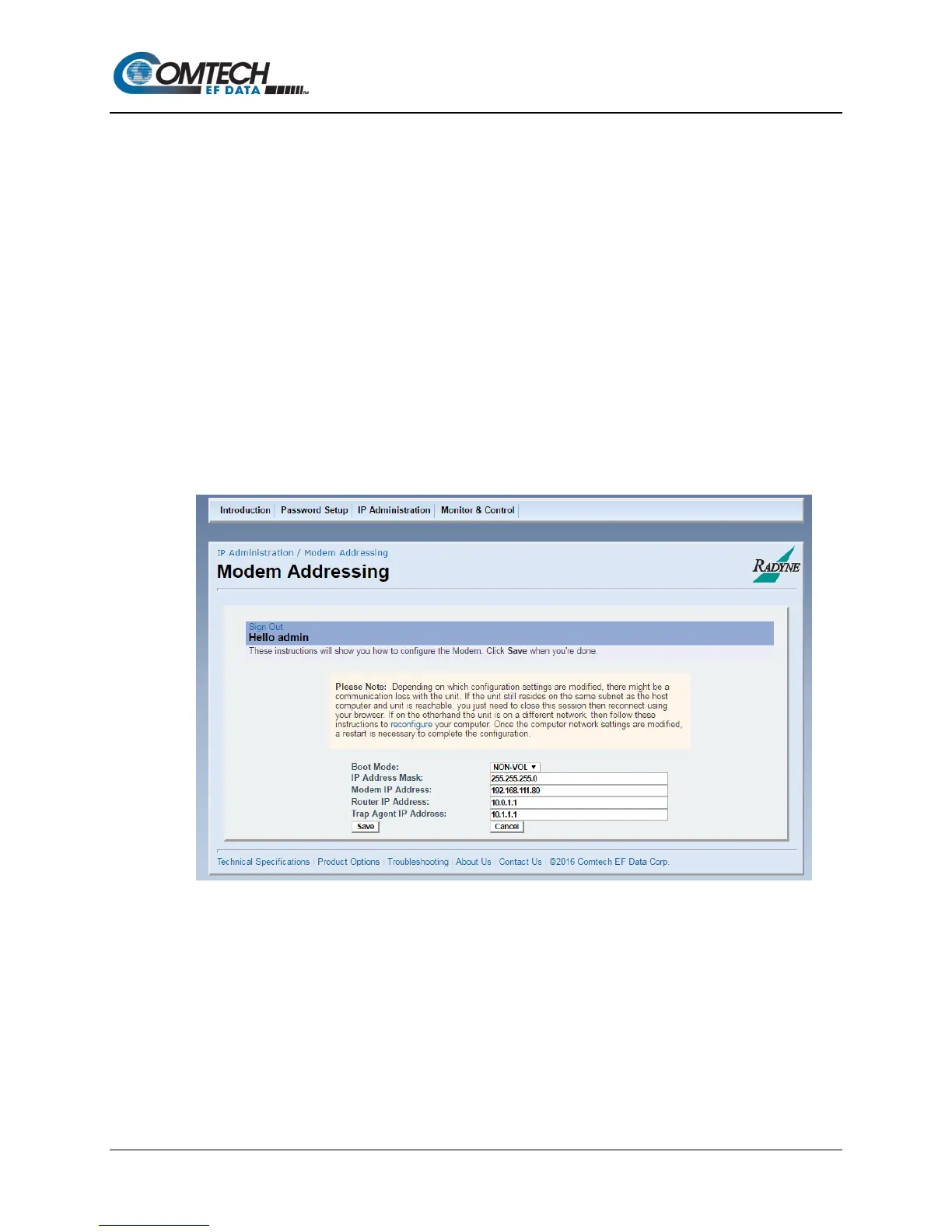
To recognize a subnet, each system in the subnet must have the same subnet mask. Set this
field before changing the Modem or Router Address. See Figure D-5.
1. Configure the modem with the new subnet addresses.
a. From the modem introduction page, click the IP ADMINISTRATION.
b. Enter your User Name and Password on the logon popup.
c. Press Enter.
d. Change the Boot Mode to NON-VOL.
NON-VOL - stores and uses IP Mask and addresses.
e. Change IP addresses and subnet mask to the recommended settings.
f. Click Save to accept the changes.
2. Otherwise, click Cancel any time to abort changes and reload the existing IP network
settings.
Figure D-5. Modem Addressing Screen



 To Next Page